Hi, I am

Industrial & UX/UI Designer

What I do

1.

Industrial Design

  • Concept & form
  • CAD
  • CMF
  • Renders
  • Foam models
View industrial projects
2.

UX/UI

  • Research
  • IA & flows
  • UI
  • Prototype
  • Handoff
View UX/UI projects
3.

Prototype & Build

Physical

  • Physical models
  • 3D printing
  • Foam & cardboard mockups
  • CNC fabrication
  • Scale modeling
Physical work

Digital

  • Claude Code
  • Codex
  • Figma Make
  • Nano Banana
  • Lovable
  • Antigravity
  • Stitch
Digital work

I work across the object and the interface.

I'm an industrial and UX/UI designer based in Savannah. I take ideas from research and flows to working front ends, and use the same prototype-first approach for physical products.

Based in
Savannah, Georgia
Practice
UX/UI · Front-end · Industrial Design
Approach
Research to working prototype

How I work

Research

User interviews, surveys, affinity mapping, usability testing, and insight translation

Design

Information architecture, user flows, interaction design, and visual systems

Prototype

Figma, Blender, physical models, iterative testing, and developer handoff

Build

React, Vue, Next.js, JavaScript, HTML, and CSS

Experience

1

Freelance

UX/UI Designer & Front-End Developer · Sep 2024 to Present

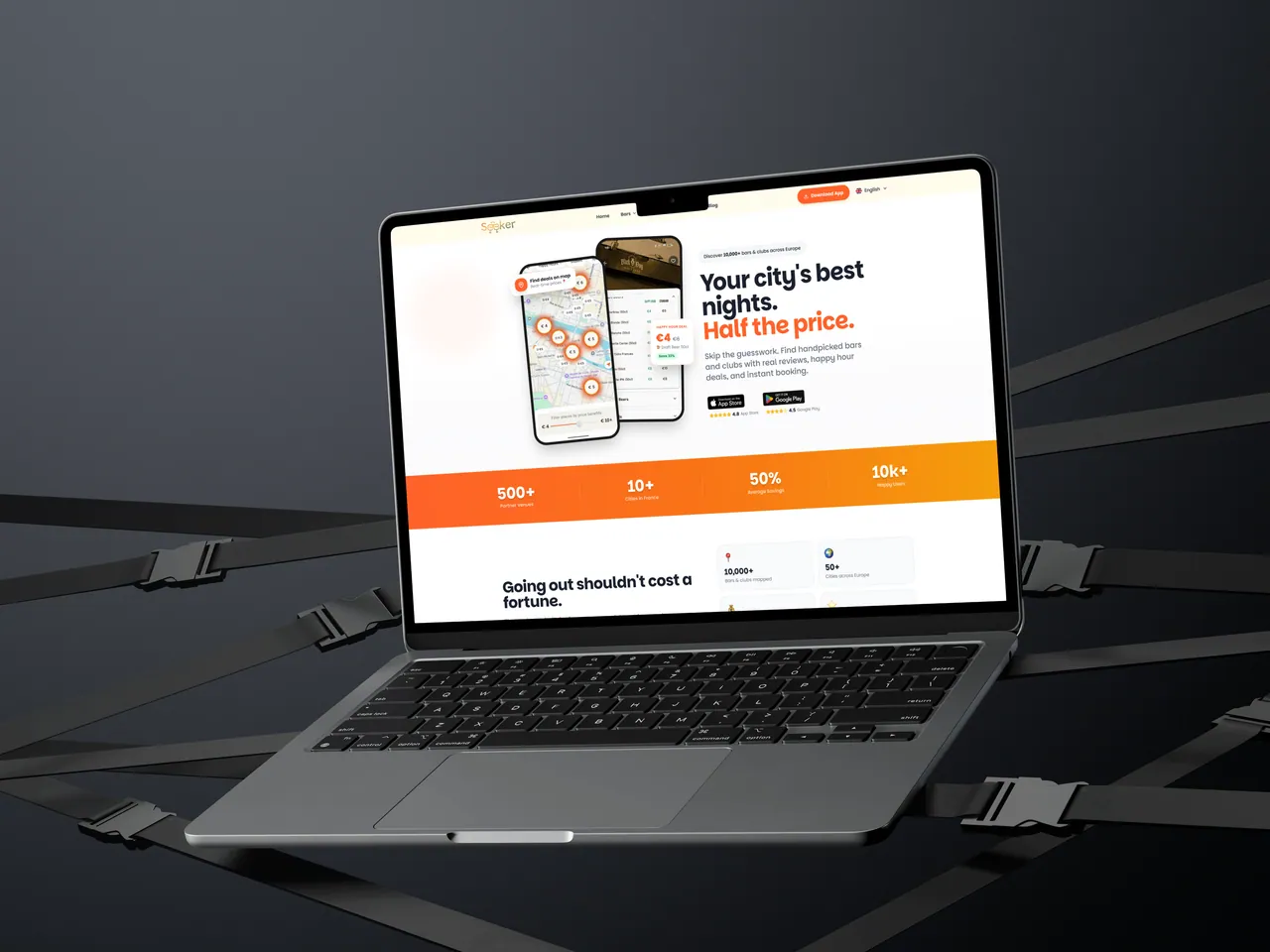
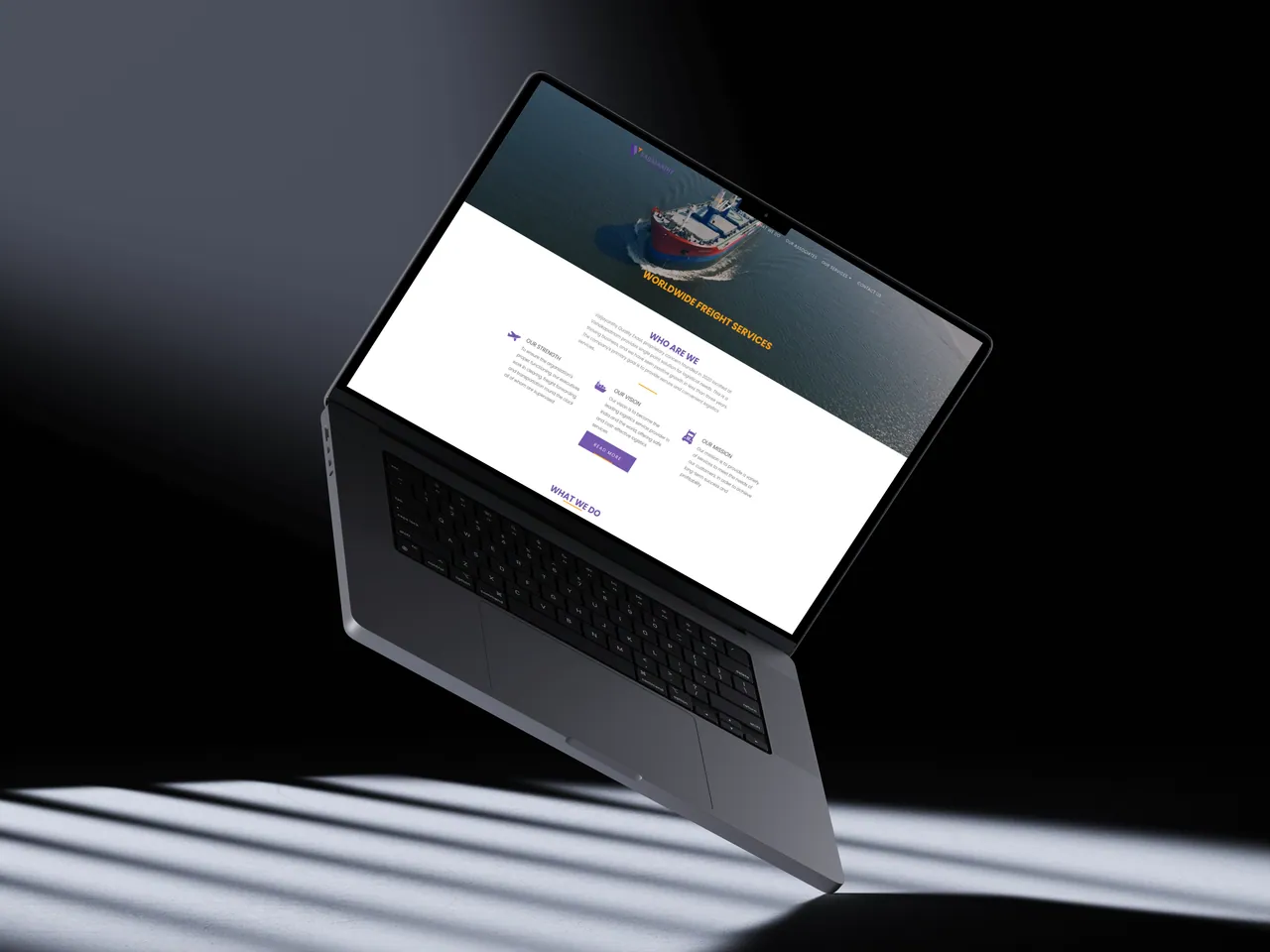
Designed and built Sanathan Sethu, the responsive Seeker.social experience and partner portal, and the Vaijayanthy Quality Exaal marketing site.

2

CGI

UX/UI Designer · Sep 2022 to Jul 2024

Redesigned OpenGrid 360, led a multi-school platform from research through handoff, and used two rounds of usability testing to reduce task completion time by 30%.

3

Ether and Sol Design House

Industrial Design Intern · Bangalore, India · Feb 2022 to Jun 2022

Designed a bakery and café interior from material research and spatial planning through client-ready 3D models, then created modular furniture that staff could quickly reset without sacrificing floor space.

4

Permanent Objects

Industrial Design Intern · Bangalore, India · Jul 2021 to Nov 2021

Translated client conversations into approved mood boards, then developed custom furniture from test models through 1:4 and full-scale prototypes for CNC fabrication.

Education

MA, Industrial Design

Savannah College of Art and Design

B.Des, Product Design

Ramaiah University of Applied Sciences

Design Research & Insight Translation

Lextant

I notice things.

I'm curious about almost everything. I can take something apart and put it back together simply because I need to understand what is happening inside.

I can sit quietly and observe an ordinary place for a long time, noticing the smallest details others might pass by. I like going somewhere unfamiliar simply to understand it, and my mind often wanders into ancient worlds, imagining their stories, beliefs, and ways of life.

Recently, I've found myself asking “why?” more often. Not to question everything for the sake of it, but because understanding the reason behind something helps me see it from another person's perspective, even when I do not agree.

I think that is who I am: someone who looks closely, keeps asking questions, and wants to understand things from more than one point of view.

Have something worth designing?

Product roles, freelance briefs, or just a good problem to think about. The fastest way to reach me is email.

Made like the work.

This portfolio is designed as a working surface for industrial objects, digital systems, and the evidence behind both.

Design direction
An open workbench: cool editorial surfaces, project-led imagery, direct typography, and a single luminous-blue interaction accent.
Type
Bricolage Grotesque for display and Onest for reading and interface copy. Both families are self-hosted.
Build
React and Vite with hand-written CSS. Navigation, motion, image behavior, and case-study structures are custom-built for this portfolio.
Accessibility
Semantic landmarks, keyboard-operable controls, visible focus, descriptive image alternatives, and intentional reduced-motion states.
Images
Project imagery and interface exports belong to Aditya’s work. Credited research-context photography links to its original source.
Last updated
September 2026.

Industrial design.

Three product concepts explored through sketches, physical models, CAD, and material studies. From hearing support to the kitchen counter and the front door.

Industrial design

Aurio

Hearing support with a visible identity.

An ear-worn concept explored through sketches, foam forms, prototype finishing, and on-body studies.

Explore the physical models
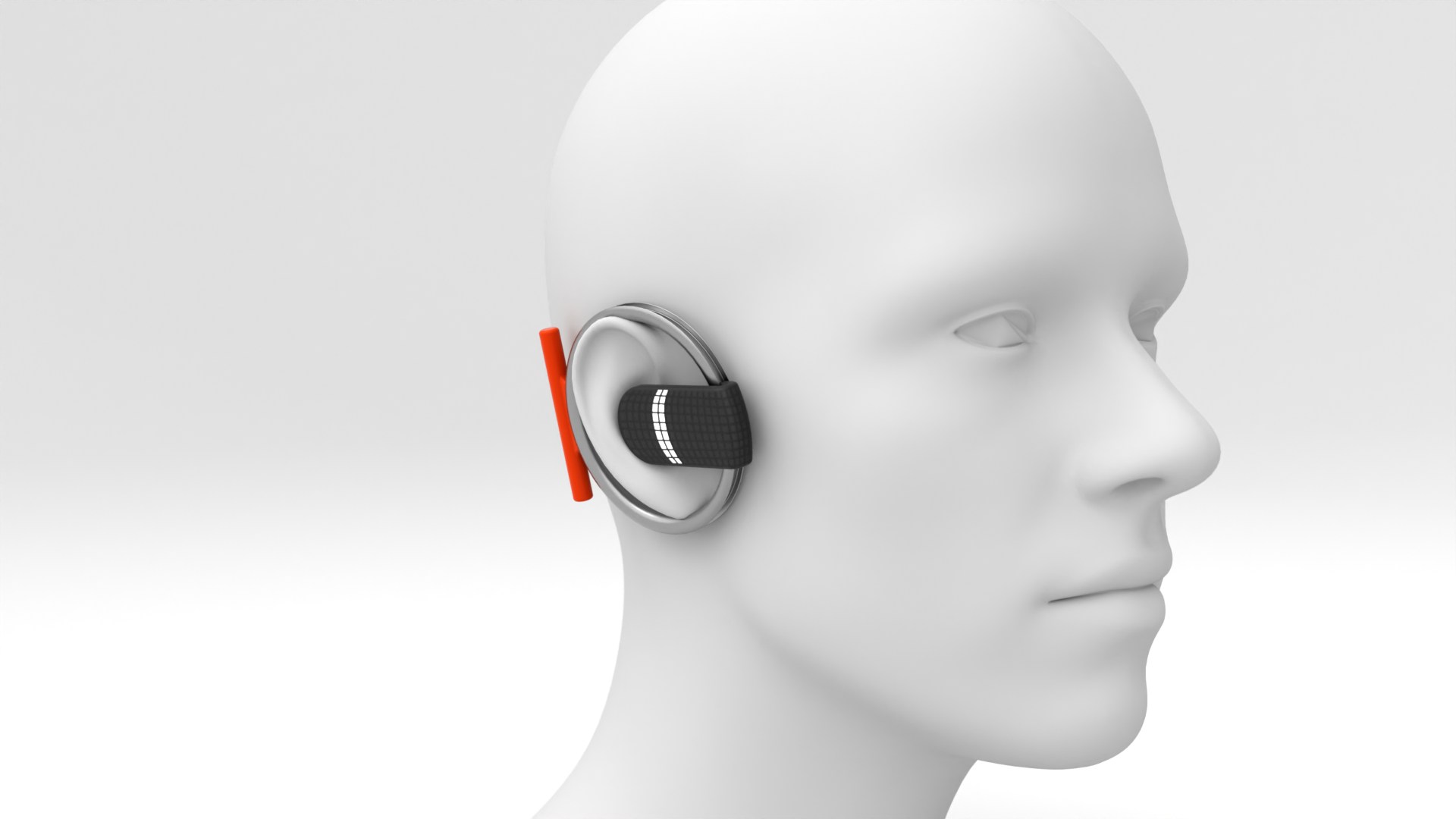
Aurio ring-form hearing-support concept shown on a head model to explain placement and scale

The starting point. My response.

The research brief was provided in class. My contribution is the interpretation and development shown here: sketches, physical models, interactions, CAD, and the final concept.

The brief

Young adults who struggle in noisy, outdoor, moving, or social environments and want support that fits their identity.

Young adults experience difficult listening situations but often reject hearing aids that feel clinical, hidden, or stigmatizing.

My design response

A lifestyle hearing-support wearable with direct controls, focus feedback, six colorways, and a charging case.

The ring form treats visibility as part of the product’s identity. Physical models explore its relationship with the ear.

Six Aurio hearing-support devices showing the final ring form and color options

Listening context and product references

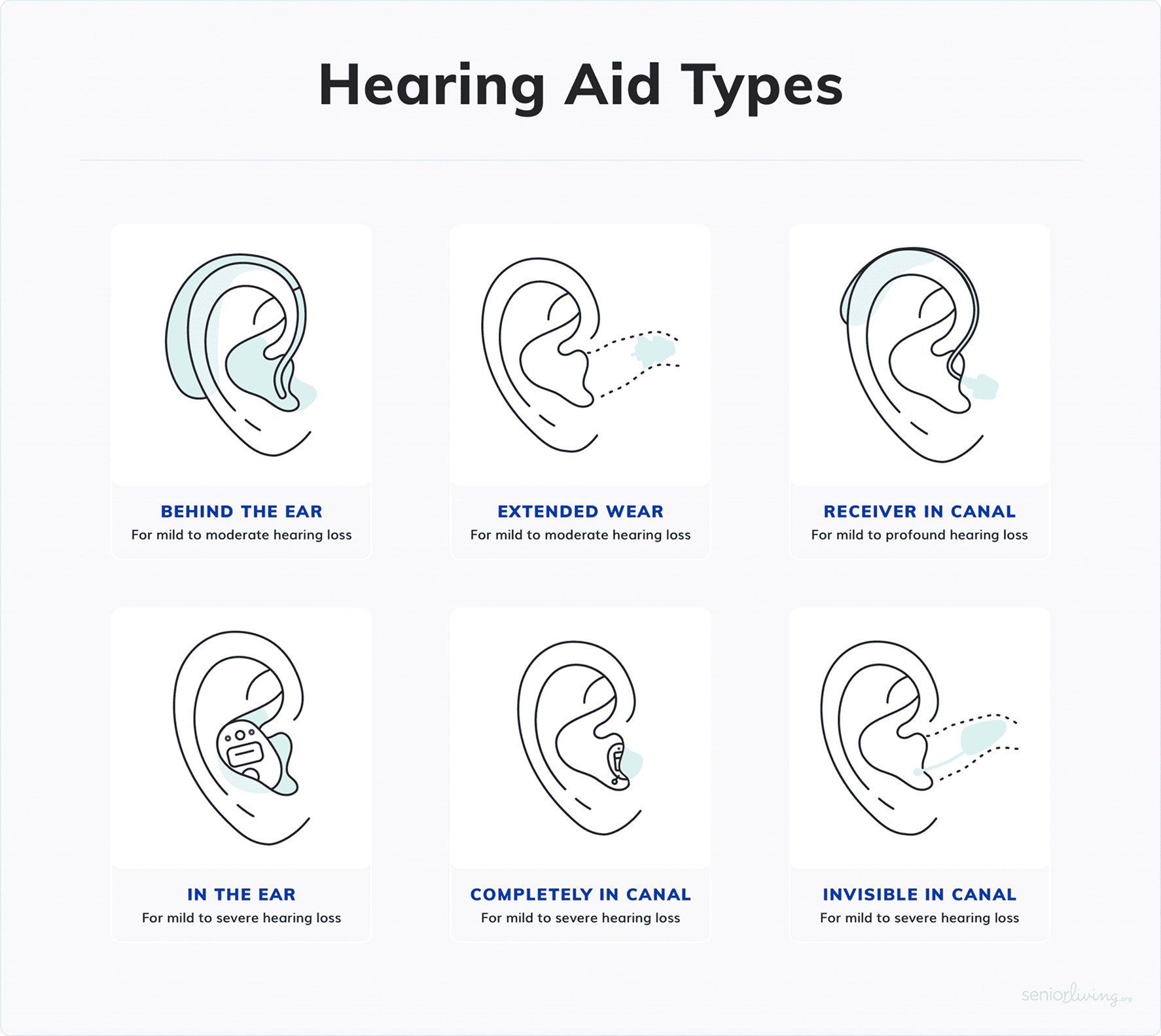
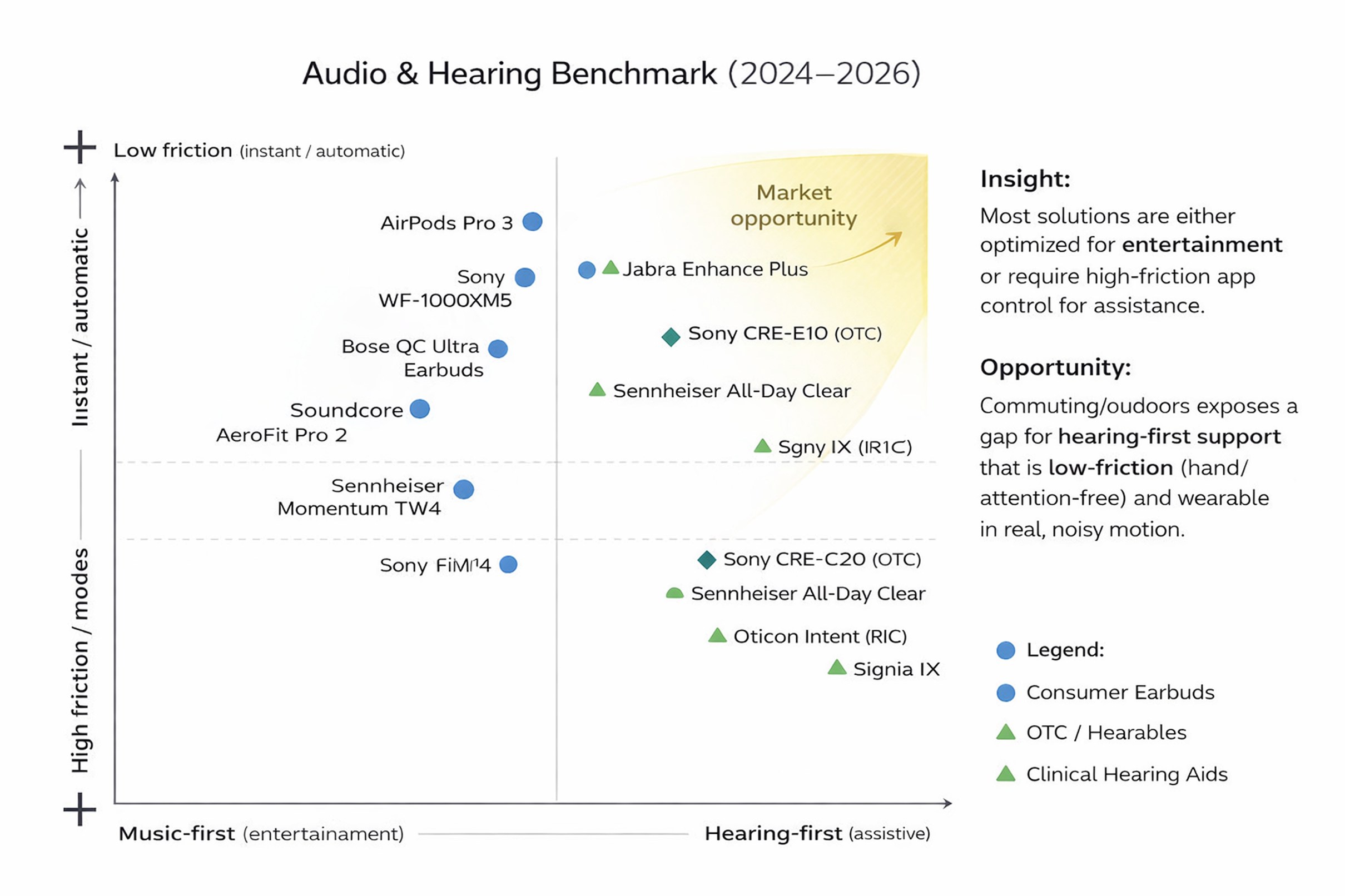
The reference material frames everyday listening and the range of existing audio products.

Young adults talking in a busy social setting
Comparison chart of six common hearing-aid form factors
Benchmark map comparing audio products by interaction friction and entertainment versus hearing-first use

Making support visible.

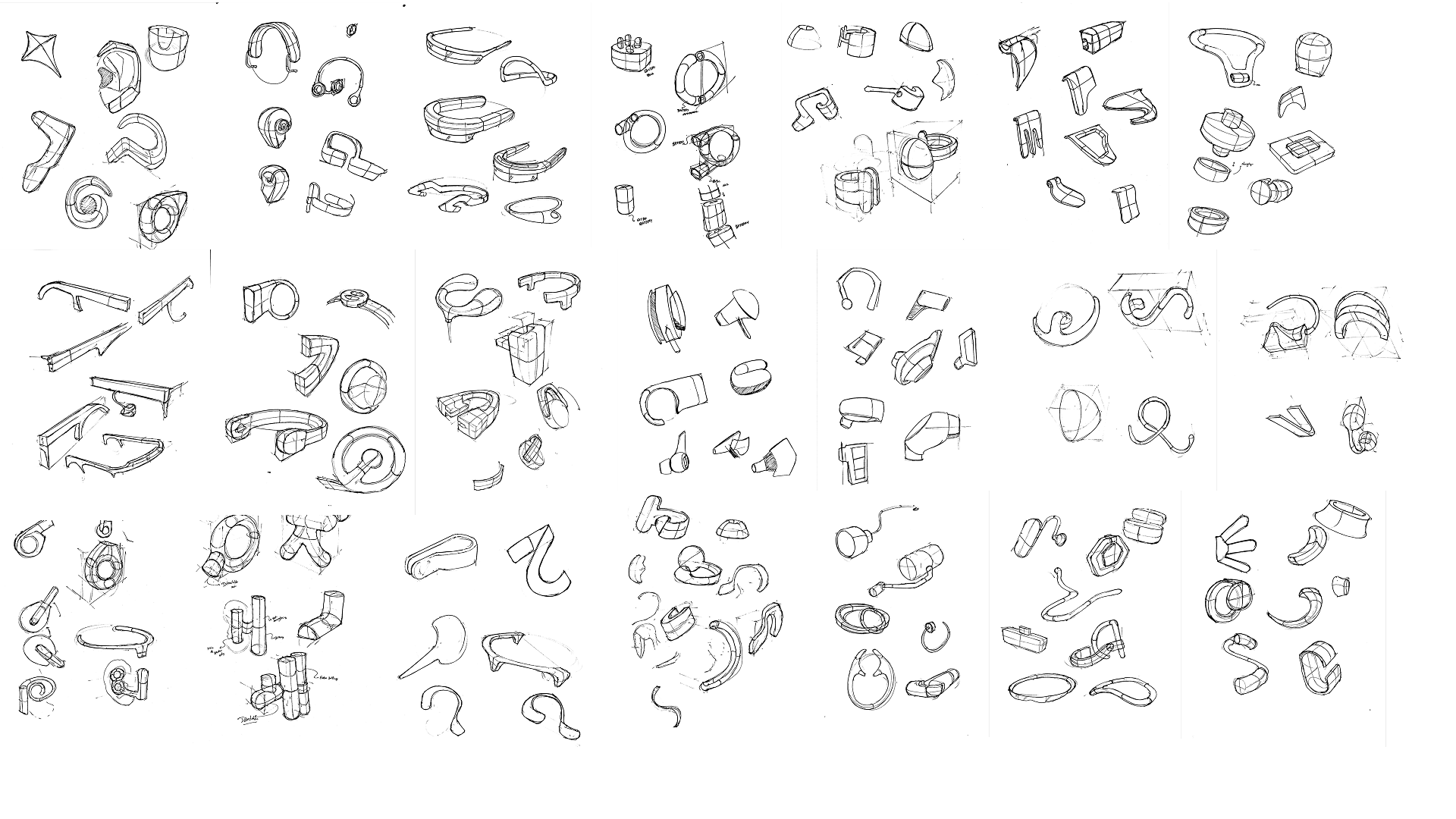
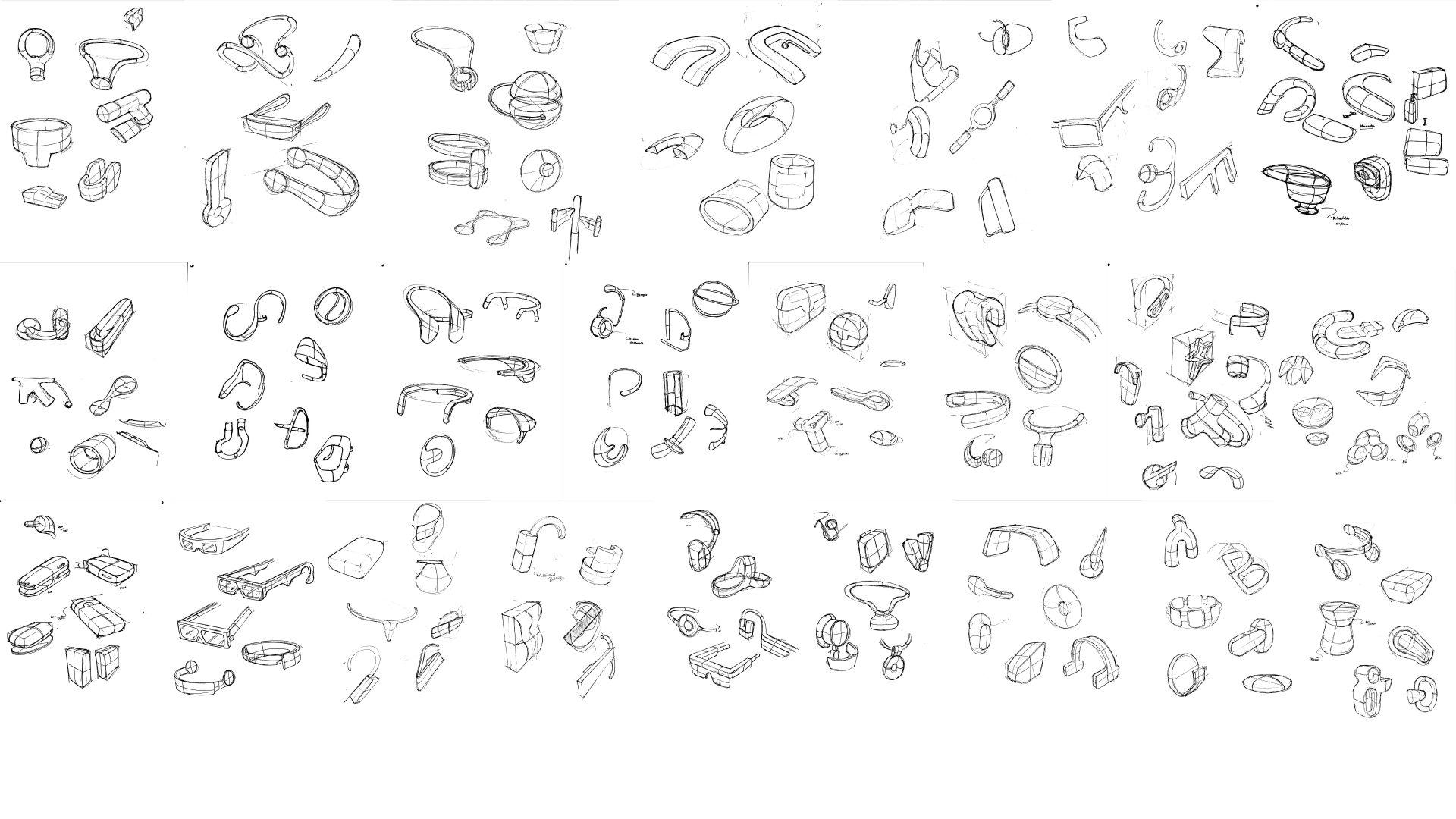
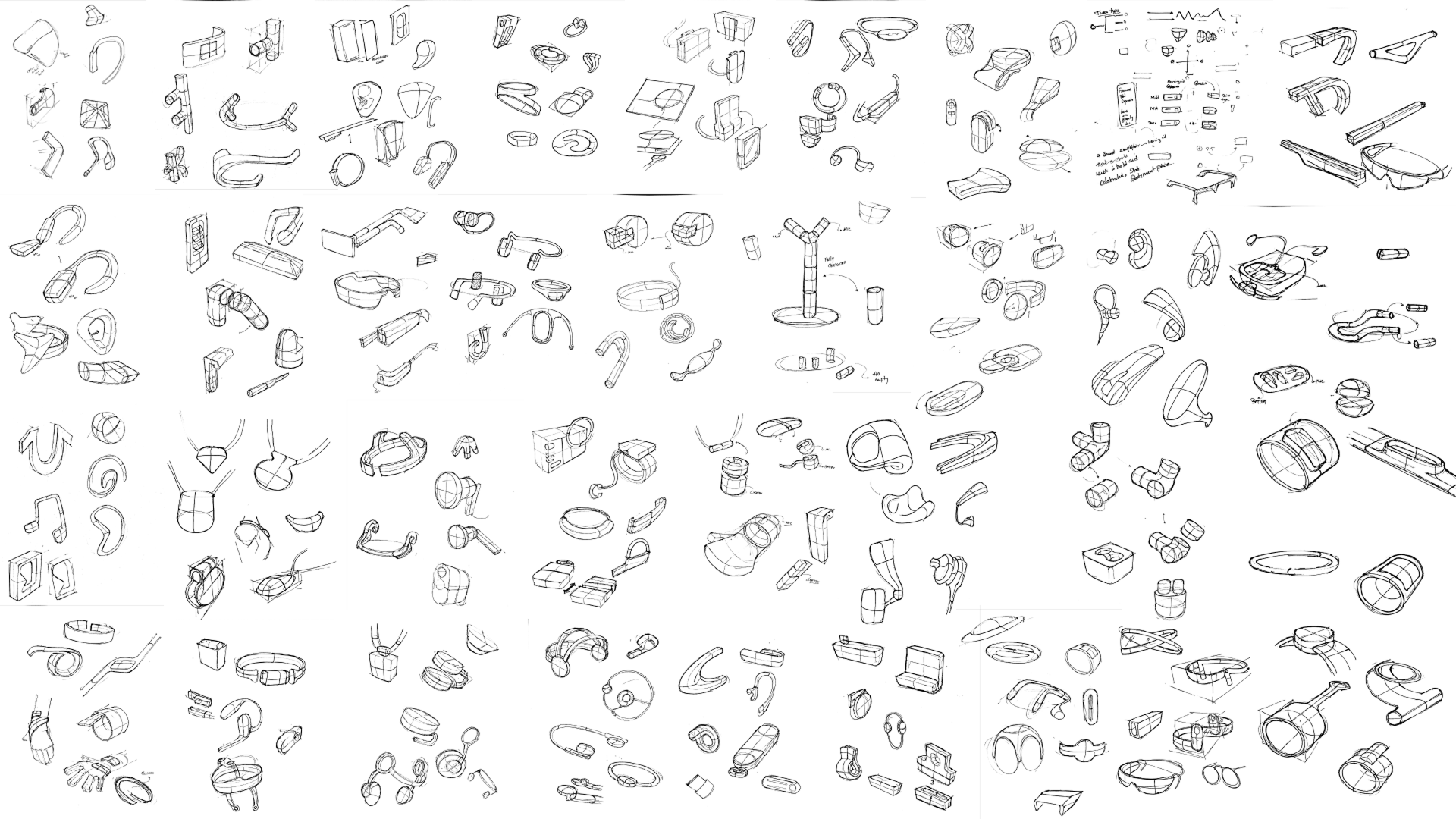
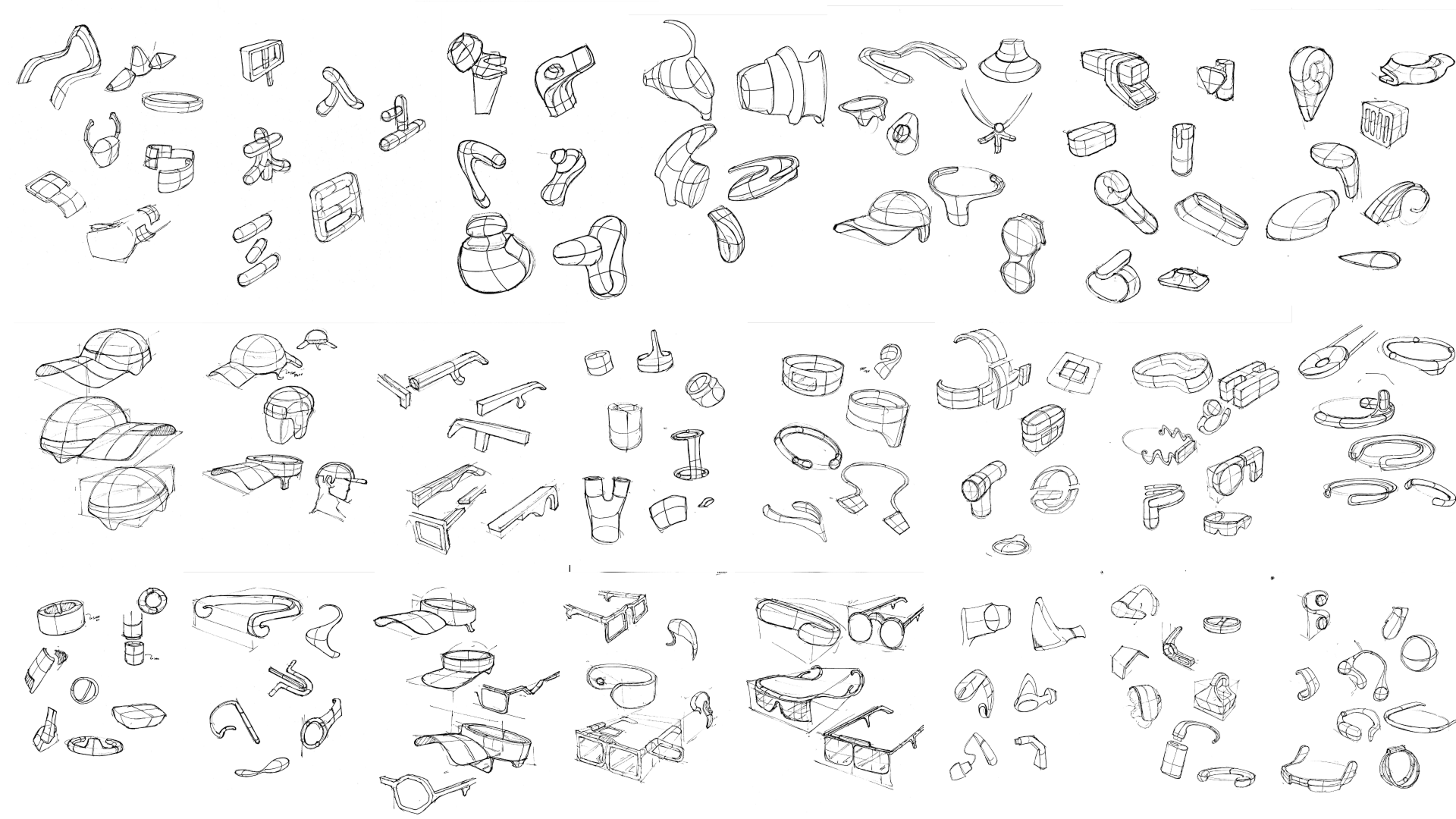
Ring, loop, clip, and behind-ear forms explore how the device attaches, where its weight sits, and how much of it is seen. These four sheets retain the full breadth of the exploration.

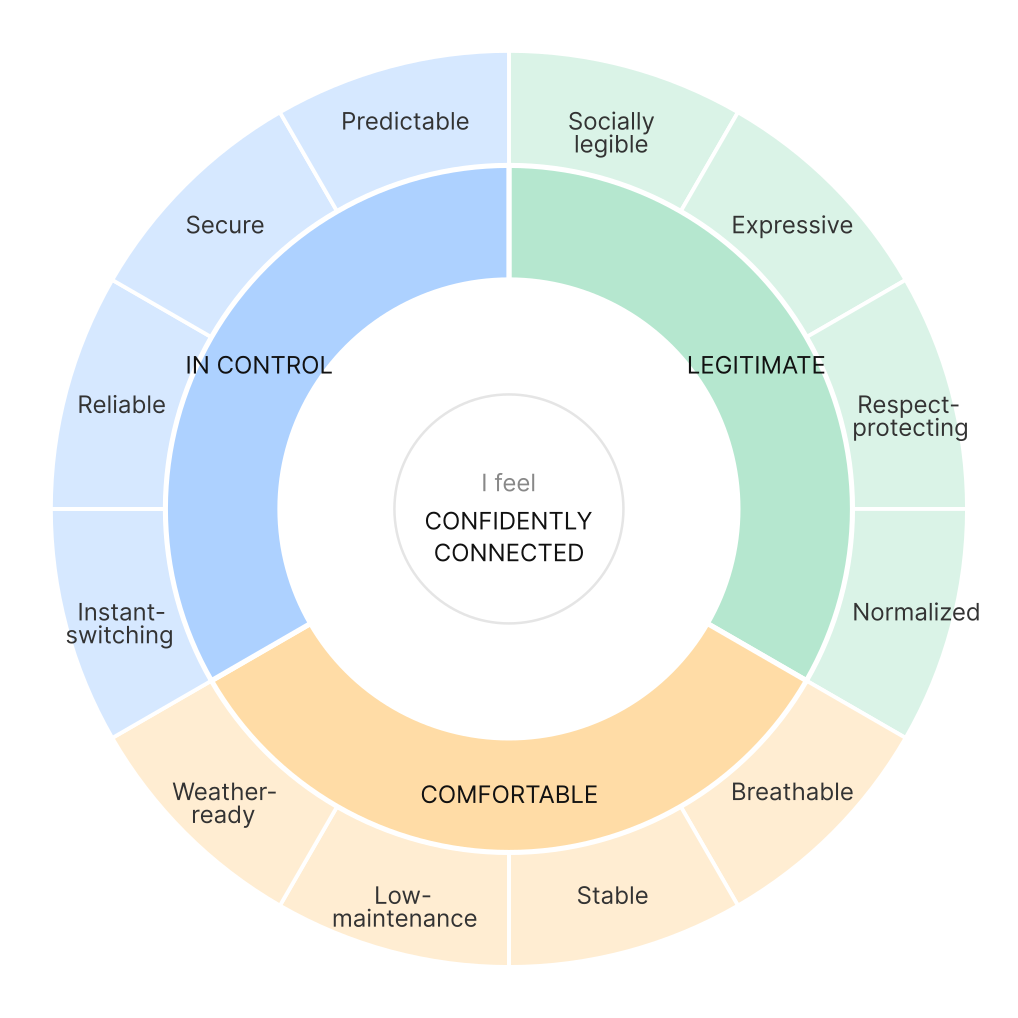
The criteria behind the form

Comfort, expression, control, and social visibility frame the design direction.

Circular synthesis diagram connecting Aurio design criteria including visibility, comfort, expression, and confidence

Exploring attachment, silhouette, and control

First broad sheet of Aurio hearing-wearable concept sketches
Second broad sheet of Aurio hearing-wearable concept sketches
Third broad sheet of Aurio hearing-wearable concept sketches
Fourth broad sheet of Aurio hearing-wearable concept sketches

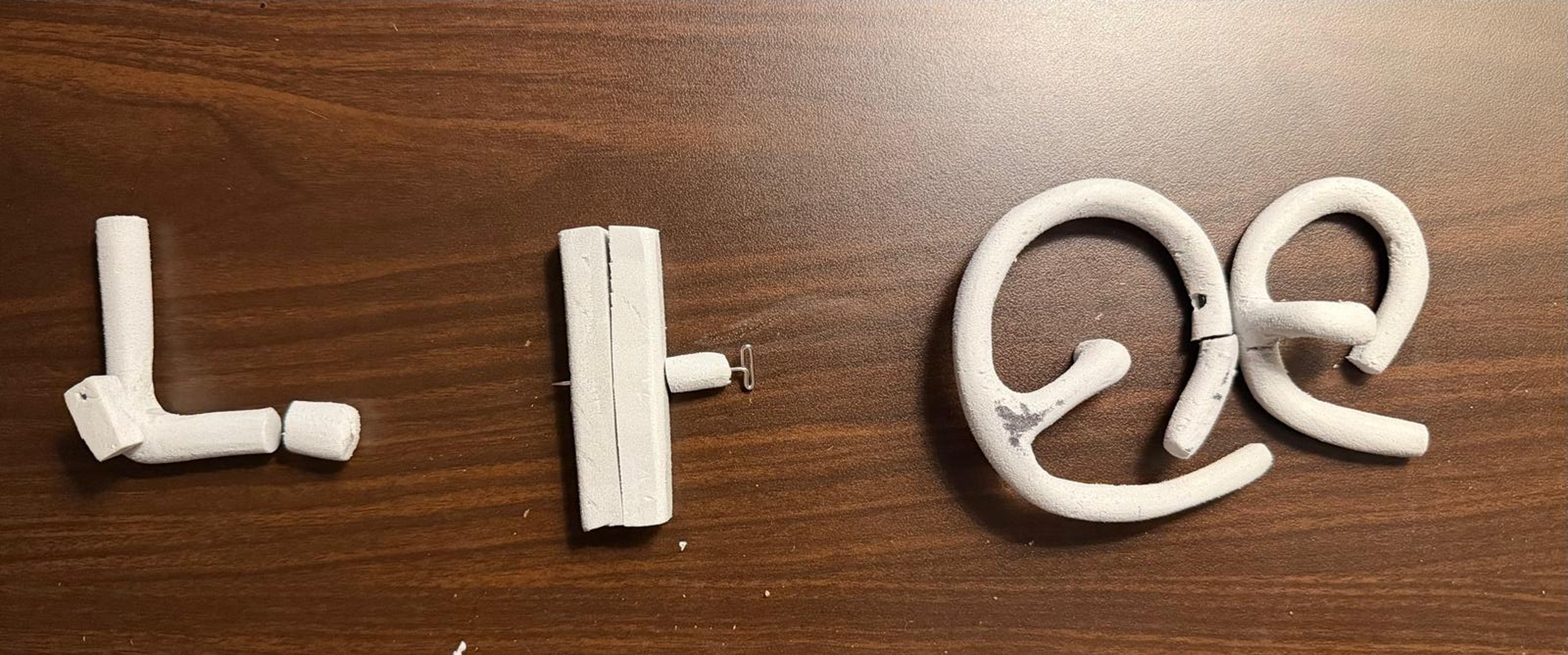
The form changes when it reaches the ear.

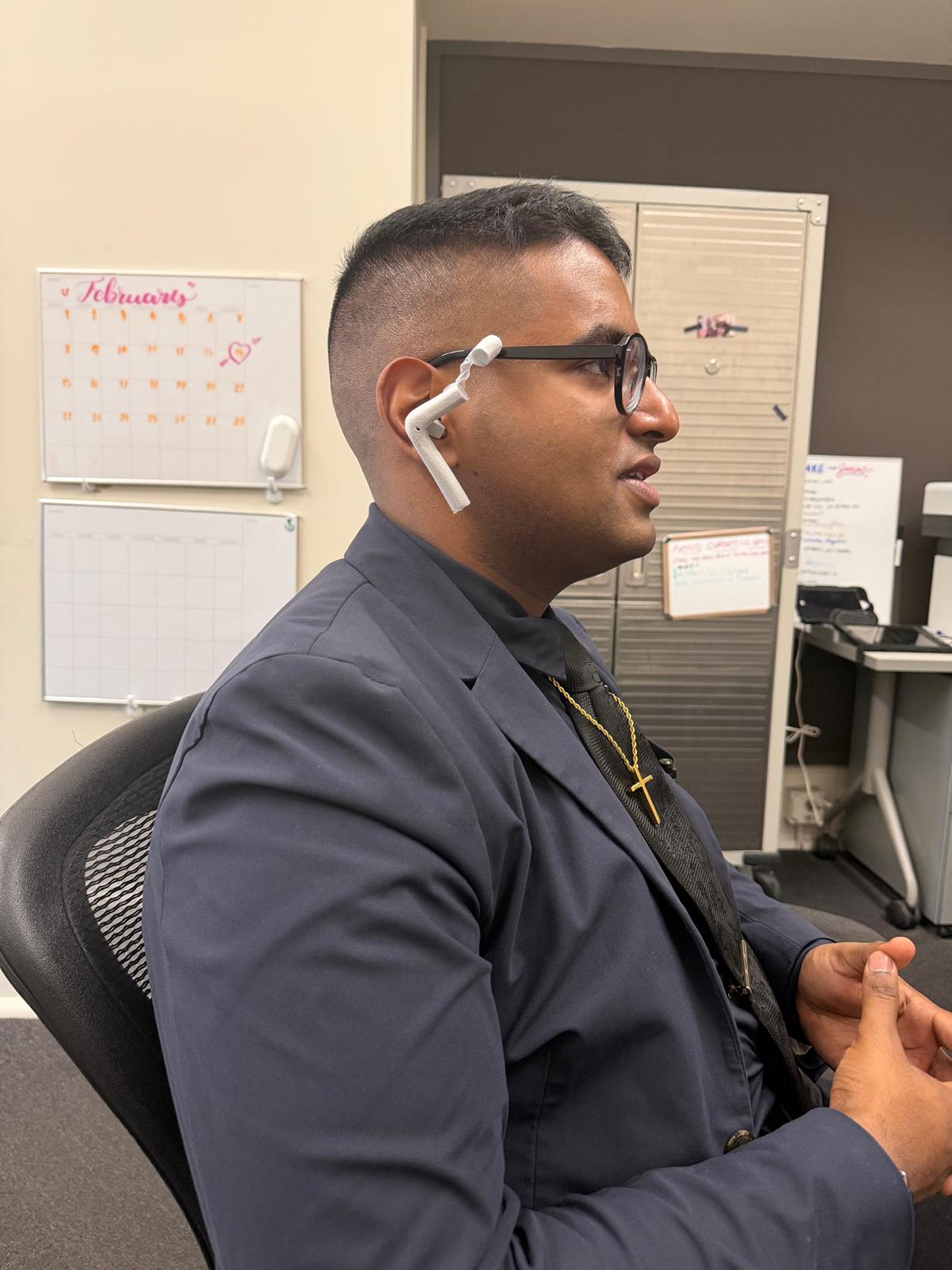
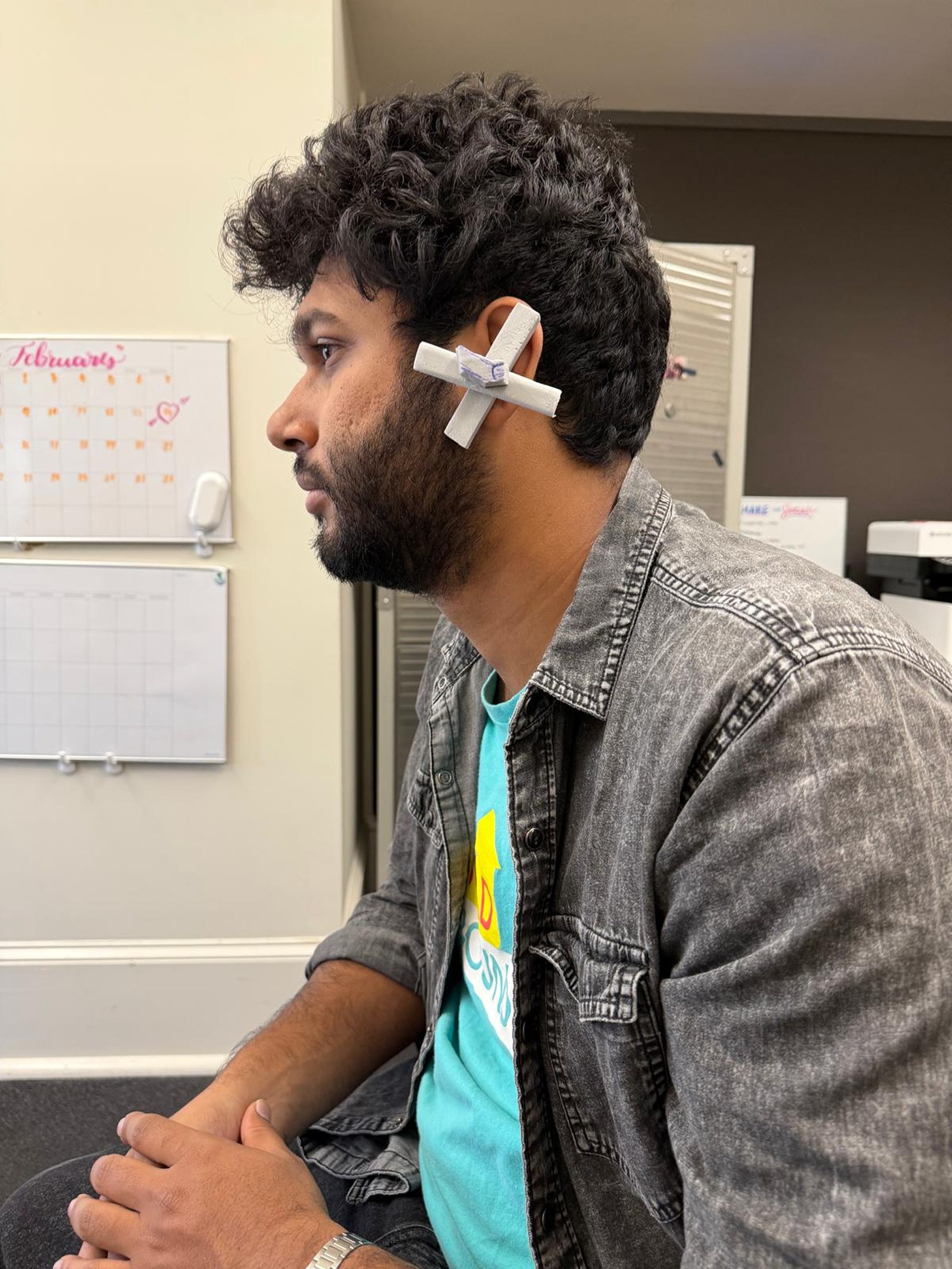
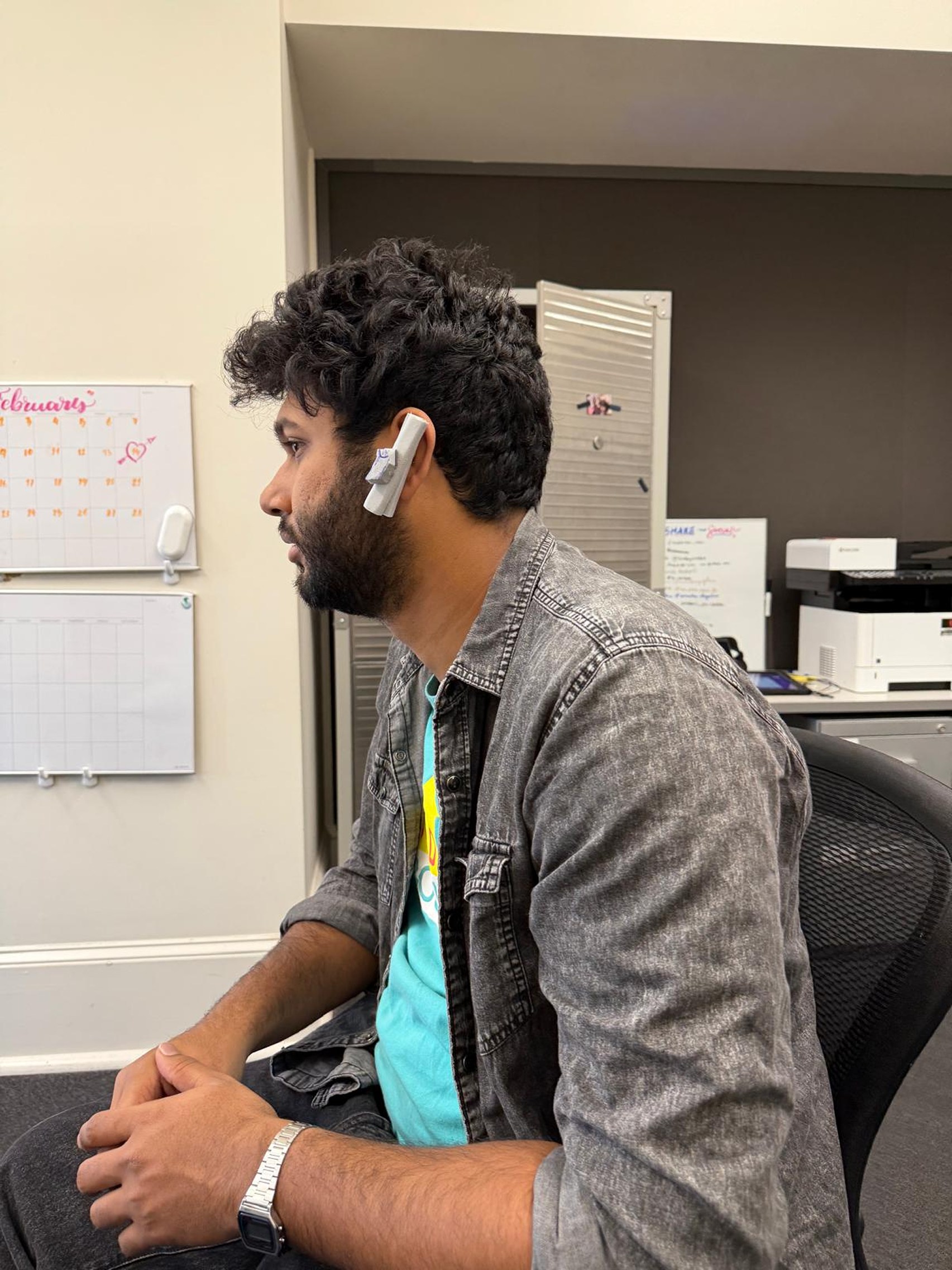
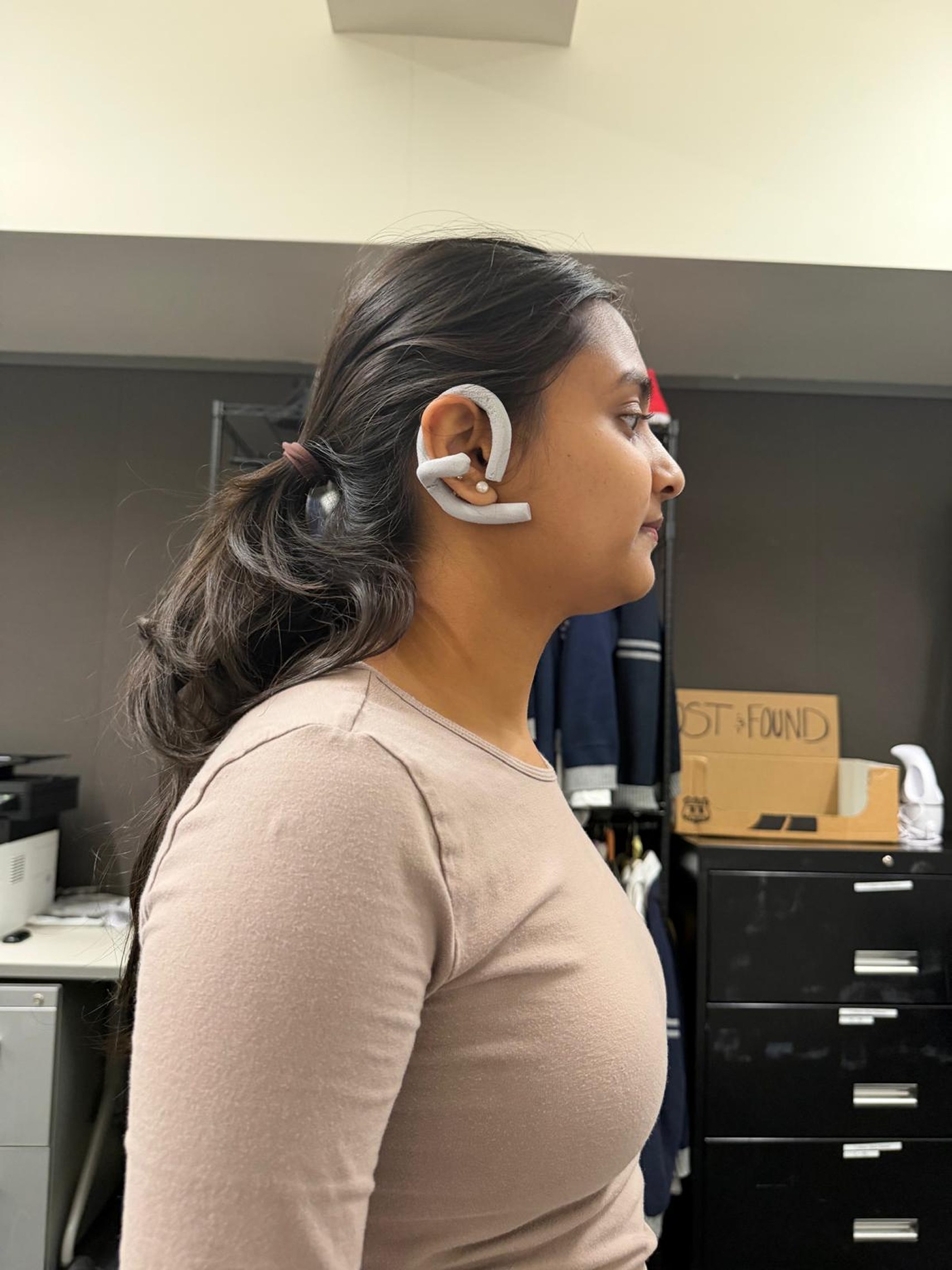
The early studies explore different attachment shapes. The next round develops the larger ring and its position around the ear. The models make the progression visible, while long-duration comfort still needs further validation.

Early forms · attachment and silhouette

Foam alternatives and on-body studies explore the relationship between the device and the ear.

Collection of white Aurio foam models exploring multiple ear-worn forms
Participant wearing an early Aurio hearing-support form during a listening study
Side view of a participant wearing an early white Aurio prototype
Young adult wearing an Aurio prototype in a seated listening session
Participant testing how an Aurio form sits around the ear

Ring refinement · placement and balance

Separate components and later wear studies show the ring direction at a larger scale.

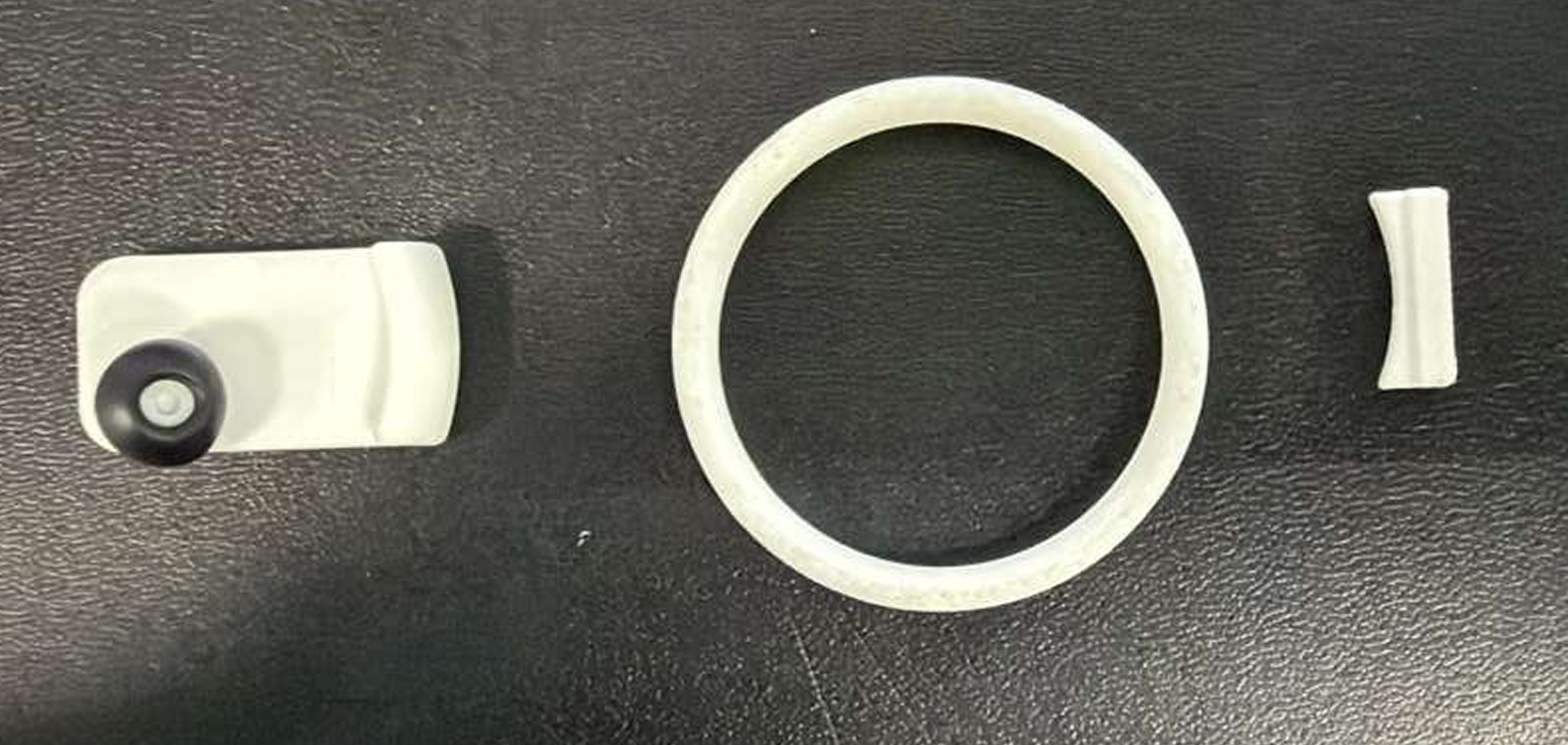
Separated Aurio prototype body, ring, and control components
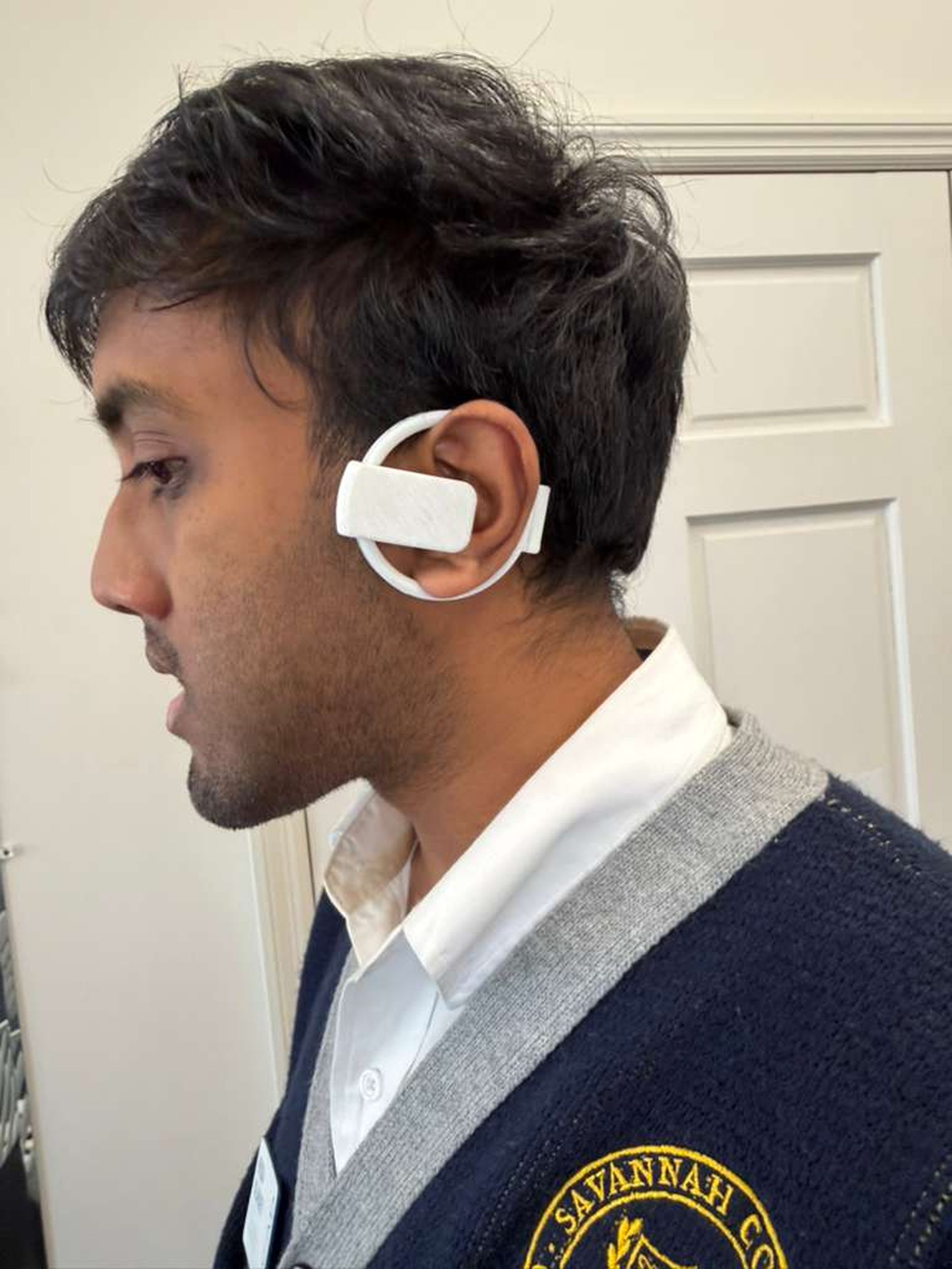
Participant wearing a refined white Aurio prototype during fit testing
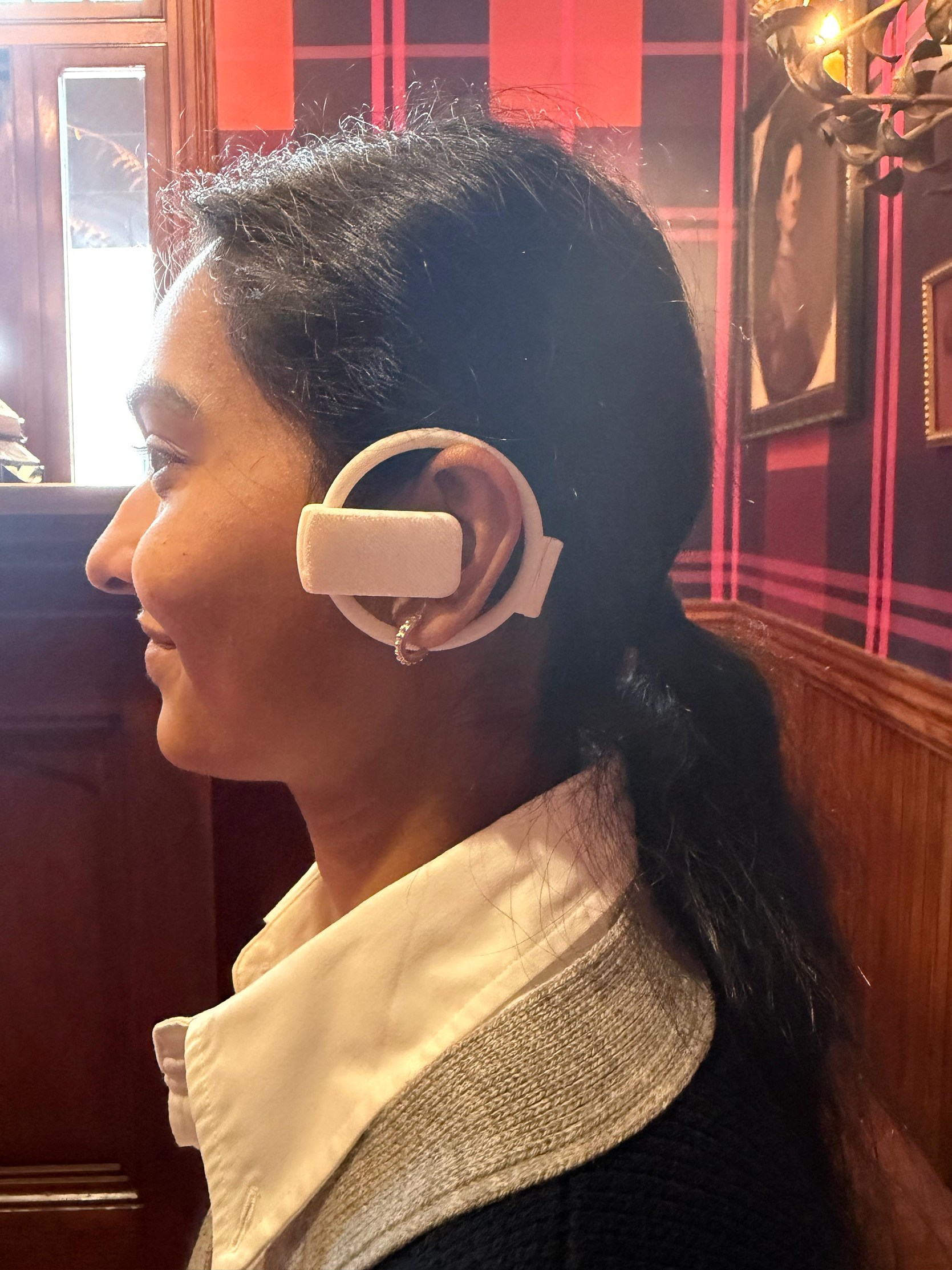
Participant wearing a larger ring-form Aurio prototype in context

ContactThe earpiece becomes rounder in the later direction.

IdentityThe larger loop makes the silhouette more recognizable.

PlacementLater studies examine the ring’s position around the ear.

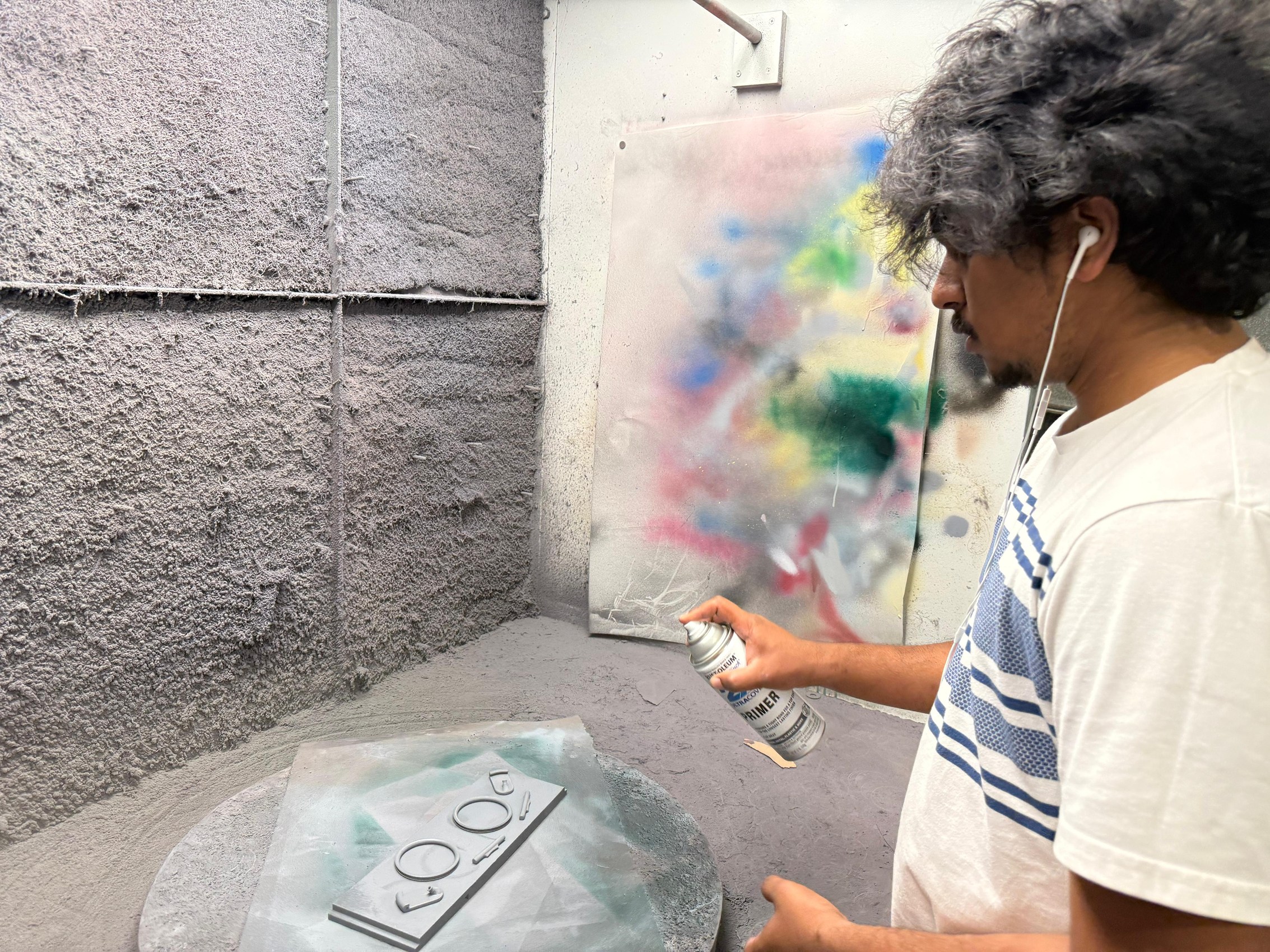
From workshop finish to worn object.

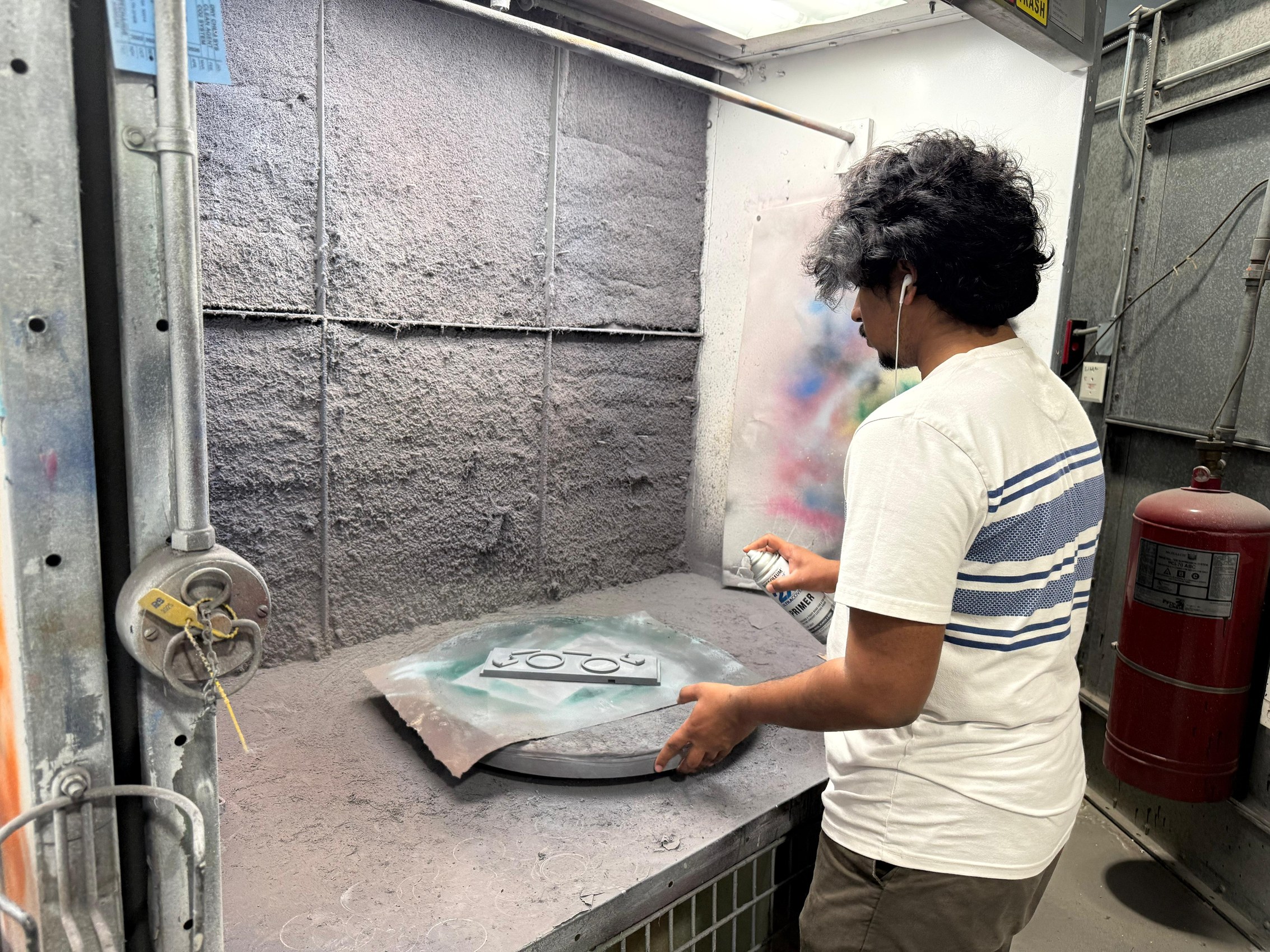
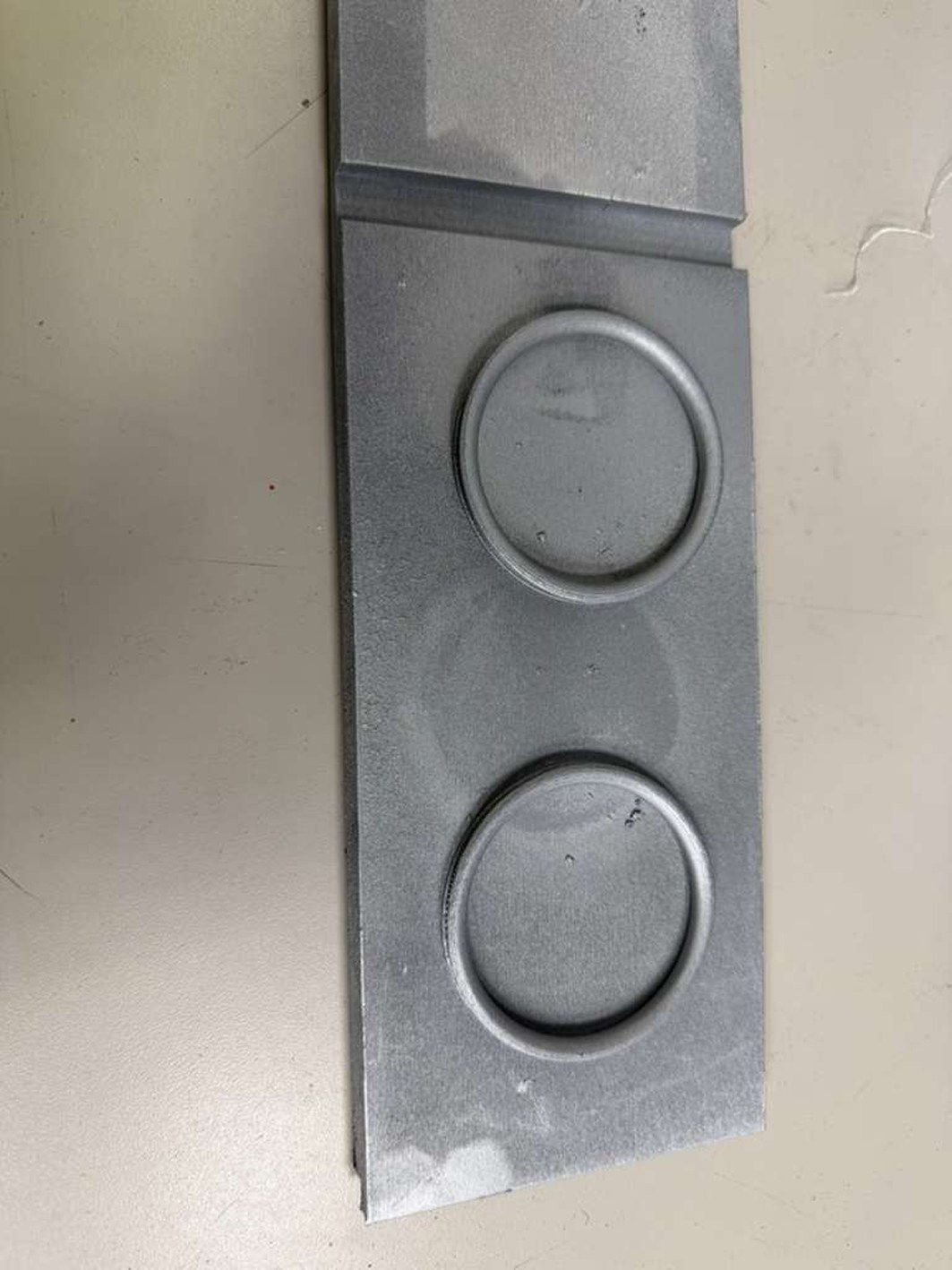
Hand finishing, painting, and surface studies document the physical making process. The control studies are shown as development artifacts; they are not evidence of working hearing-support electronics.

Designer hand-finishing a small Aurio prototype component
Designer spray-finishing Aurio prototype parts
Aurio prototype components being painted in a workshop booth

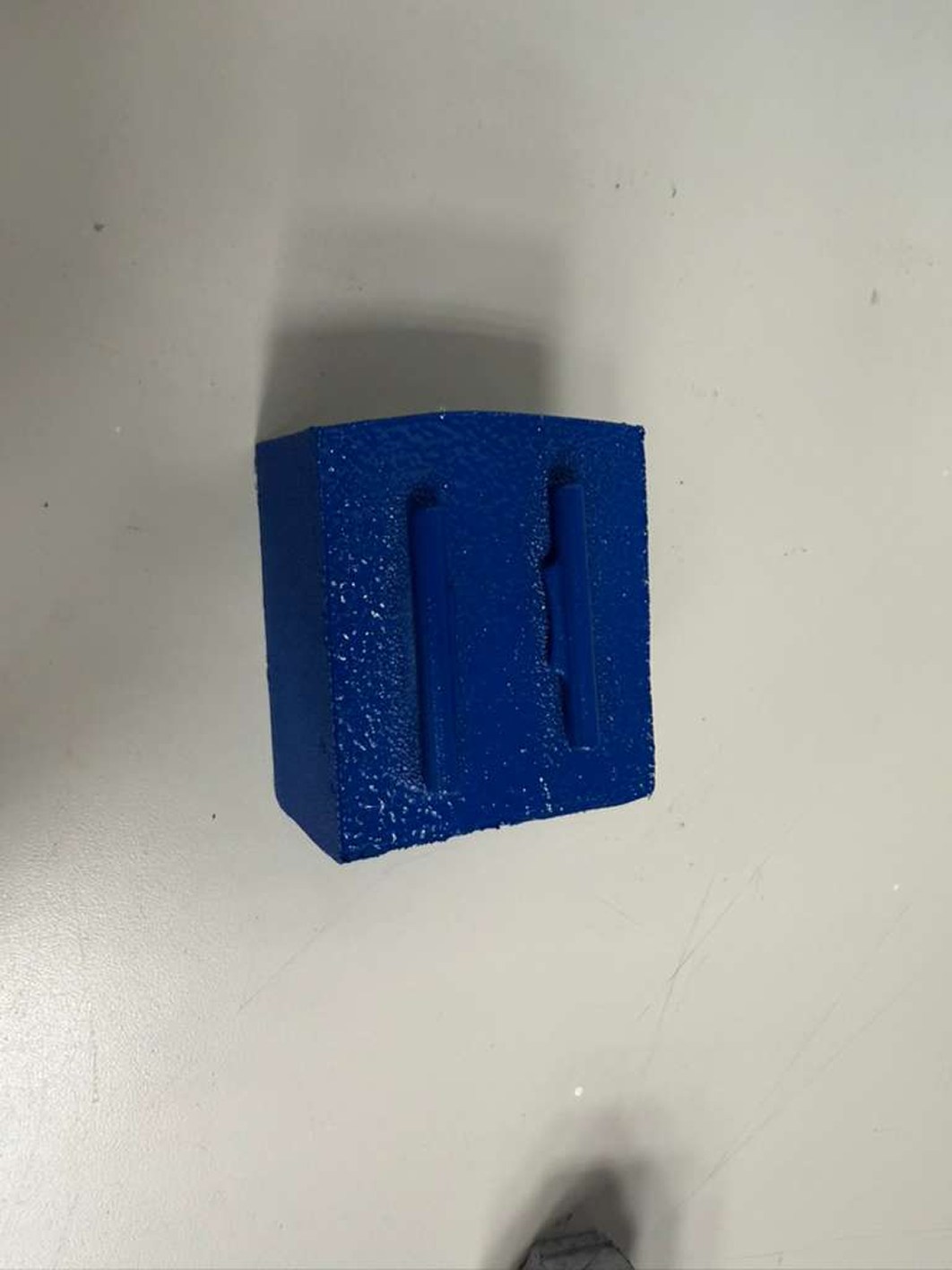
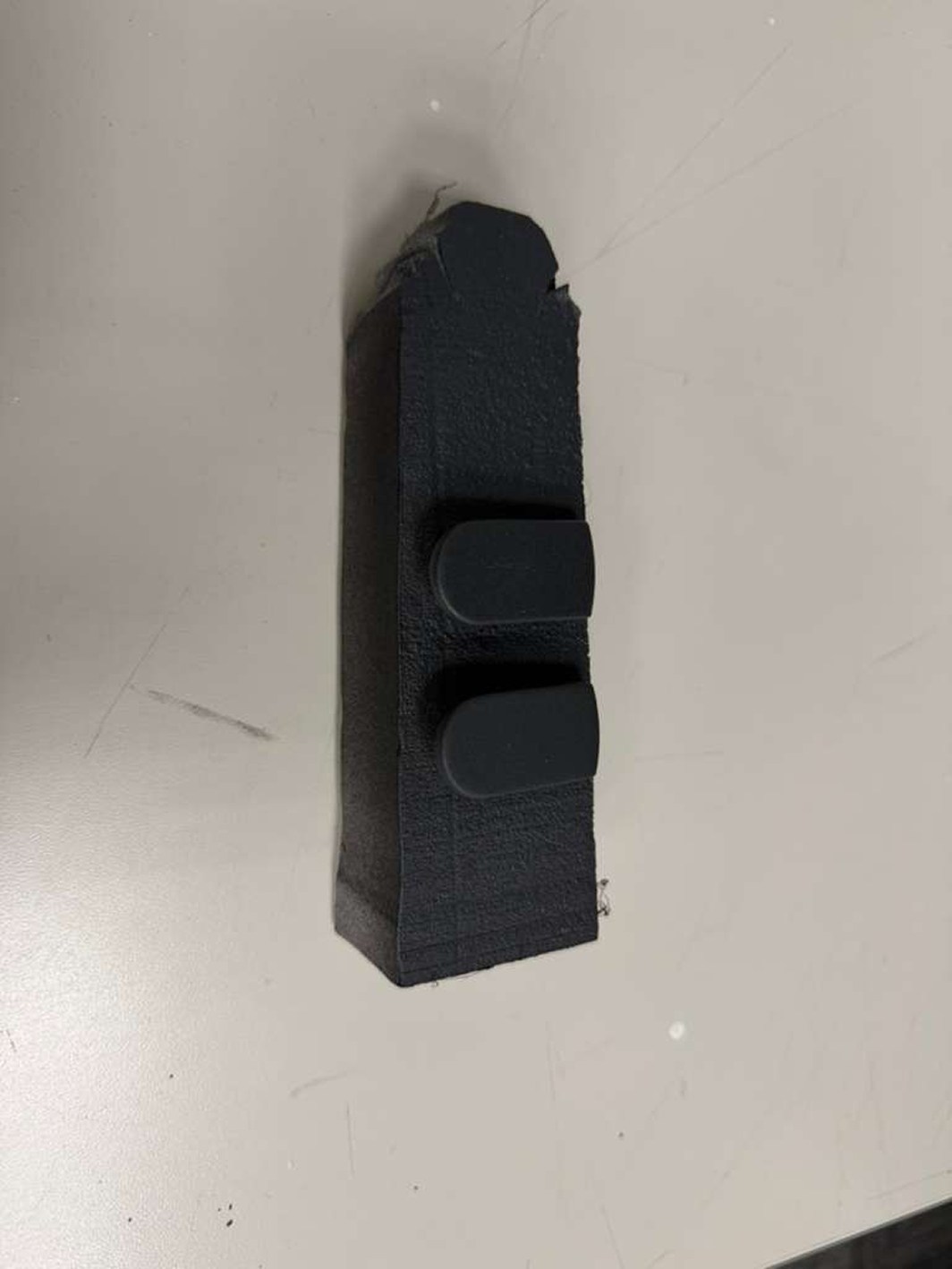
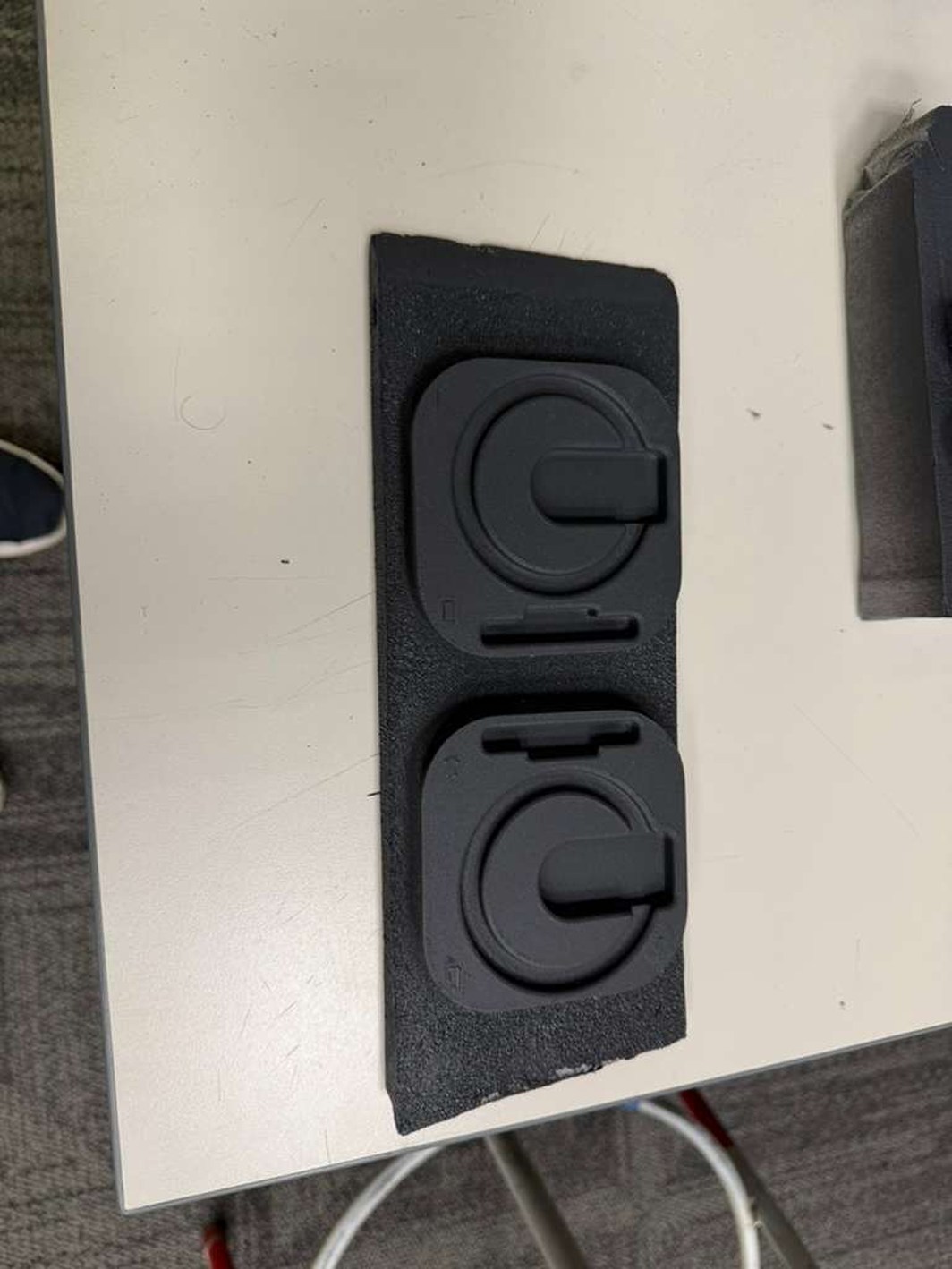
Control geometry before the final finish.

The first two studies show the recessed control features and their surrounding form.

Blue physical model with recessed control features
Black physical model with two circular control features

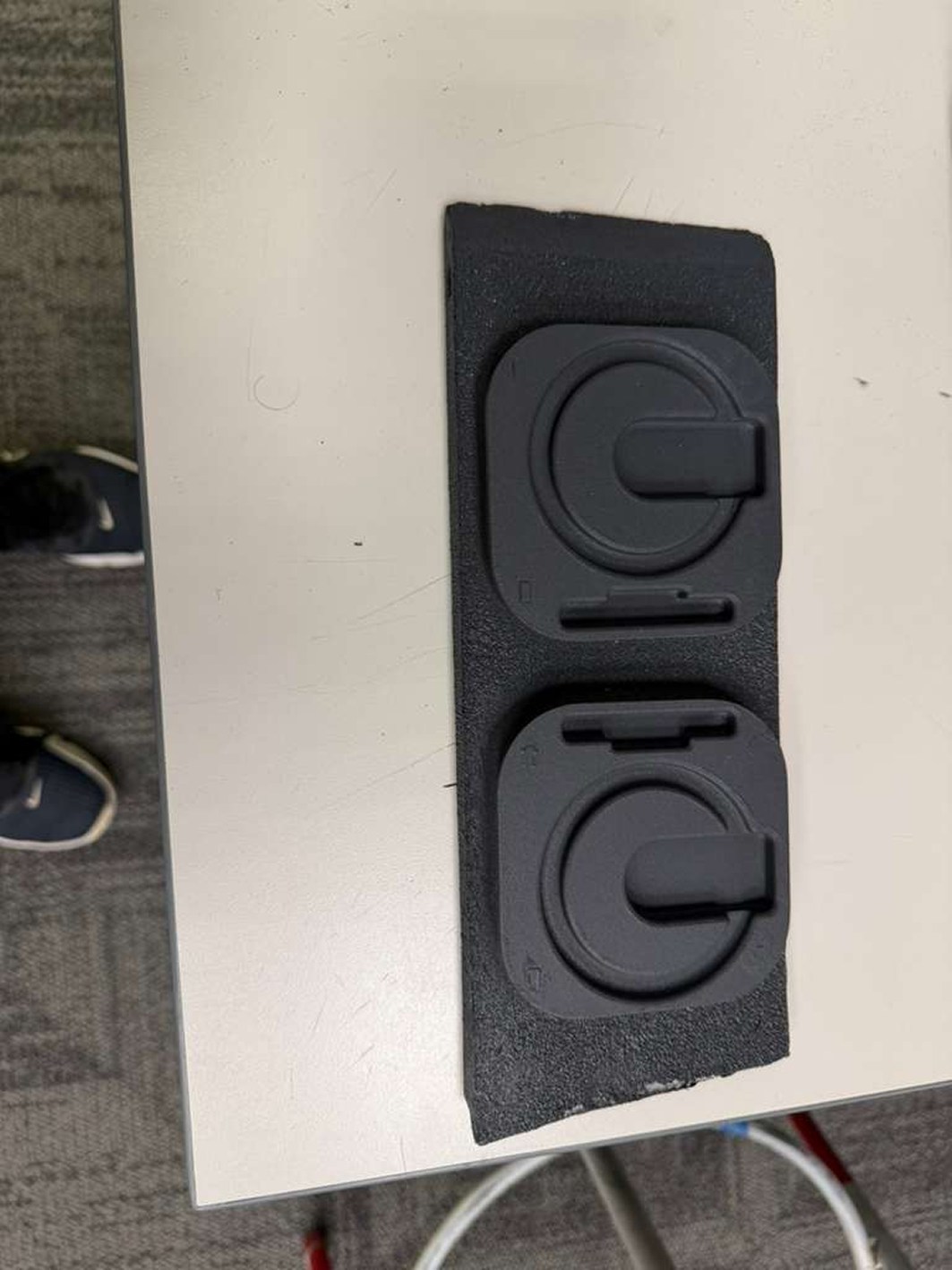
Preparing and finishing the surface.

The remaining workshop views keep the intermediate stages visible alongside the finished surface study.

Black control model mounted on a board for finishing
Control model showing a later surface-finishing stage
Finished black model with two circular control zones

A proposed wearable system.

The concept brings together a ring frame, body shell, and direct control. Light, haptic feedback, and hearing support are proposed functions; the physical studies establish appearance and placement.

Side view render showing Aurio ring frame, body, and orange control accent

Ring frameThe loop gives the wearable its visible outline.

BodyThe side profile shows the shell in relation to the ring.

ControlThe orange accent identifies the proposed direct input.

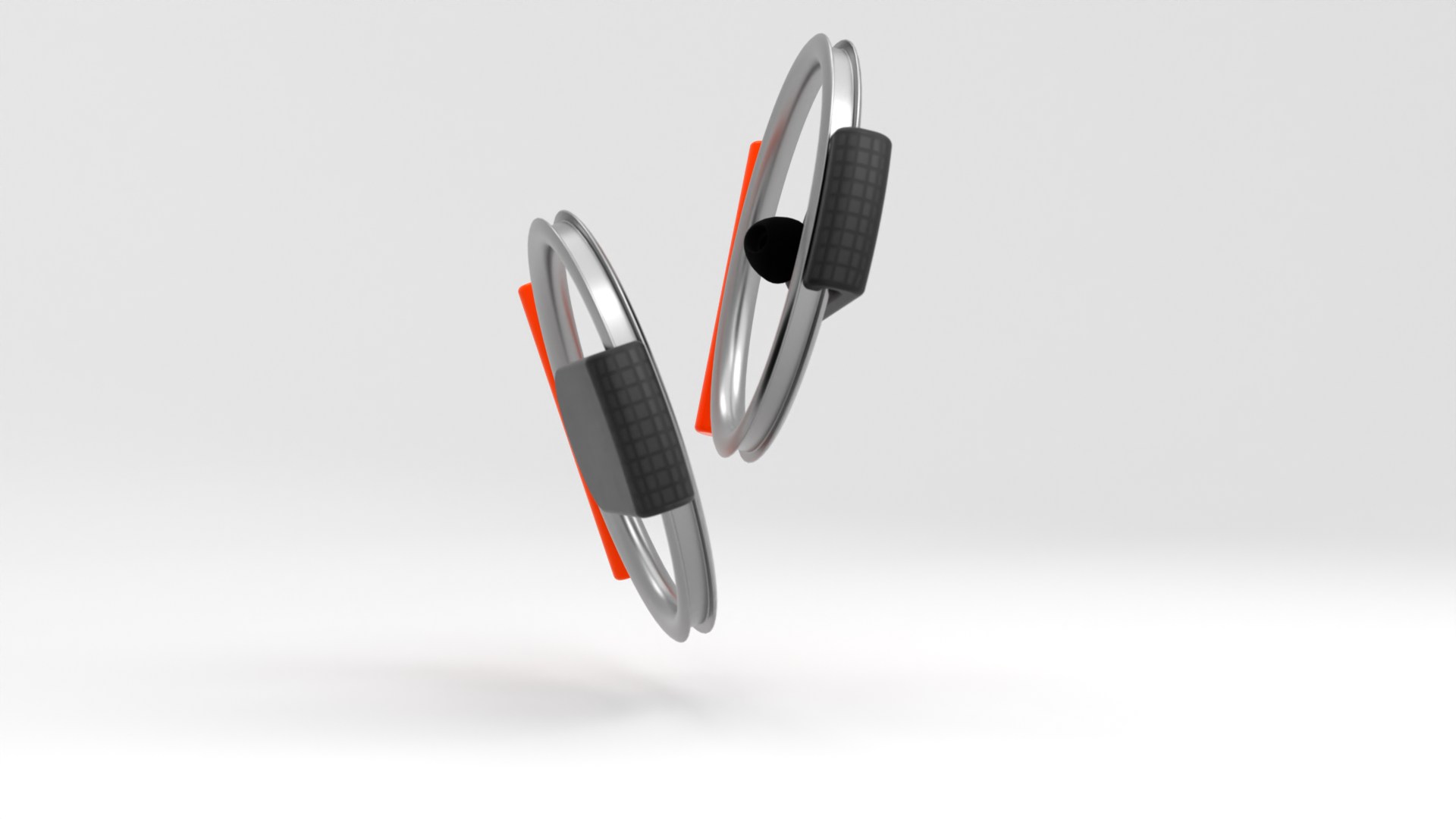
The resolved product pair.

The studio view brings the separate forms together before the final on-body photographs.

Two resolved Aurio hearing-support devices shown in a studio render

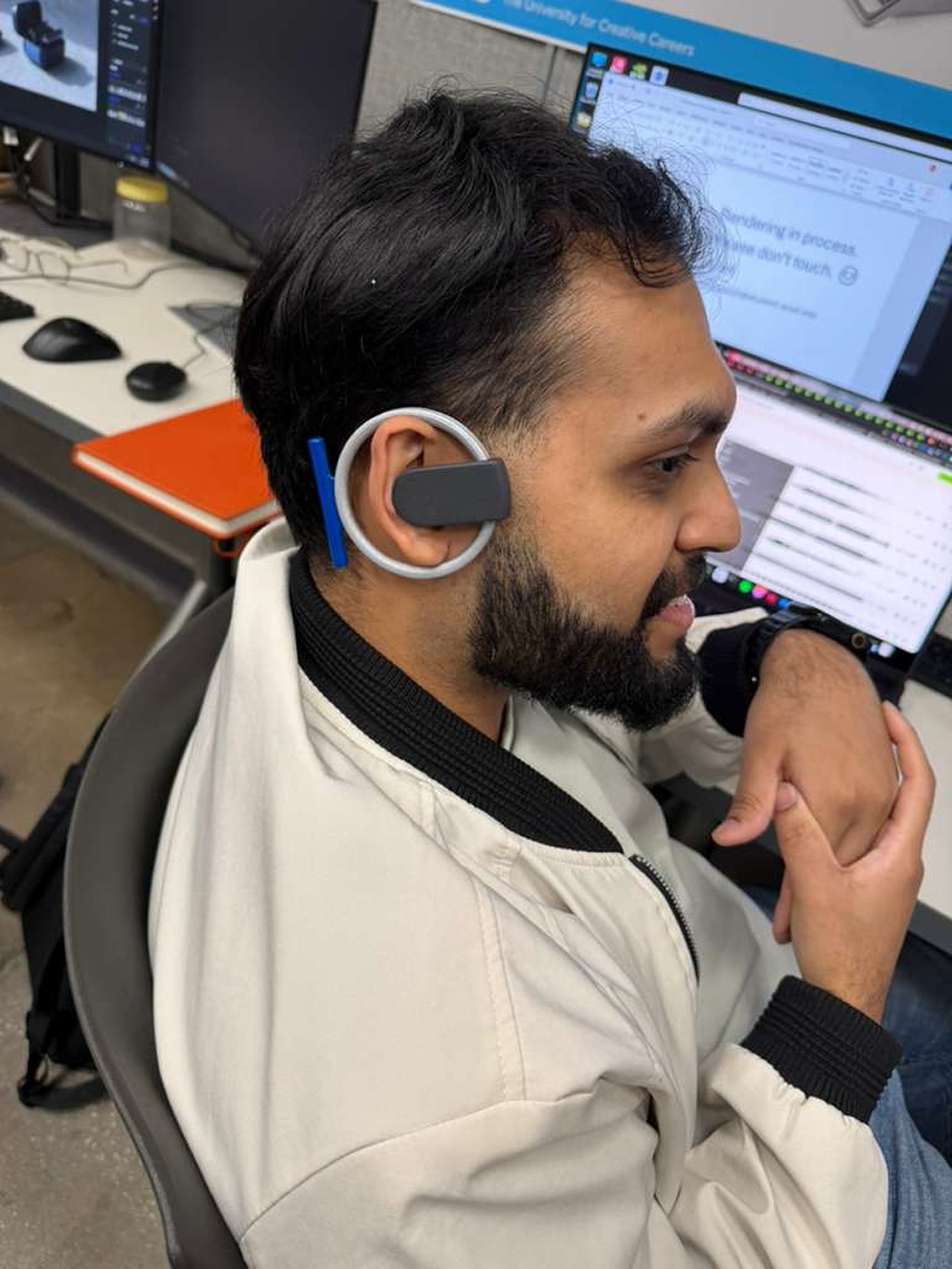
Seen on the person who wears it.

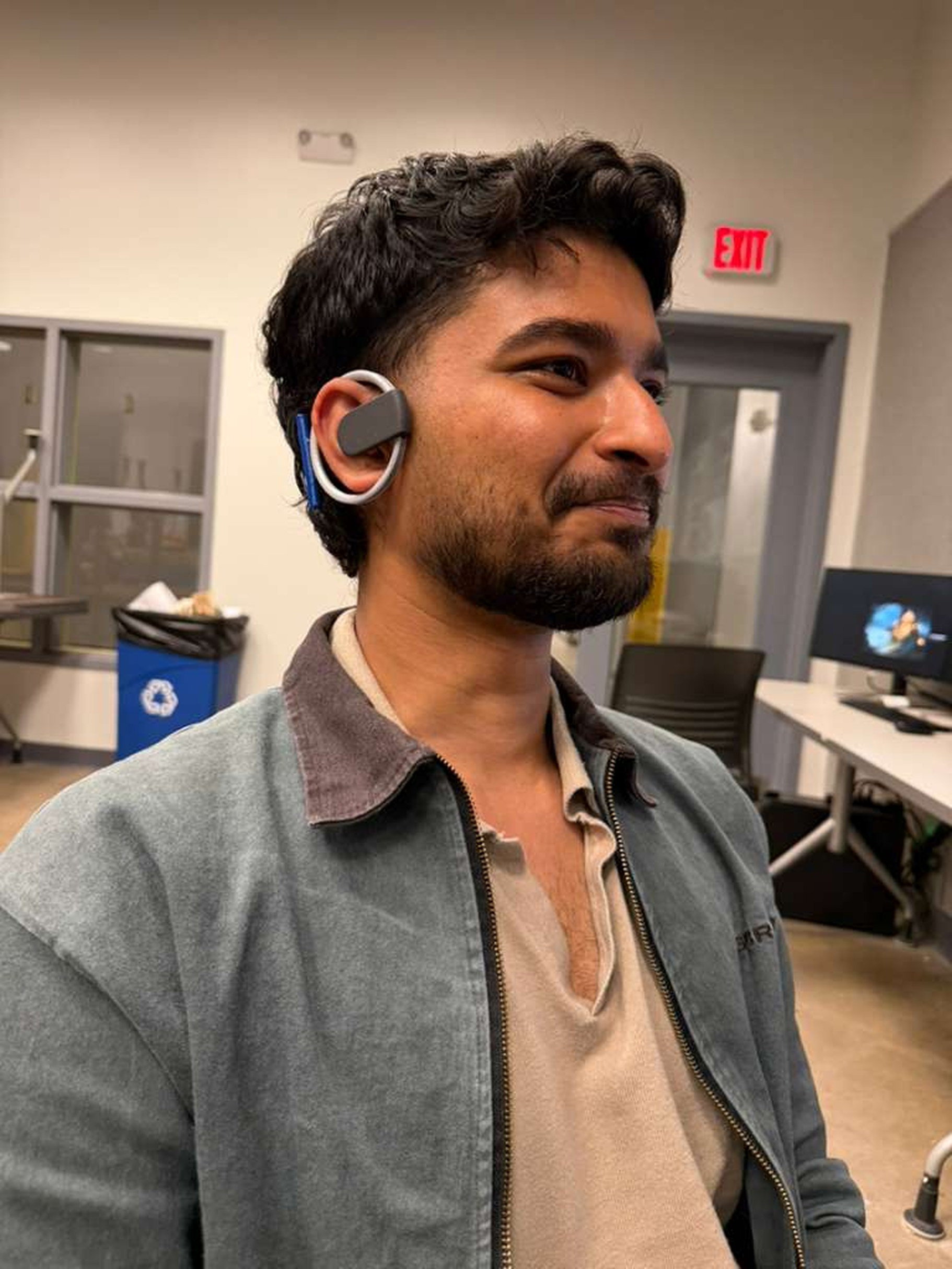
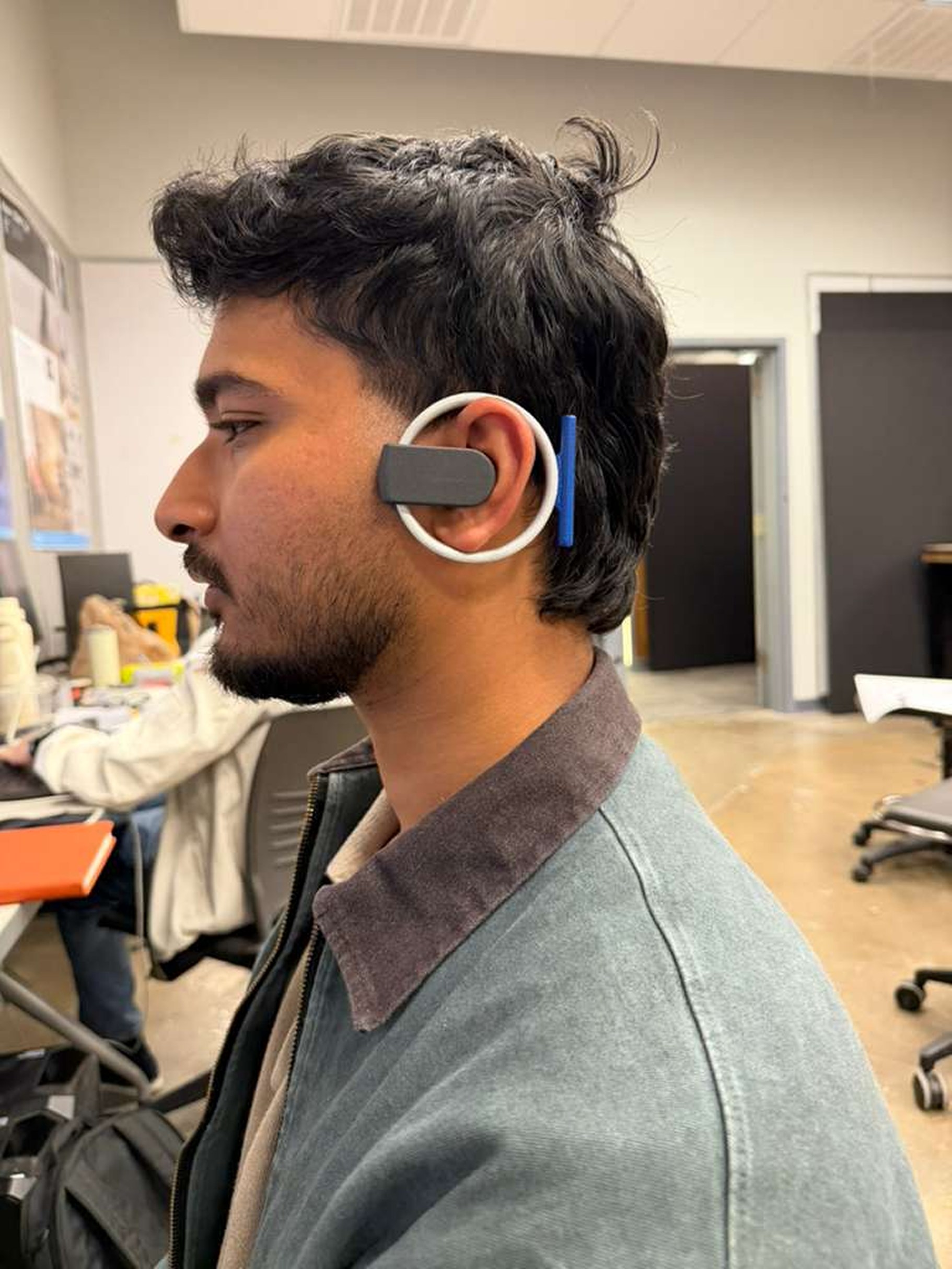
The final wear photographs return the design to human scale. They show the ring, the body behind the ear, and how the object reads from conversational distance.

Young adult wearing the resolved ring-form Aurio prototype
Three-quarter view of a participant wearing the resolved Aurio prototype
Side view showing the resolved Aurio prototype around the ear

Designed as a complete product system.

Material and component choices describe the proposed construction of the concept.

Side render showing the Aurio aluminium ring, battery body, and orange tactile control

What this project carries forward.

Aurio reframes assistive hearing technology as confident lifestyle hardware. The next step is testing the acoustic package and long-duration comfort with more wearers.

Next project: ARC
Industrial design

ARC

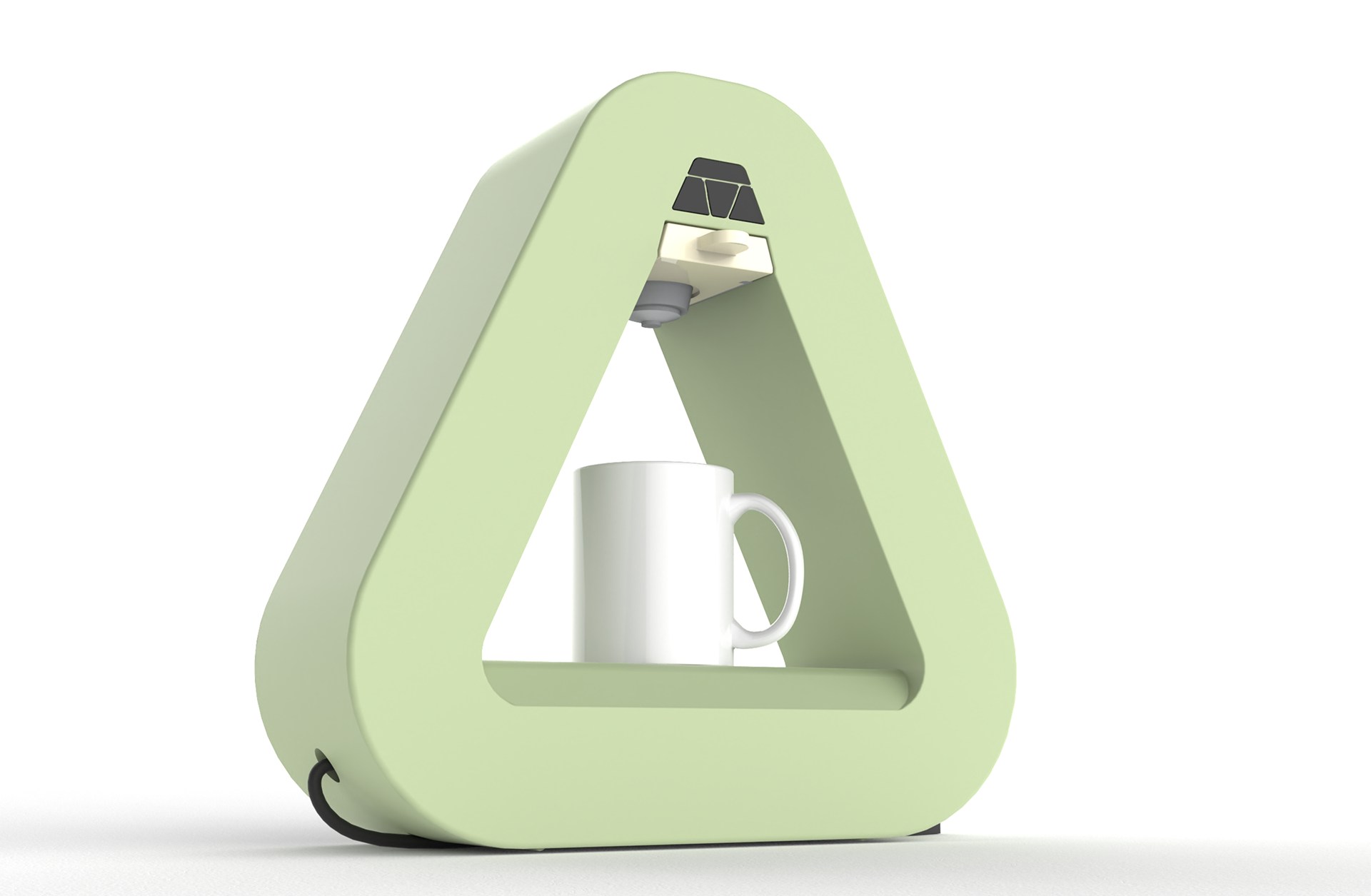
A coffee ritual, shaped around a triangle.

A countertop coffee-machine concept developed through form exploration, two cardboard models, interaction studies, and internal CAD.

Explore the physical models
Green triangular ARC coffee-machine concept with a mug in its central brewing opening

The starting point. My response.

The research brief was provided in class. My contribution is the interpretation and development shown here: sketches, physical models, interactions, CAD, and the final concept.

The brief

Design-conscious home users who value expressive countertop objects and a slower, more deliberate coffee ritual.

Many coffee machines make a quiet daily ritual feel visually busy, mechanically complicated, and emotionally impersonal.

My design response

A sculptural rounded-triangle coffee machine organized around a clear morning preparation and brewing sequence.

The rounded triangle carries through the drawings, cardboard models, and final CAD.

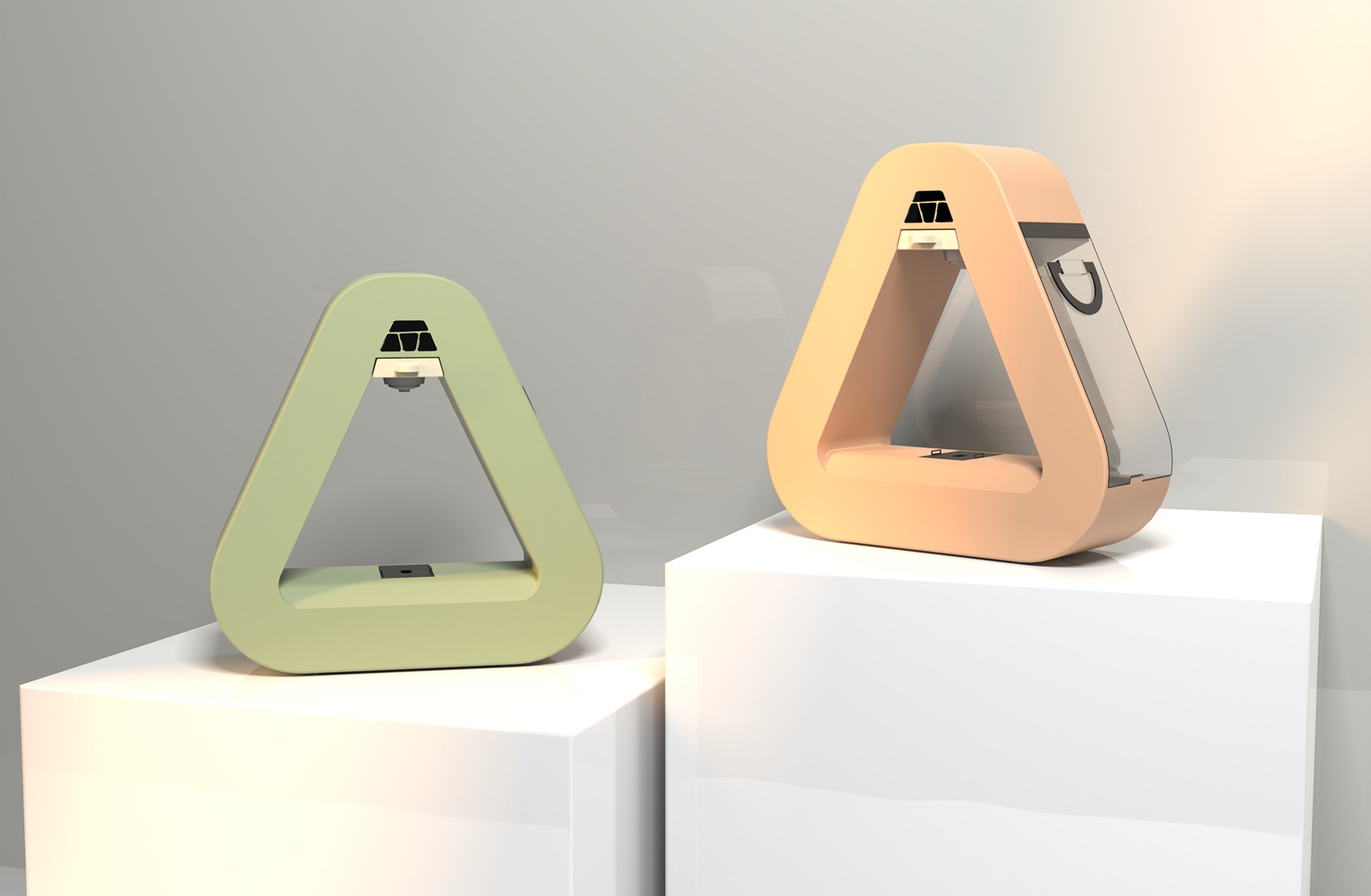
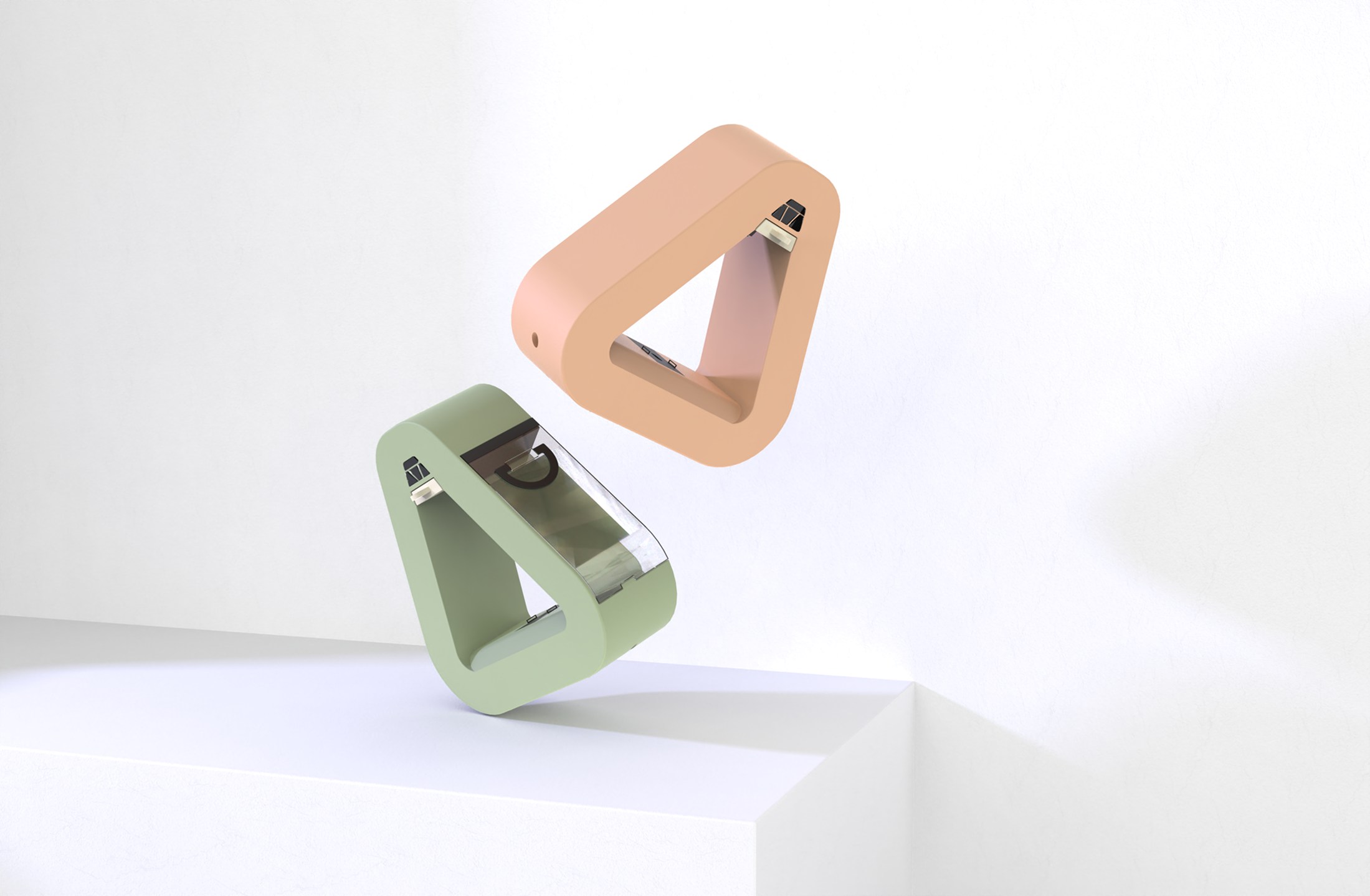
Green and peach ARC coffee machines displayed together on white plinths

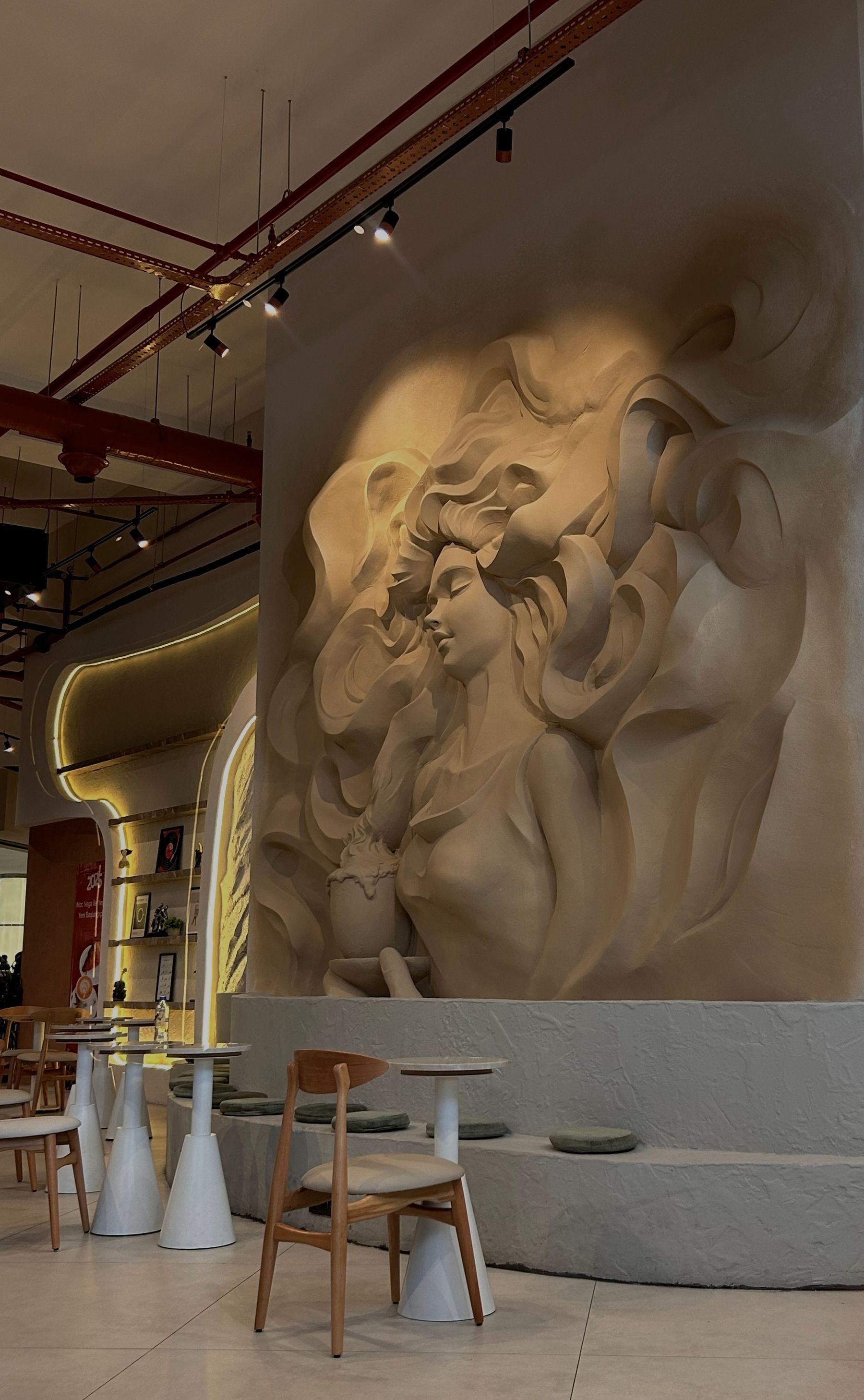
Audience and visual context

Lifestyle imagery frames the intended setting. Image credits identify the reference sources.

Hands holding a warm mug during a quiet morning routine at home
Contemporary café interior with expressive sculpted wall art and restrained furniture

Exploring the space around the cup.

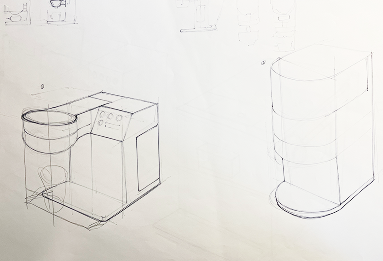
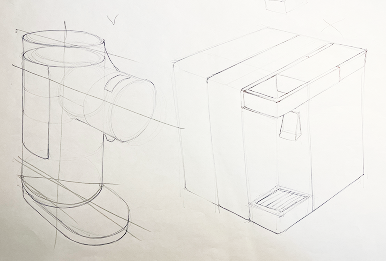
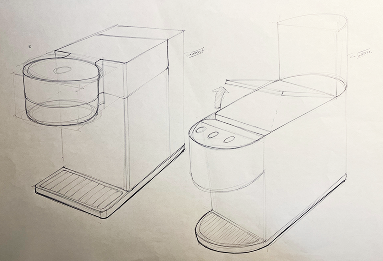
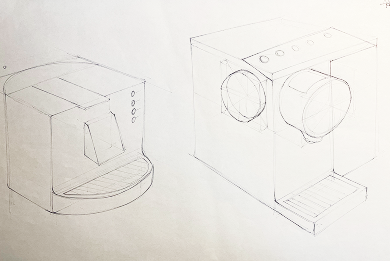
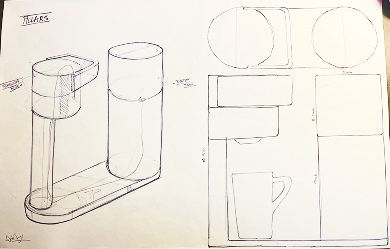
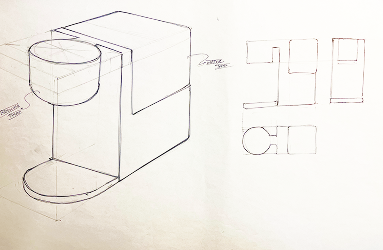
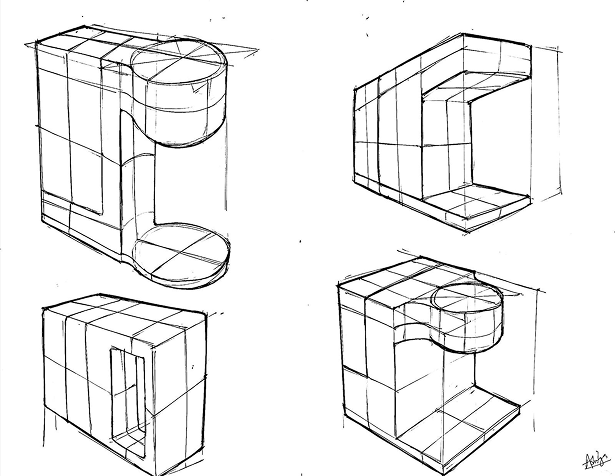
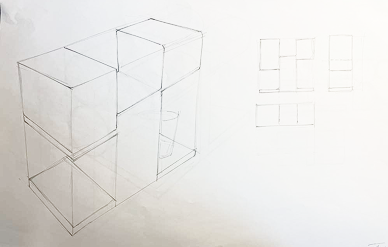
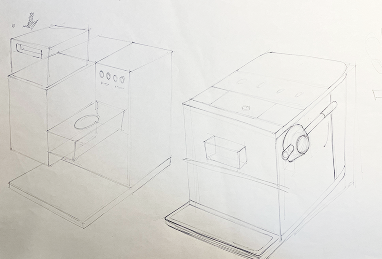
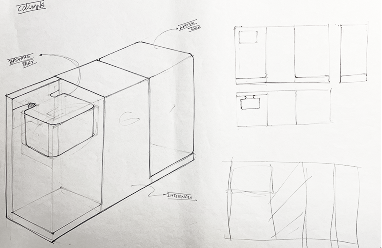
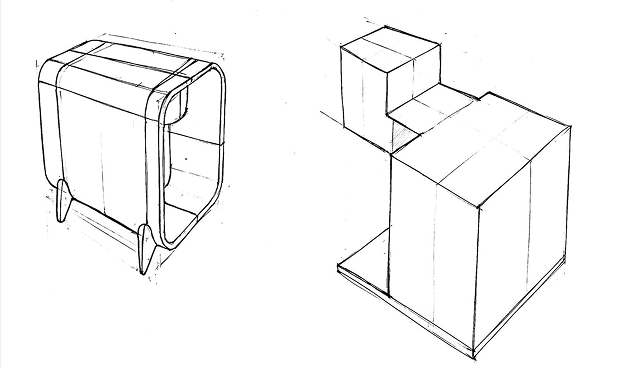
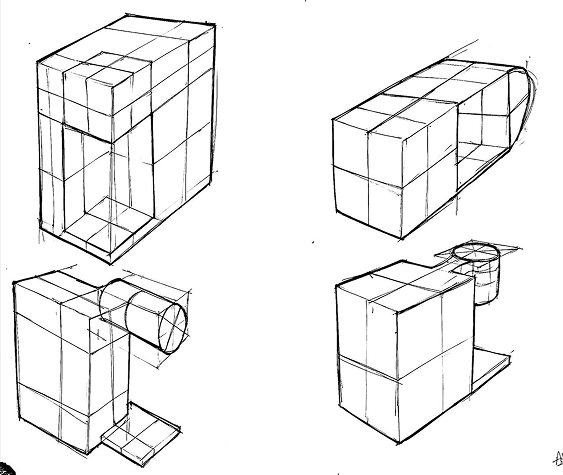
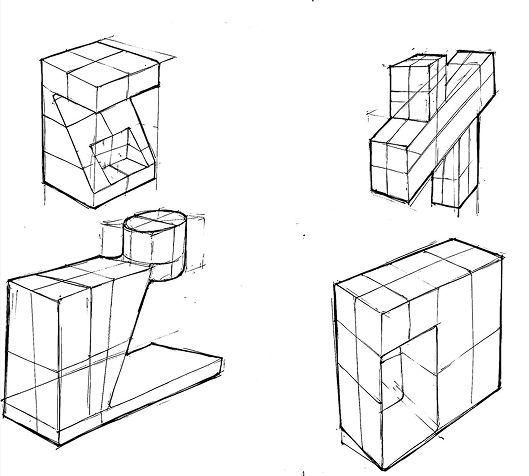
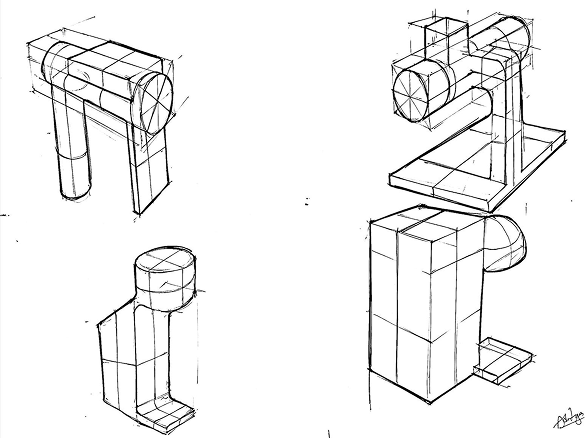
The sketchbook moves through stacked cylinders, enclosed bodies, open frames, and triangular silhouettes. The drawings below are grouped by form so the alternatives can be compared.

Rounded and stacked volumes

ARC coffee-machine concept sketch 1 exploring form, proportions, and component layout
ARC coffee-machine concept sketch 2 exploring form, proportions, and component layout
ARC coffee-machine concept sketch 3 exploring form, proportions, and component layout
ARC coffee-machine concept sketch 6 exploring form, proportions, and component layout
ARC coffee-machine concept sketch 8 exploring form, proportions, and component layout
ARC coffee-machine concept sketch 9 exploring form, proportions, and component layout
ARC coffee-machine concept sketch 10 exploring form, proportions, and component layout
ARC coffee-machine concept sketch 11 exploring form, proportions, and component layout
ARC coffee-machine concept sketch 12 exploring form, proportions, and component layout
ARC coffee-machine concept sketch 15 exploring form, proportions, and component layout
ARC coffee-machine concept sketch 19 exploring form, proportions, and component layout

Enclosed bodies and projecting heads

ARC coffee-machine concept sketch 4 exploring form, proportions, and component layout
ARC coffee-machine concept sketch 7 exploring form, proportions, and component layout
ARC coffee-machine concept sketch 14 exploring form, proportions, and component layout
ARC coffee-machine concept sketch 16 exploring form, proportions, and component layout
ARC coffee-machine concept sketch 17 exploring form, proportions, and component layout
ARC coffee-machine concept sketch 18 exploring form, proportions, and component layout
ARC coffee-machine concept sketch 20 exploring form, proportions, and component layout

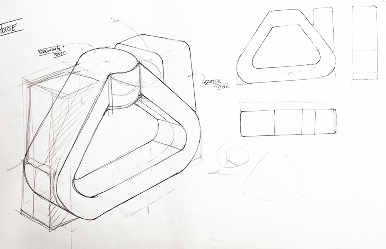
The triangular direction

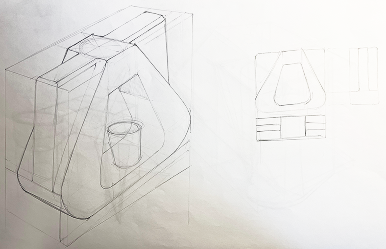
I explored the triangular direction through form development, then carried it into cardboard to understand its volume as a physical object.

ARC coffee-machine concept sketch 5 exploring form, proportions, and component layout
ARC coffee-machine concept sketch 13 exploring form, proportions, and component layout

From understanding the form to arranging the parts.

The first model helped me understand the form. Building it made me realize that the next step was to work out the internal arrangement and test the individual parts. The second model moves that exploration into component placement and access.

Model one · volume and scale

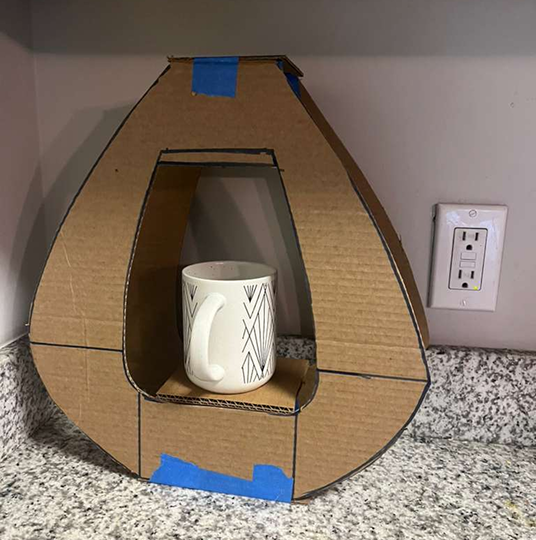
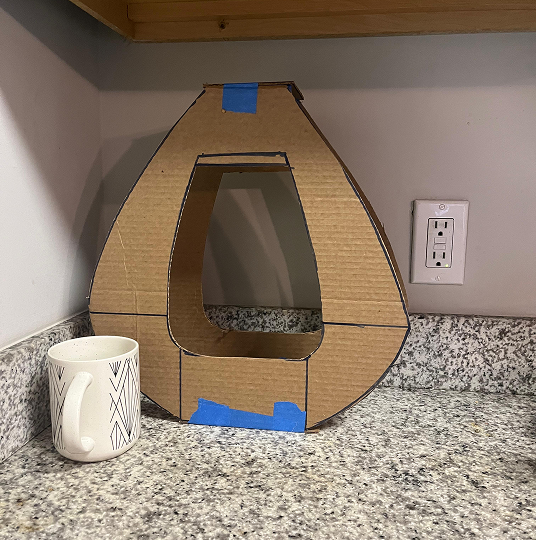
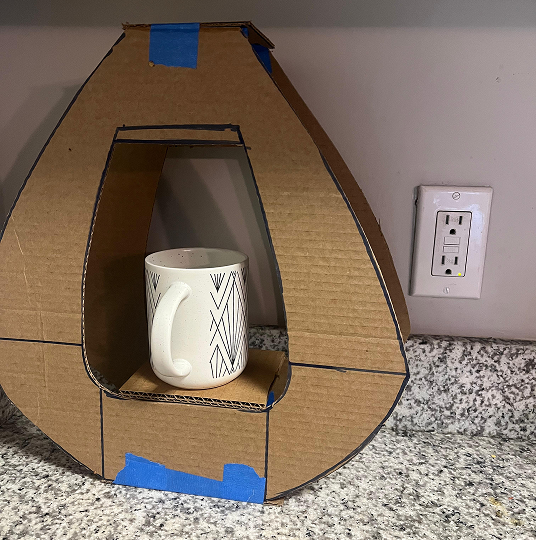
I used the first cardboard model to understand the overall form. The mug provides a scale reference for the central opening.

First cardboard ARC model with a ceramic mug positioned inside the brewing opening
First cardboard ARC model beside a ceramic mug for scale
Close view of a ceramic mug fitted inside the first cardboard ARC model
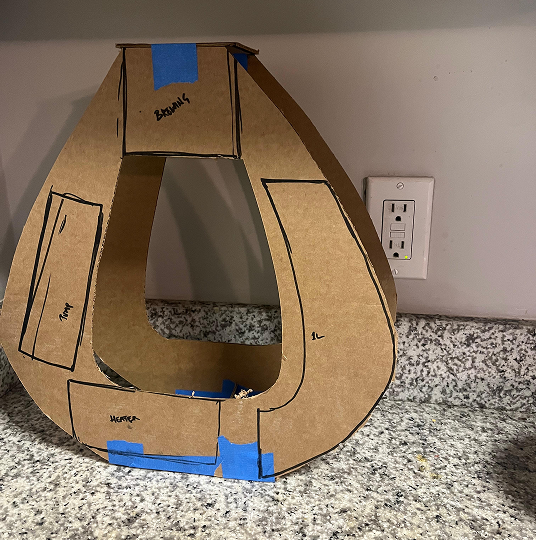
Rear view of the first cardboard ARC model with reservoir, top, side, and front zones marked

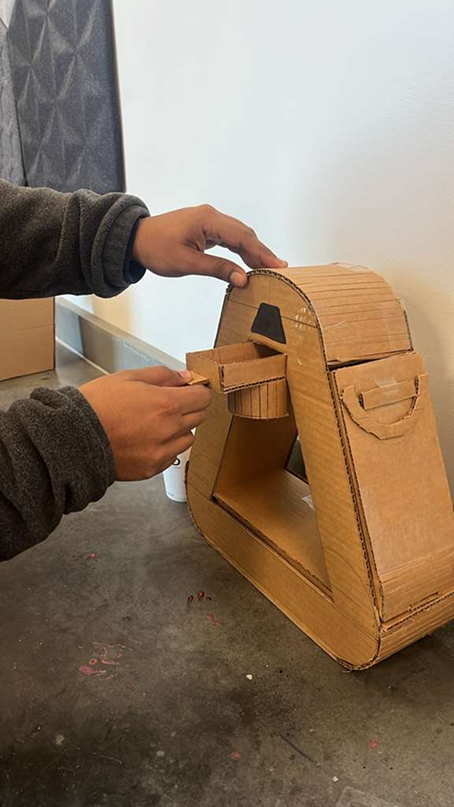
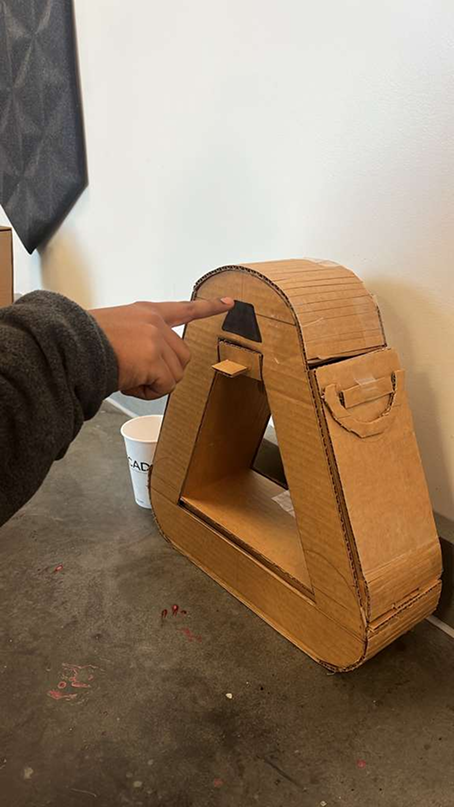
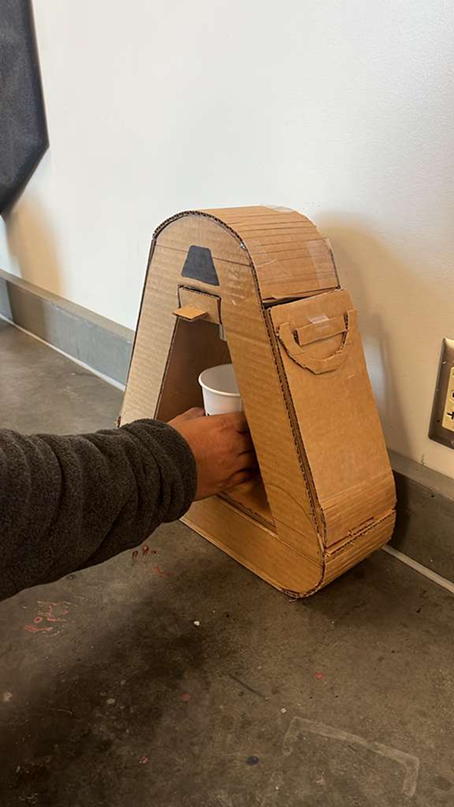
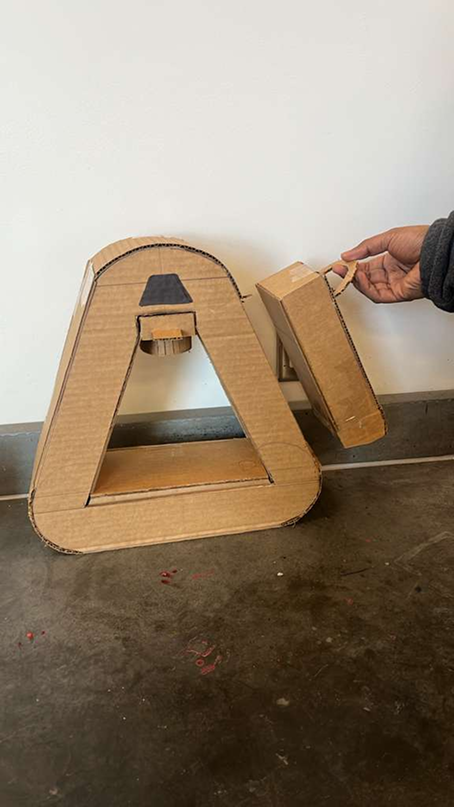
Model two · parts and access

The next build explores how the parts fit into the form and how each one can be reached, moved, or removed.

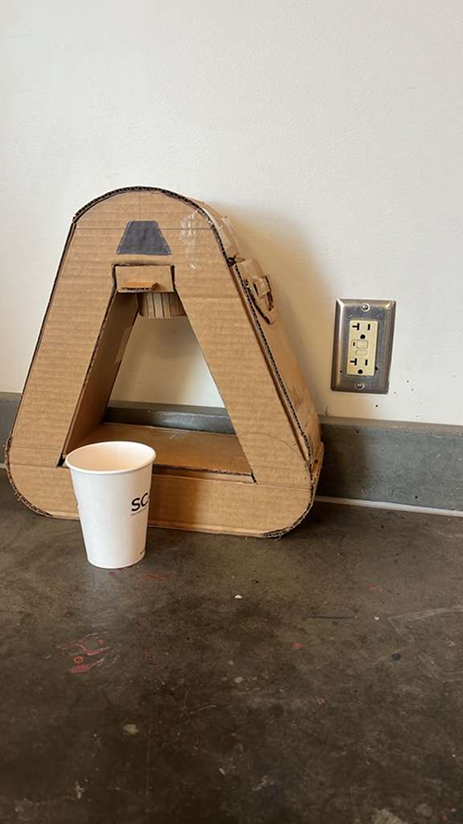
Refined cardboard ARC prototype shown beside a paper cup for scale
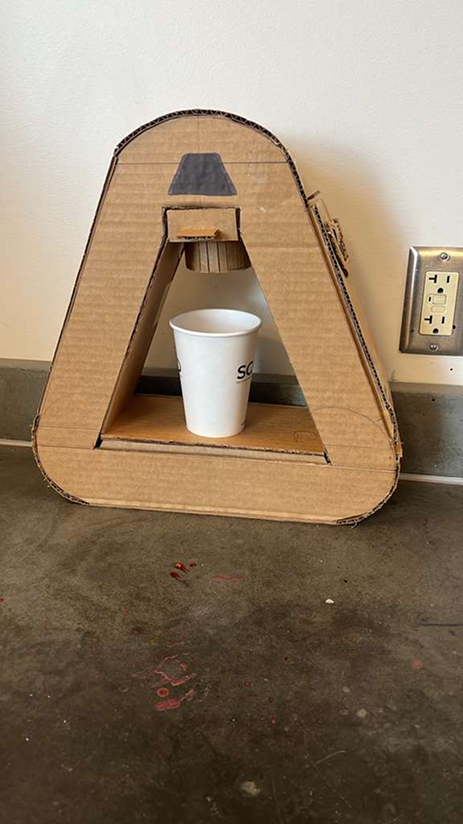
Paper cup positioned beneath the brewing head of the refined cardboard ARC prototype
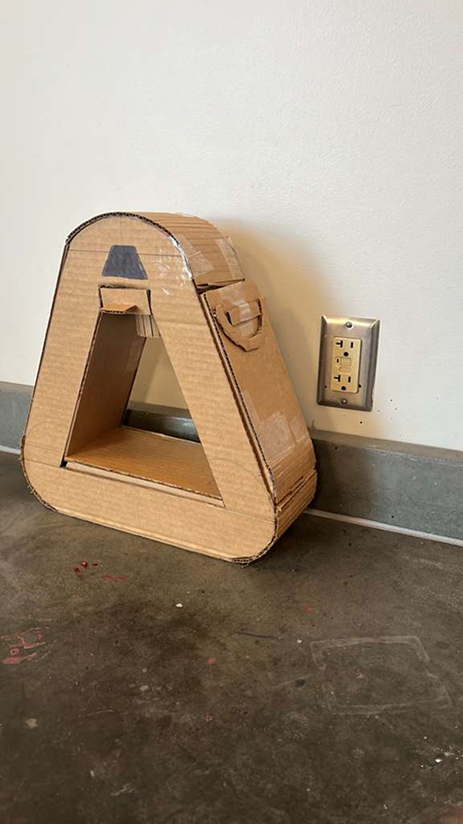
Three-quarter side view of the refined cardboard ARC prototype
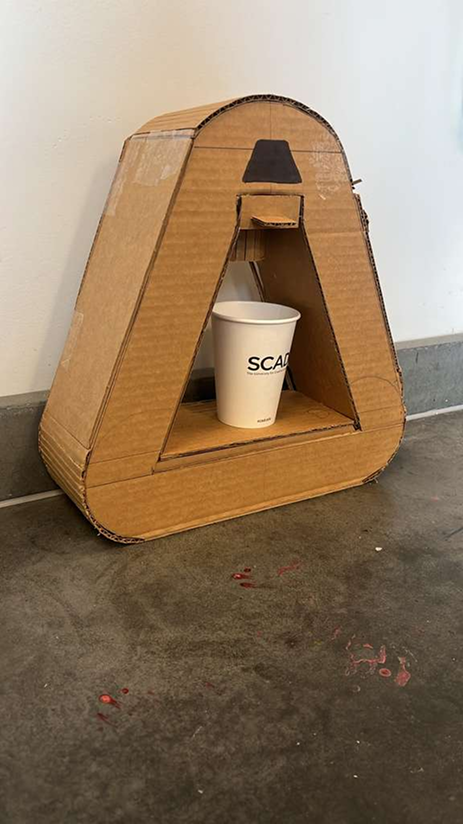
Refined cardboard ARC prototype with a paper cup positioned in the brewing opening

OpeningCompare the frame and cup space across the two builds.

Brewing headThe second model brings the head into the cup opening.

ReservoirA removable side component makes the refill action testable.

Putting the touchpoints in someone’s hands.

The physical study covers component removal, control reach, cup access, and refilling. The photos document these tasks; they do not establish brewing performance or a measured usability improvement.

Participant removing a cardboard component from the front of the ARC prototype
Participant pressing the marked control area on the ARC prototype
Participant reaching into the ARC prototype to place or remove a cup
Participant removing the side reservoir from the refined ARC prototype

Carrying those actions into the use sequence.

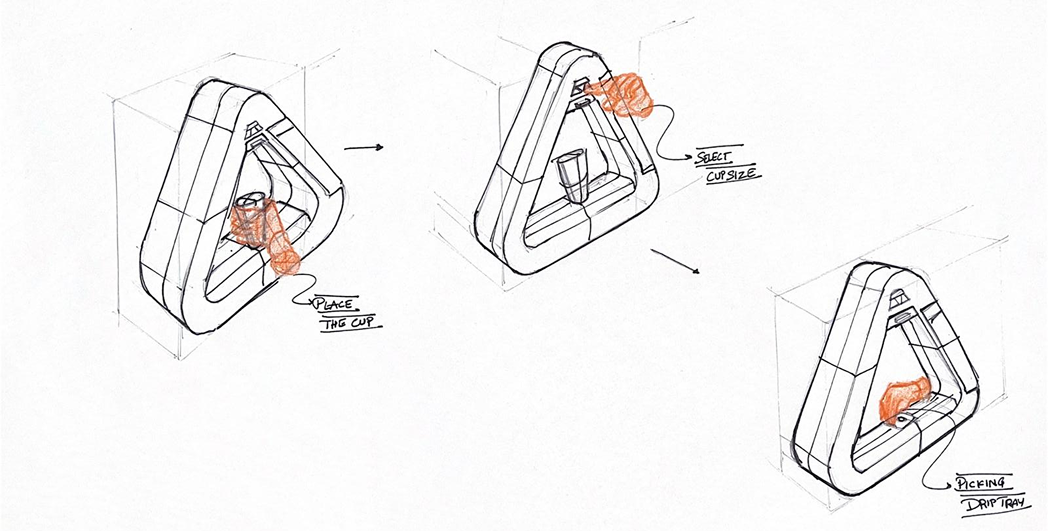
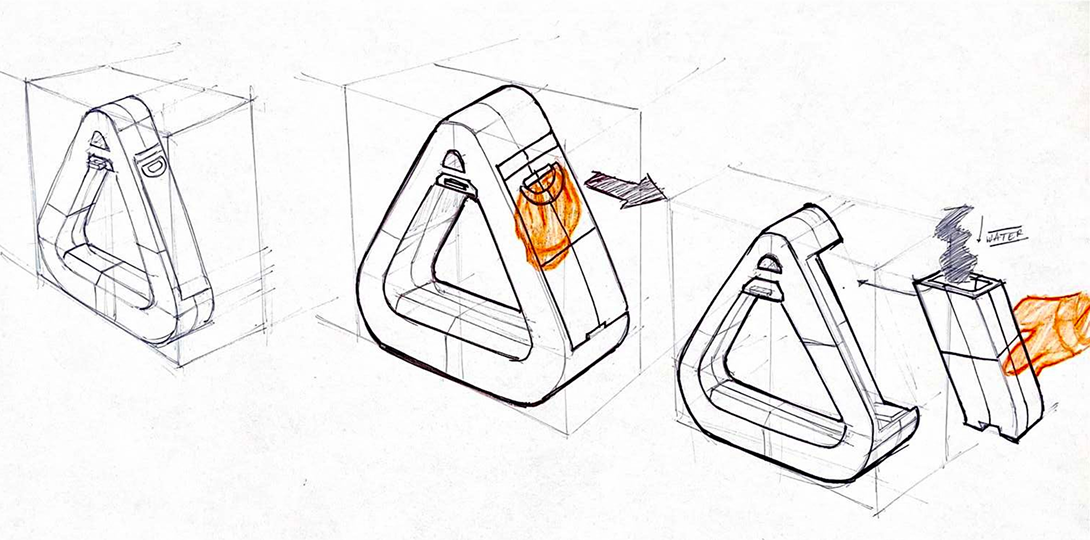
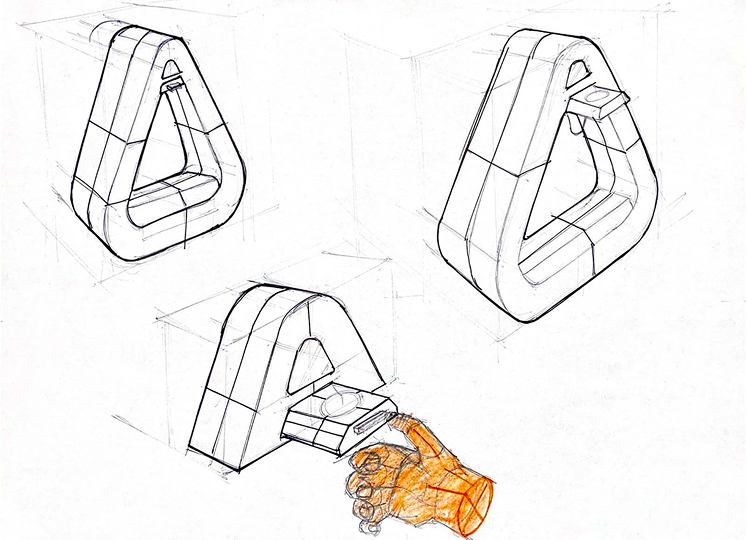
From unpacking to refilling, the interaction drawings explain how the parts are approached and moved.

ARC journey sketch showing the machine being lifted from its packaging and placed on a counter
ARC journey sketch showing cup placement, cup-size selection, and drip-tray access
ARC journey sketch showing the side water tank being removed and refilled
ARC interaction sketch showing the brewing head, front opening, and removable tray

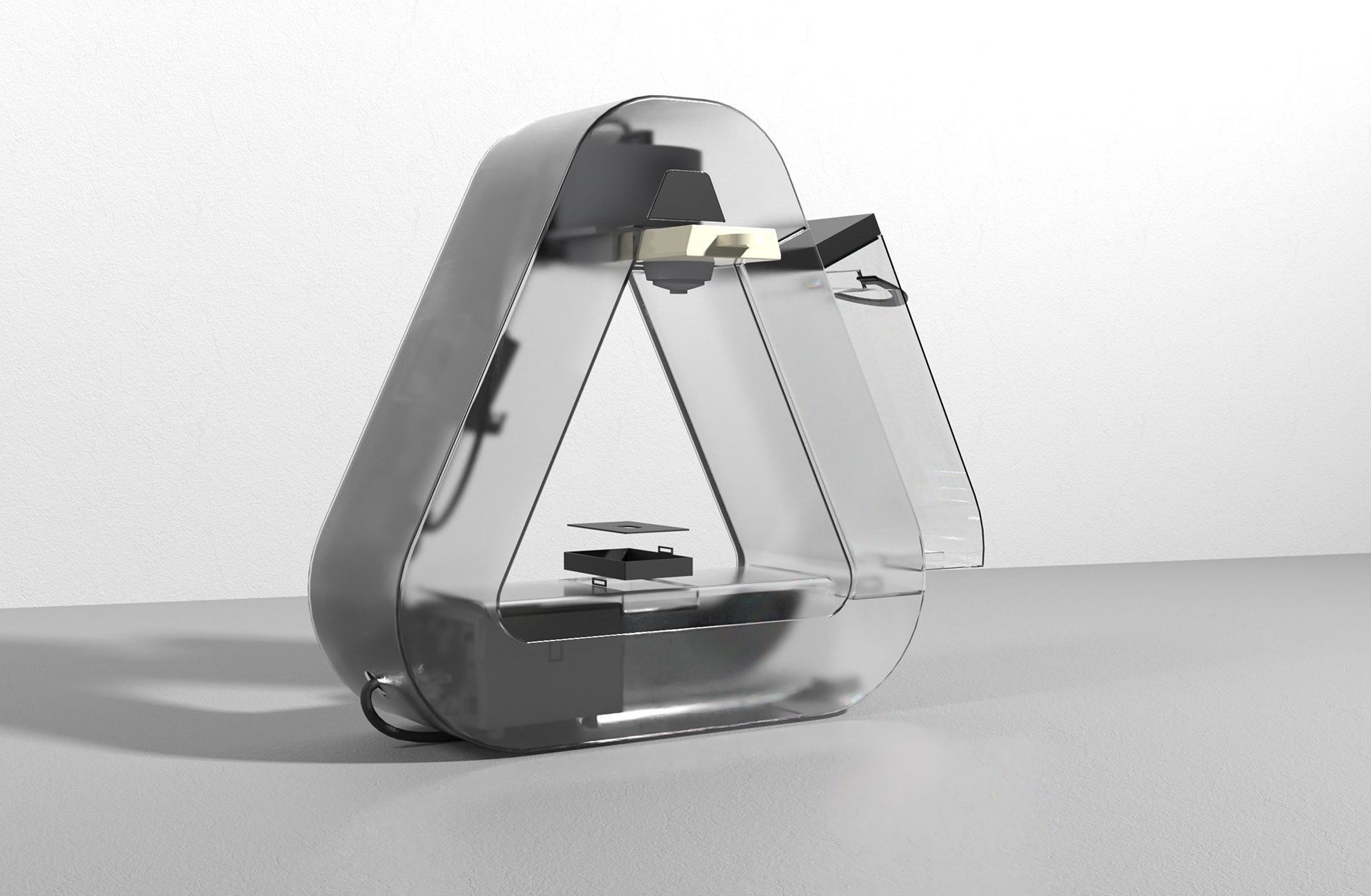
A silhouette with an internal layout.

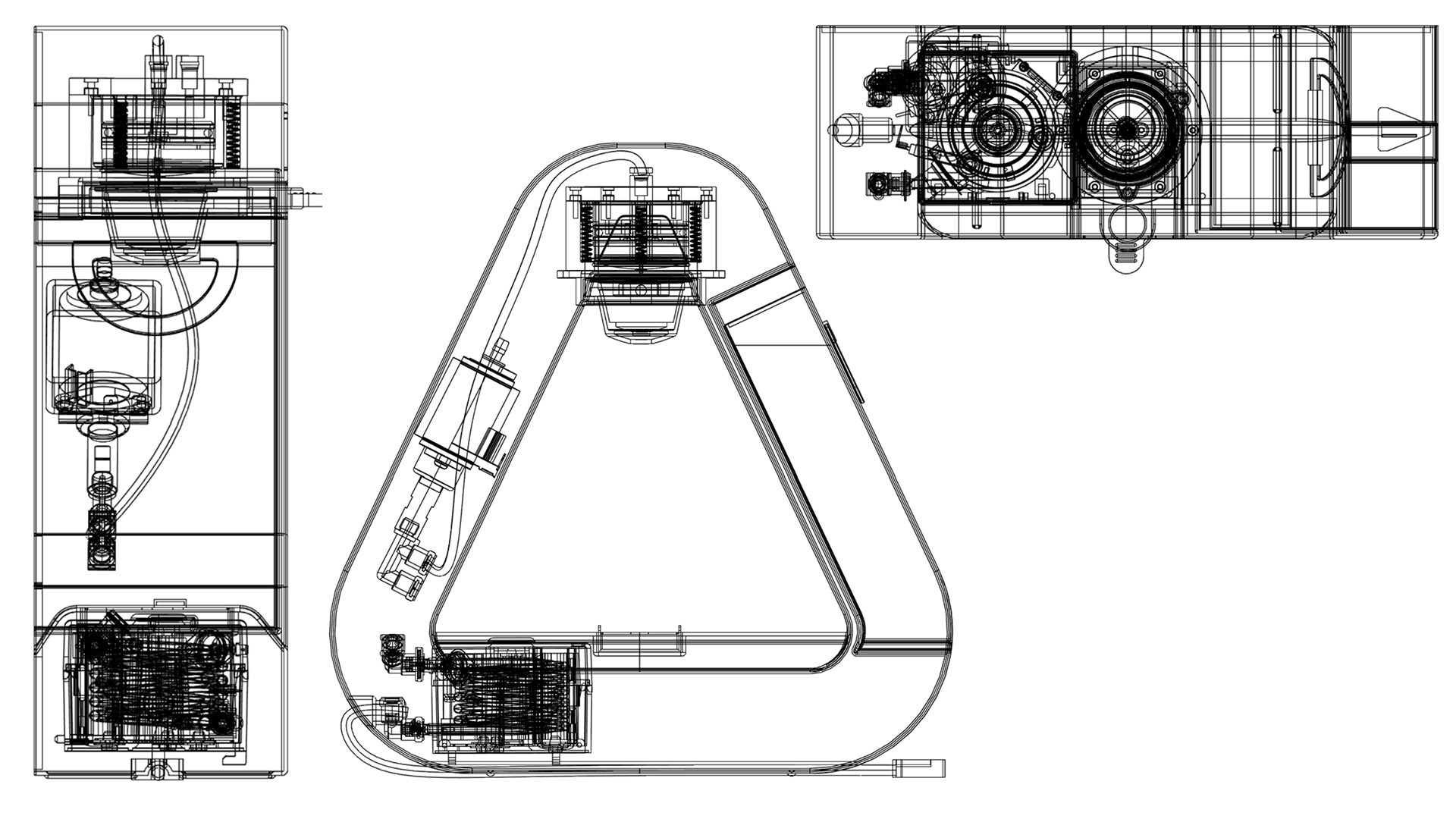
The CAD studies place the brewing assembly, pump, water tank, and controls inside the triangular envelope. They show a proposed package, with heat, sealing, and brew performance still requiring a working prototype.

Transparent ARC render revealing internal brewing and water components
ARC coffee-machine orthographic drawings showing front, side, and top geometry
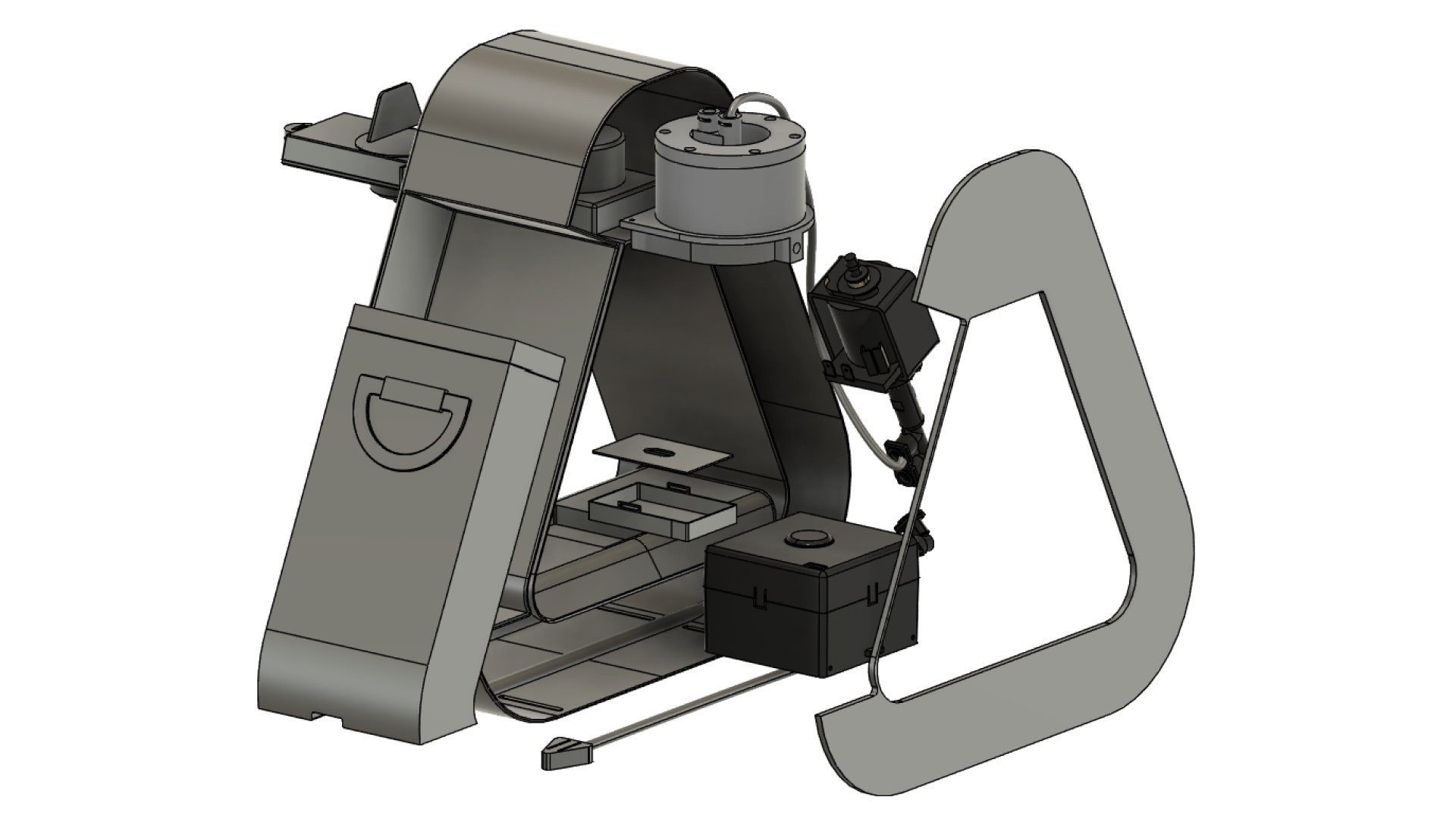
Exploded ARC coffee-machine CAD assembly showing internal modules and outer shell

Parts, materials, and assembly.

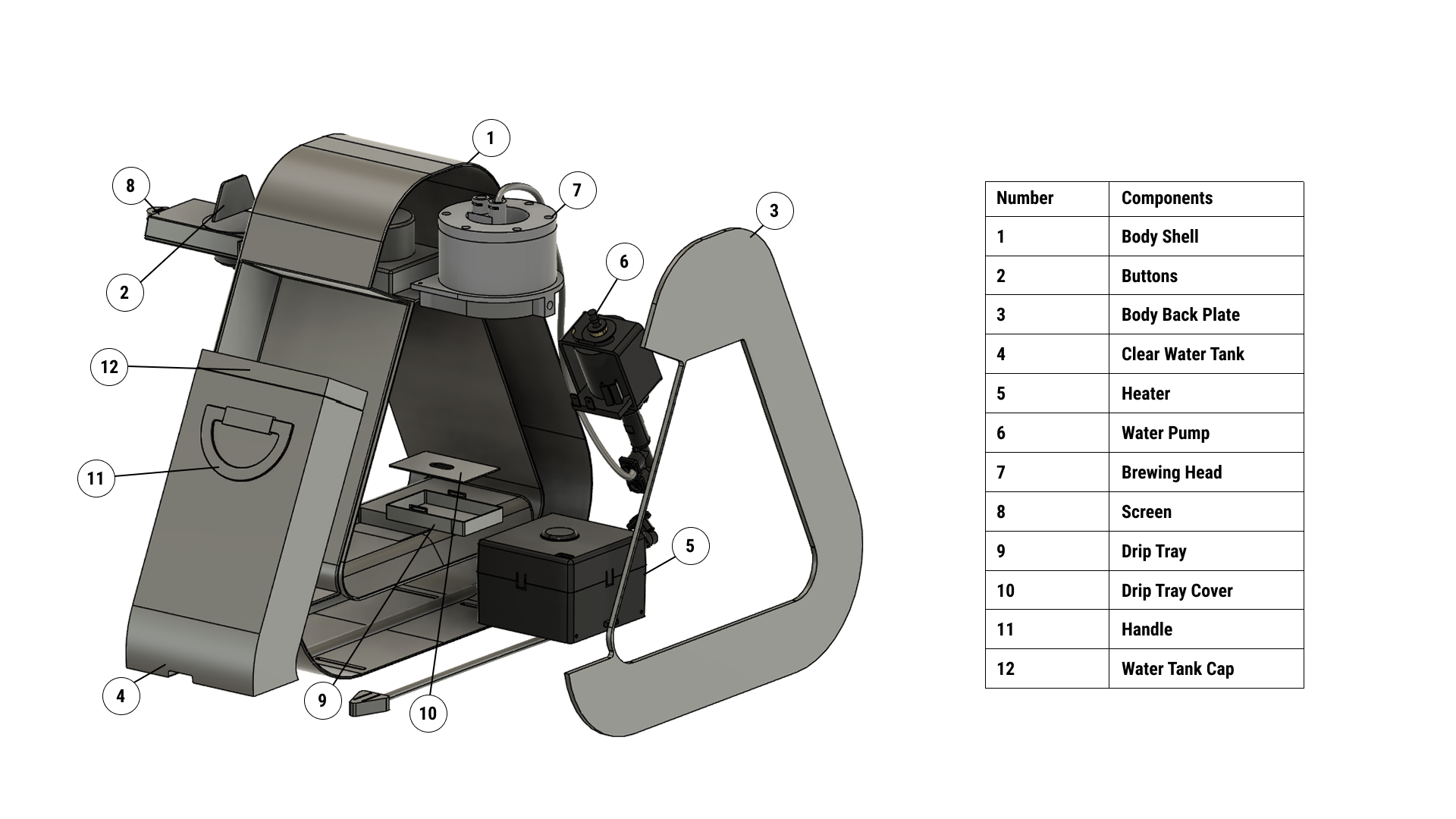
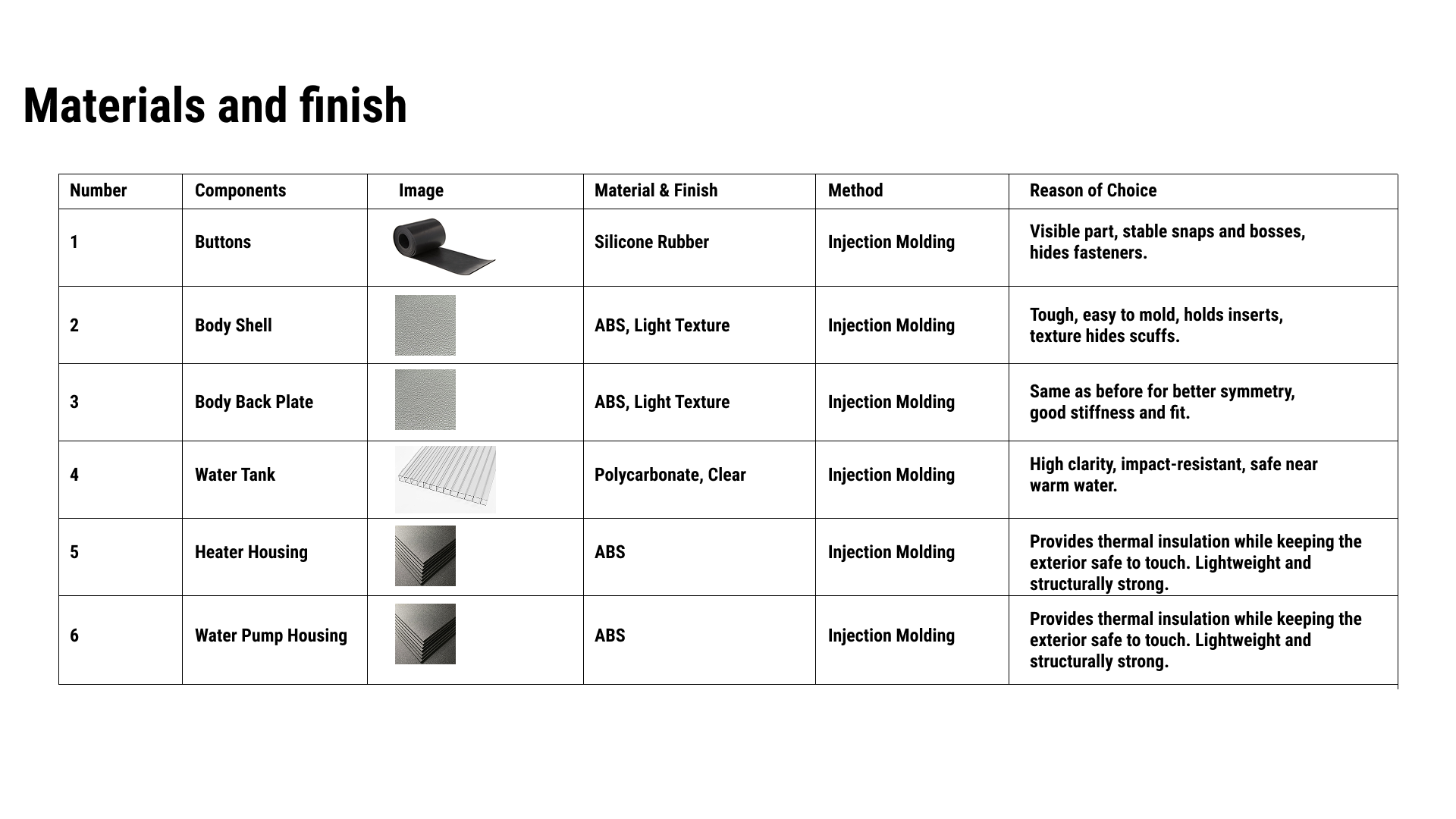
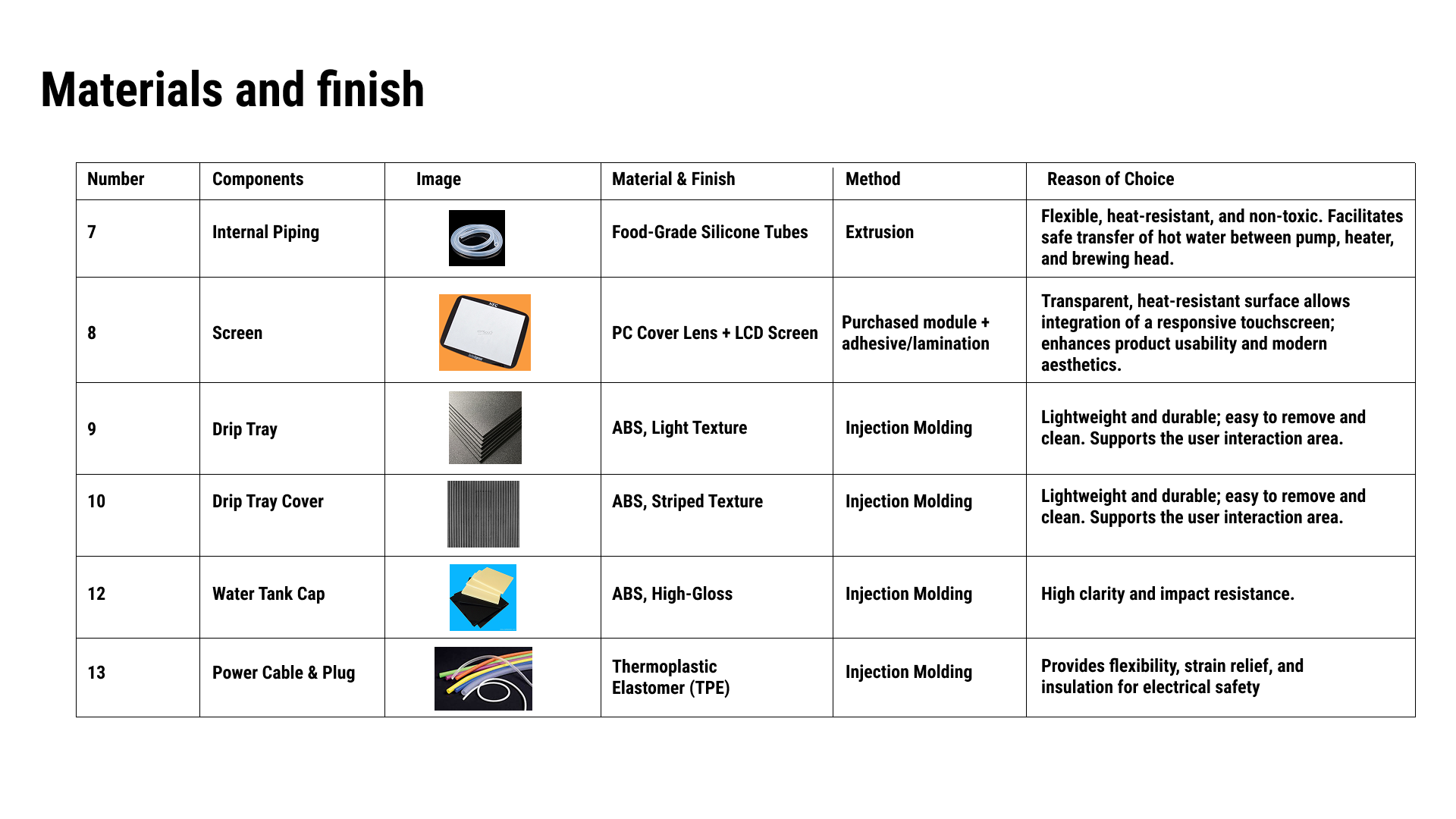
The exploded component map and material studies connect the exterior to a proposed manufacturing approach.

Exploded ARC coffee-machine assembly identifying the body shell, buttons, back plate, water tank, heater, pump, brewing head, screen, drip tray, drip-tray cover, handle, and water-tank cap
ARC materials and manufacturing table covering the buttons, body shell, back plate, water tank, heater housing, and water-pump housing
ARC materials and manufacturing table covering internal piping, screen, drip tray, drip-tray cover, water-tank cap, and power cable and plug

One form, two material expressions.

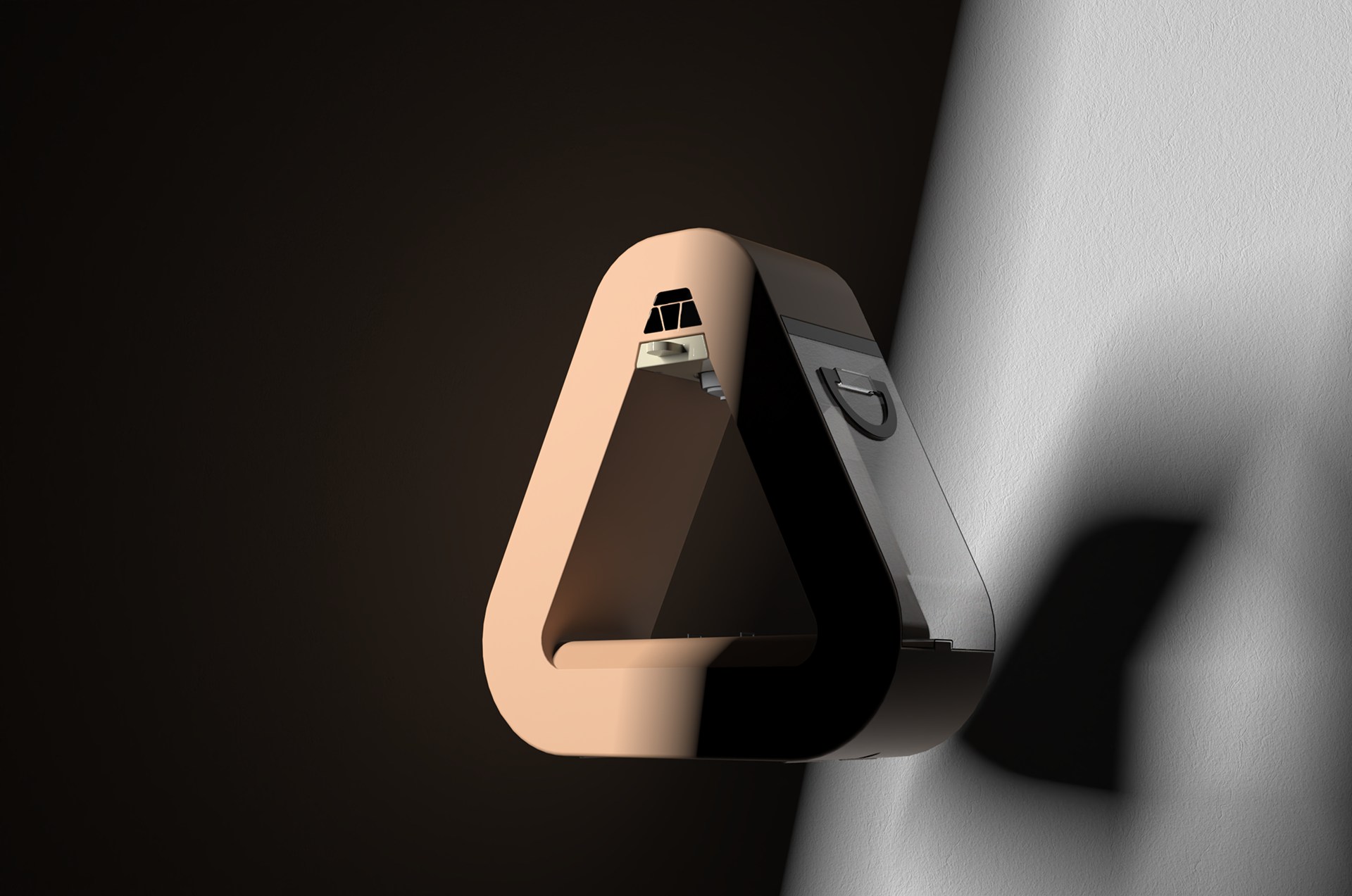
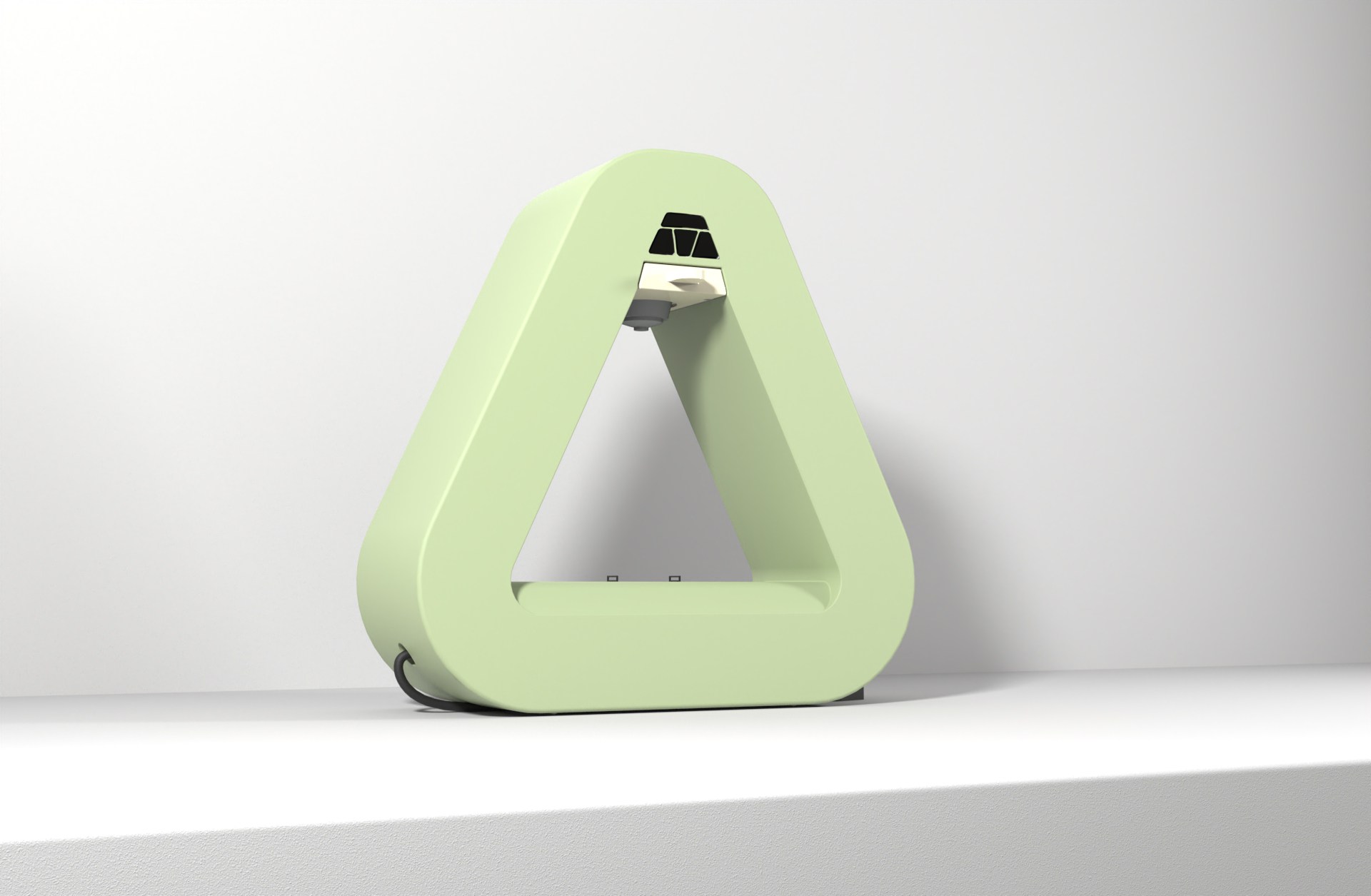
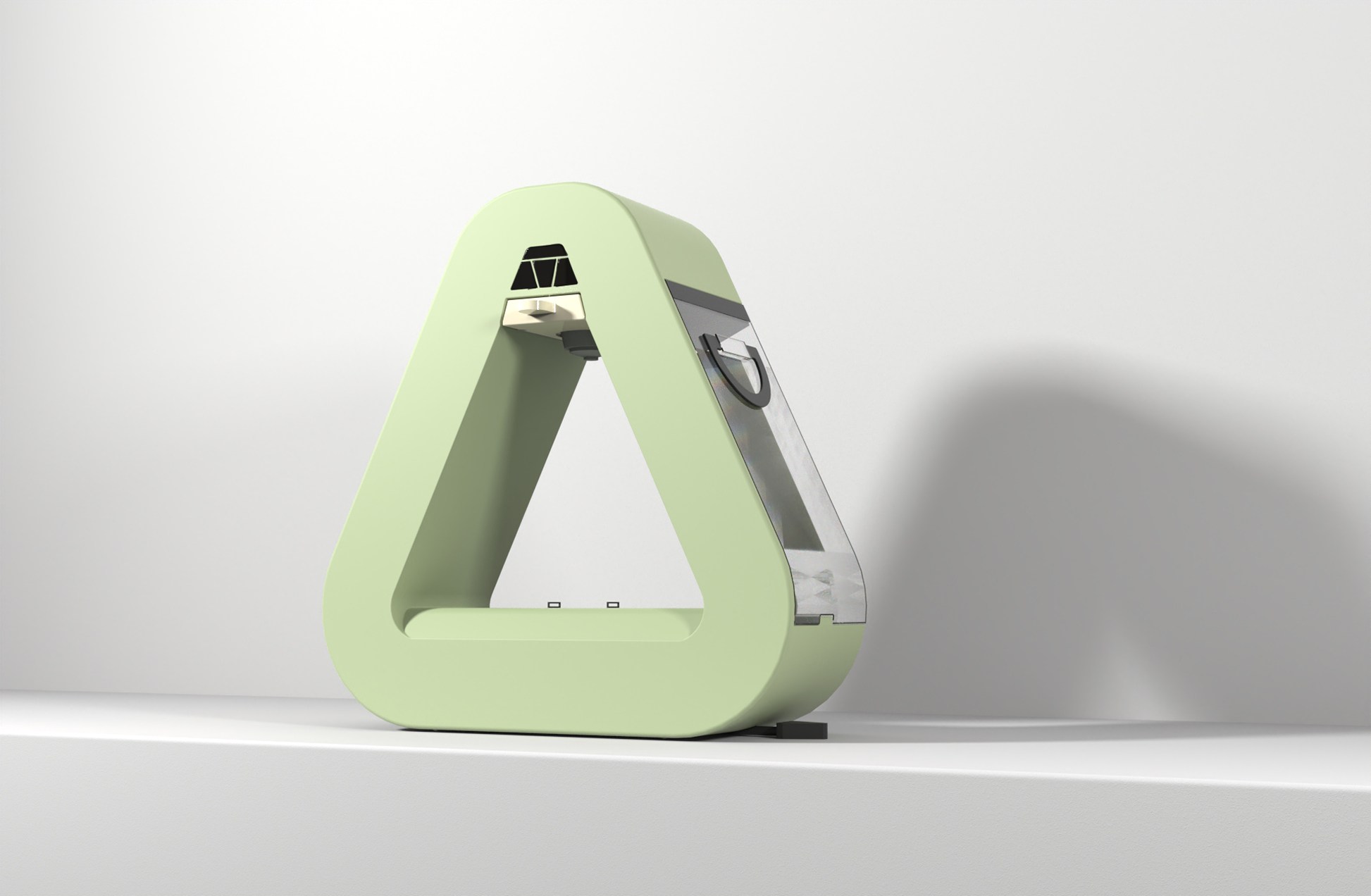
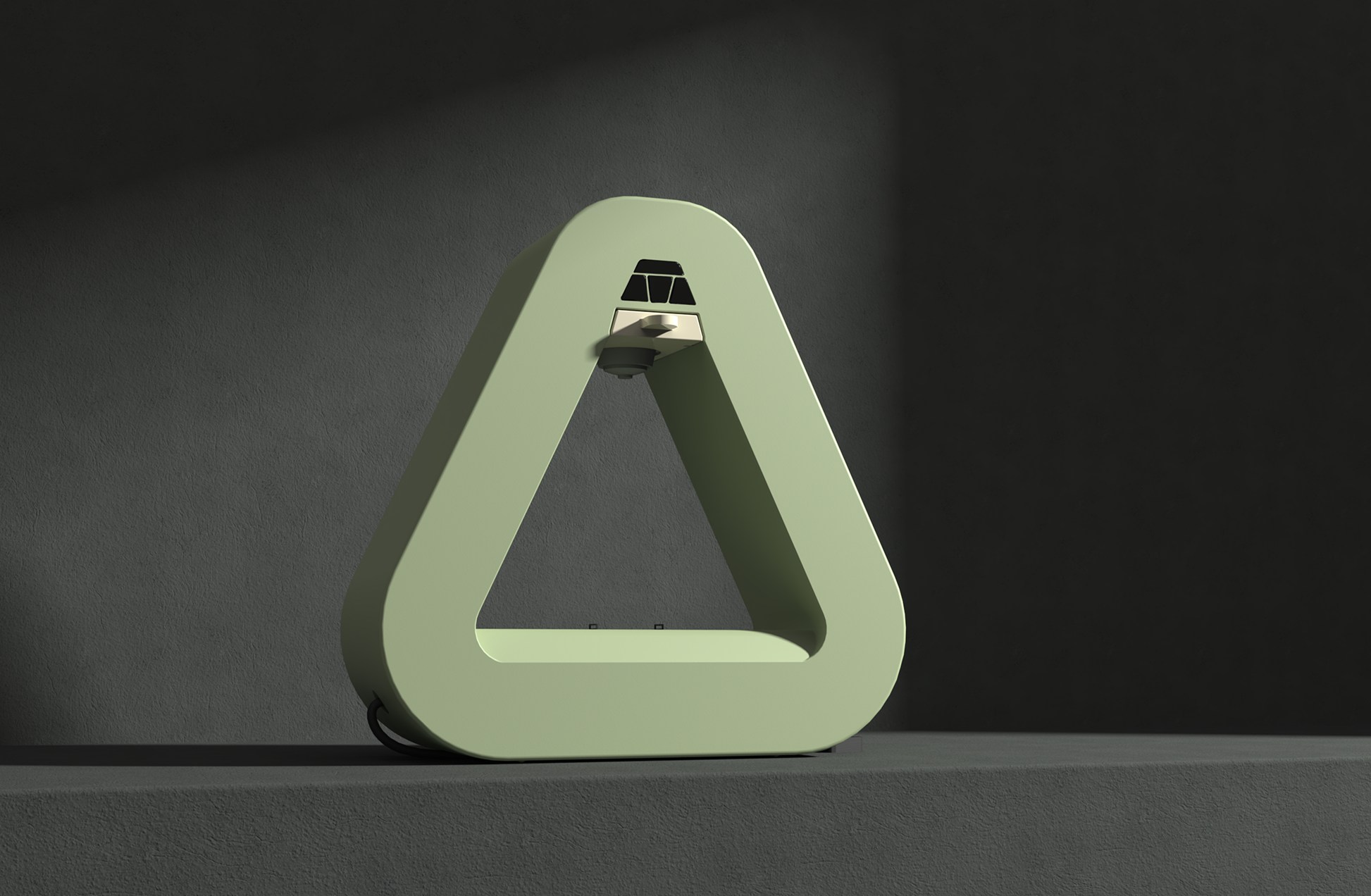
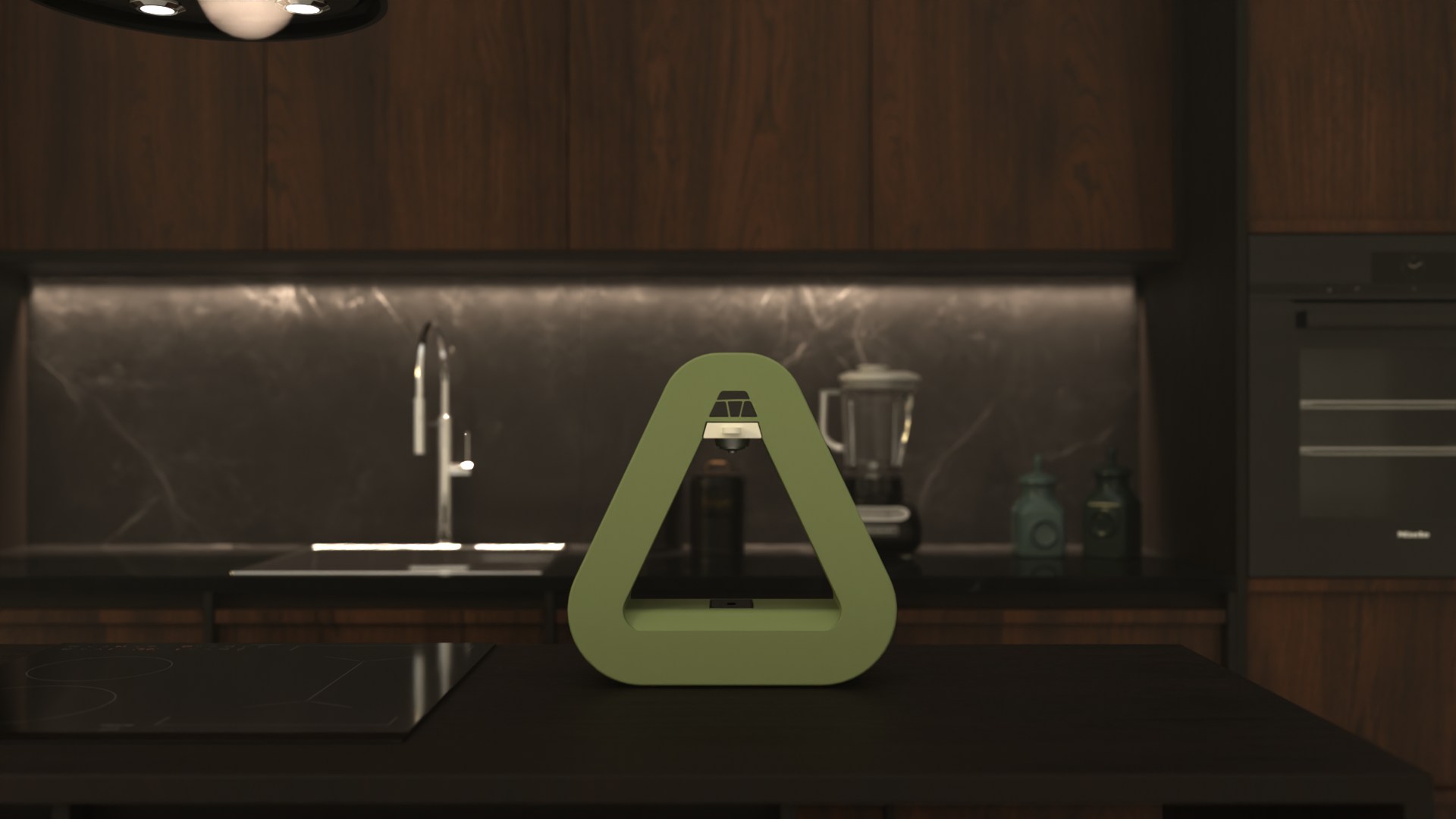
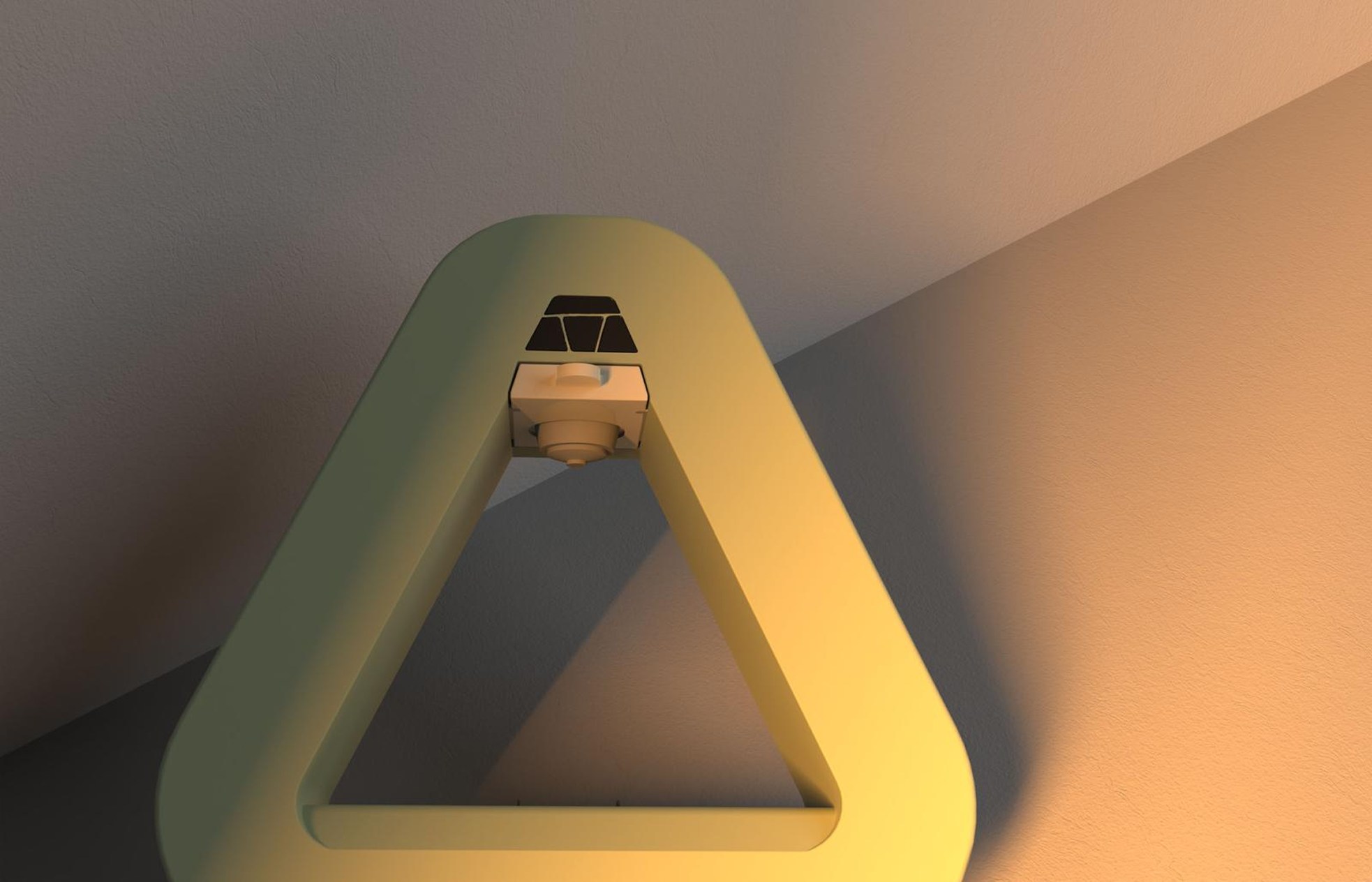
Peach and muted green share the same triangular body and darker touchpoints. Studio views describe the surfaces; the kitchen views return the object to its intended setting.

Peach and green ARC coffee machines arranged together in a bright studio
Peach ARC coffee machine shown in a dramatic side-lit studio
Front studio render of the green ARC coffee machine
Three-quarter studio render of the green ARC coffee machine
Green ARC coffee machine centered against a dark studio background
Green ARC coffee machine with a cup positioned beneath the brewing head
Green ARC coffee machine placed on a dark residential kitchen counter
Green ARC coffee machine lit warmly in an interior setting

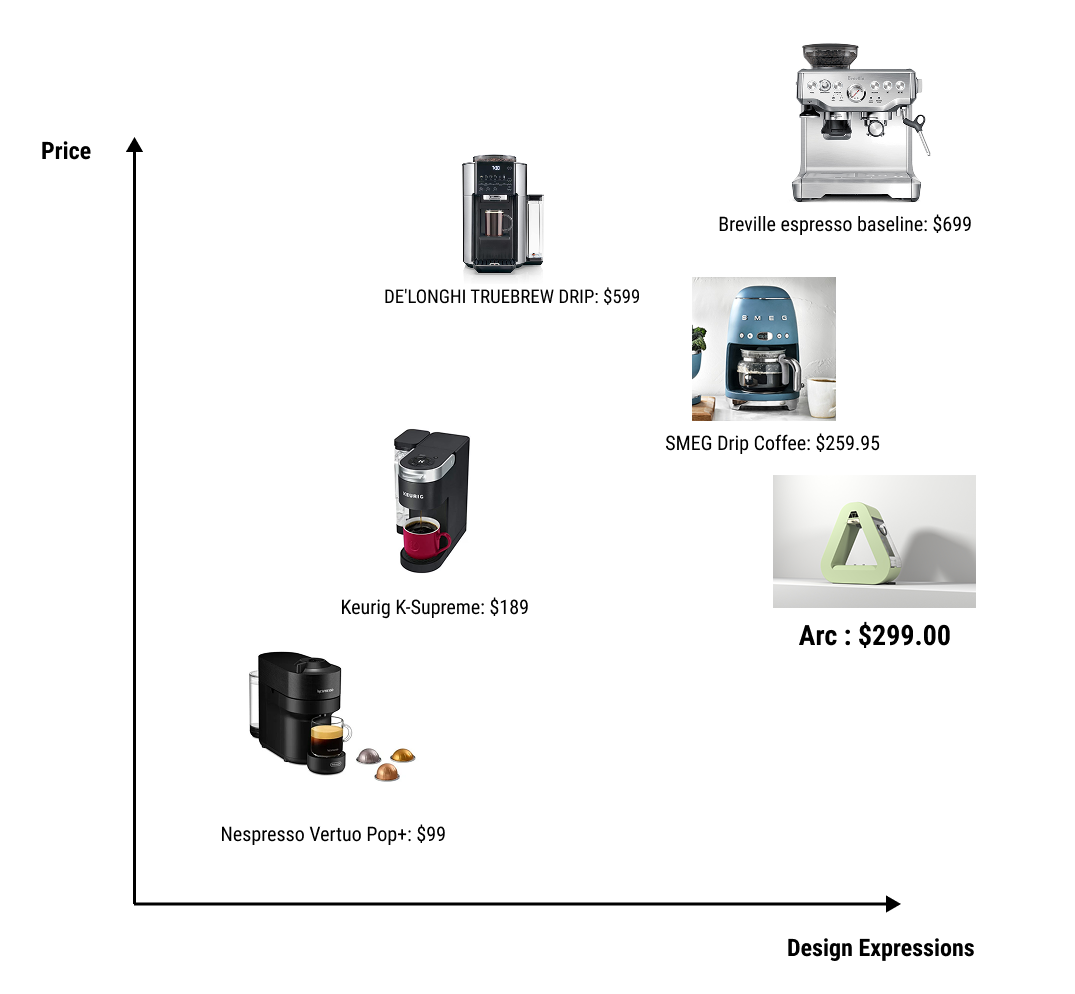
A proposed $299 position.

The positioning study compares ARC with familiar coffee-machine brands. The price is a concept target, not a validated retail price or production quote.

Competitive map positioning the $299 ARC coffee machine by price and design expression against Nespresso, Keurig, SMEG, DeLonghi, and Breville products

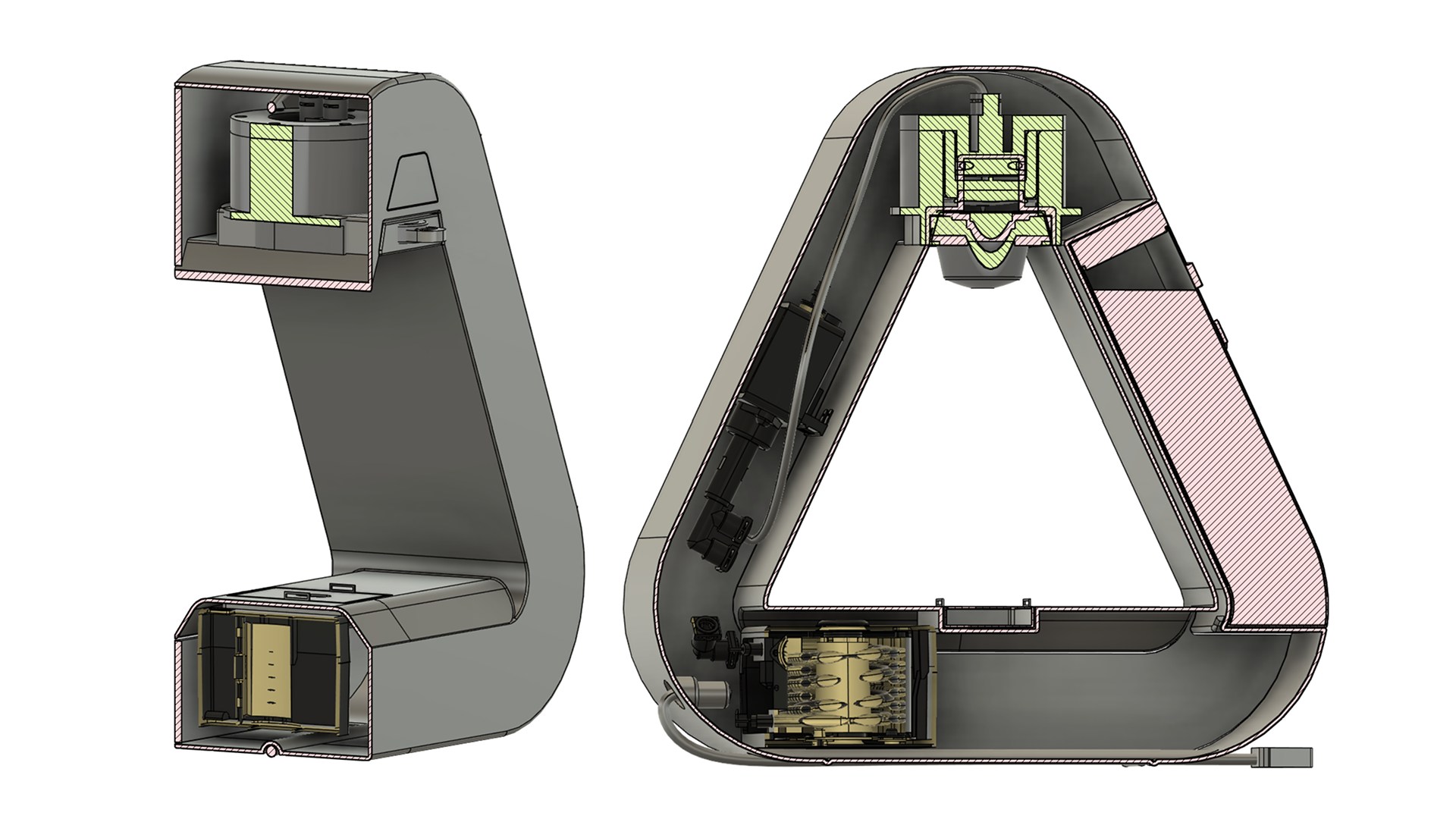
Resolved beyond the exterior.

Material and component choices describe the proposed construction of the concept.

Sectioned ARC coffee machine showing the water tank, brewing assembly, pump, controls, and drip tray

What this project carries forward.

ARC carries one visual idea from moodboard and hand model through CAD, CMF, assembly, and market positioning. A working prototype would test heat, noise, cleaning, and brew performance.

Next project: Bastion
Industrial design

Bastion

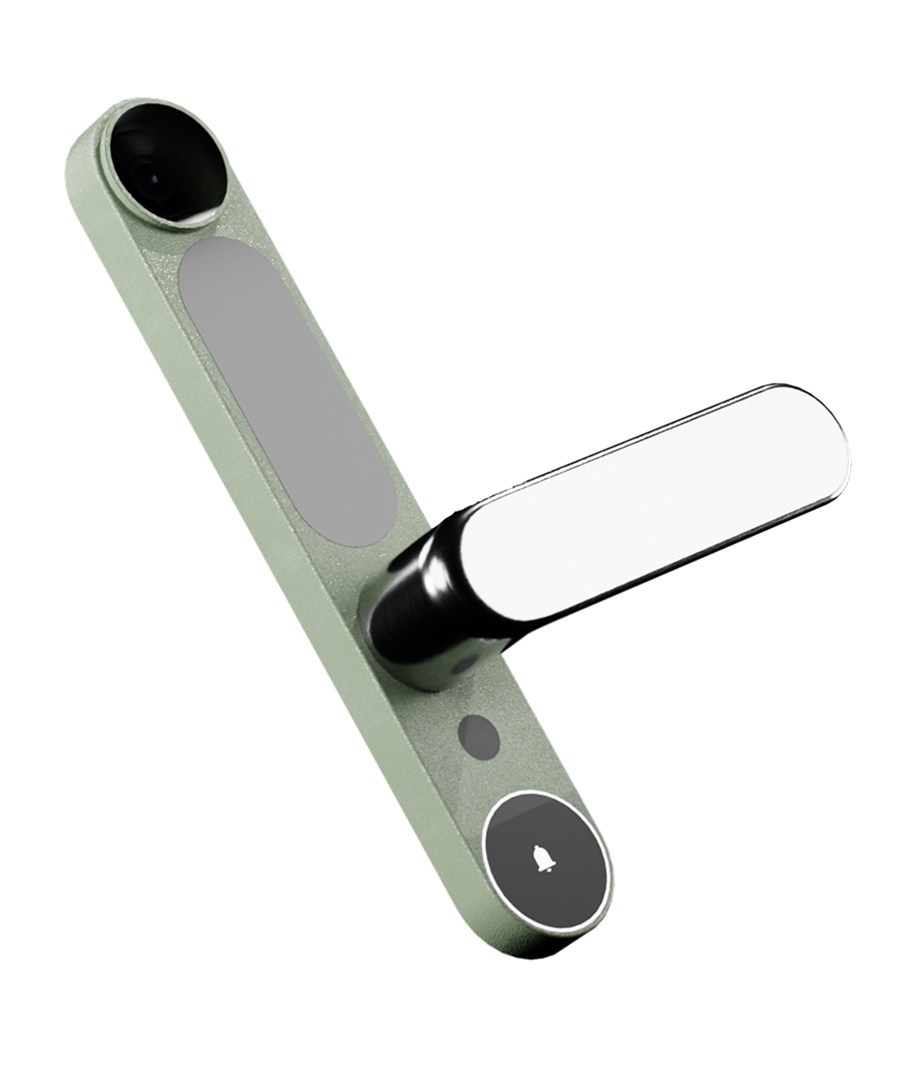
A front door with fewer separate devices.

A connected handle concept bringing access, sensing, communication, and a physical key into one front-and-rear system.

Explore the physical models
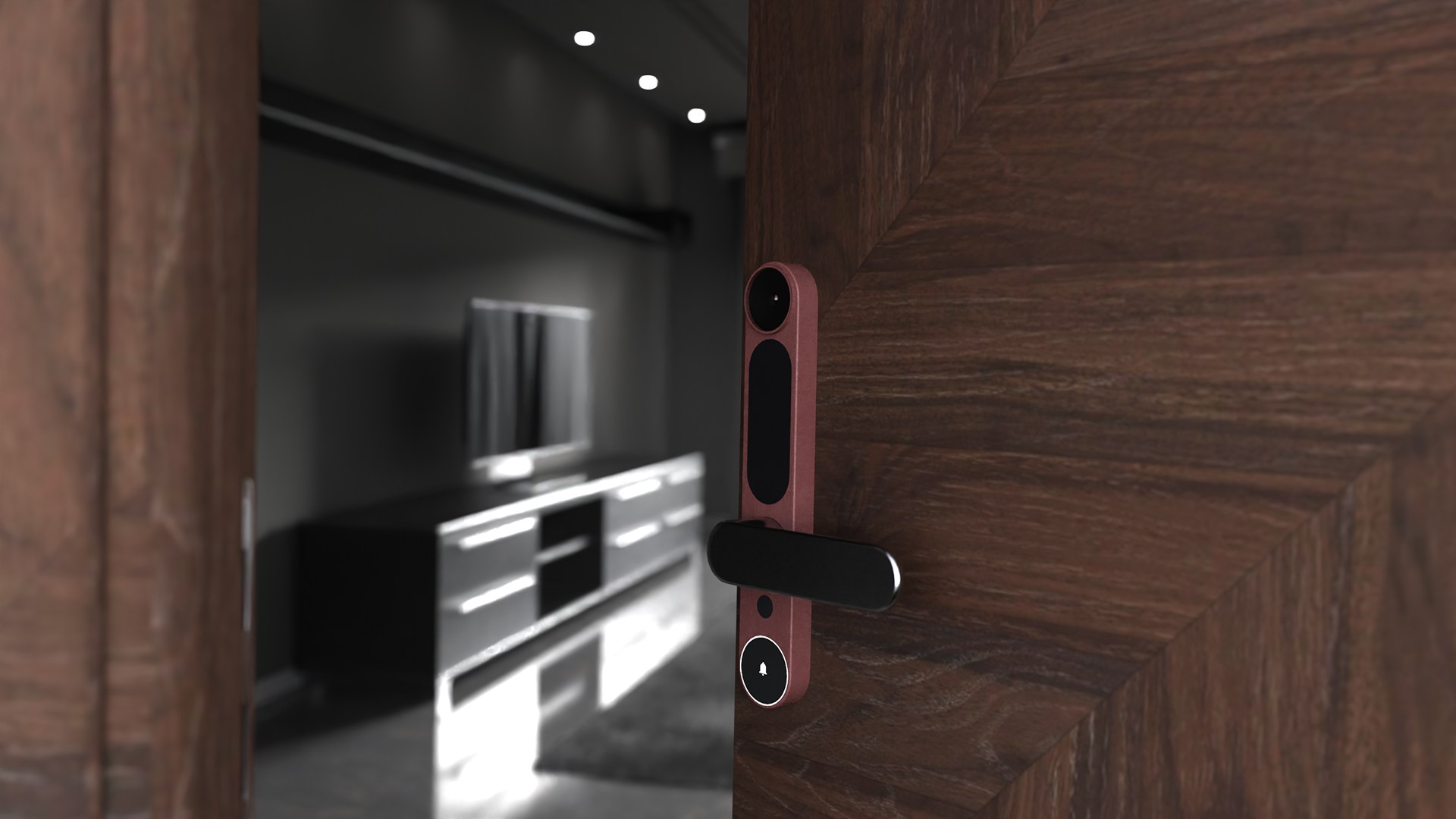
Bastion smart door handle installed on a dark wood interior door

The starting point. My response.

The research brief was provided in class. My contribution is the interpretation and development shown here: sketches, physical models, interactions, CAD, and the final concept.

The brief

Residents and shared households that want convenient smart access without losing a familiar handle or dependable physical key.

The front door has become a cluttered stack of separate security devices, batteries, keys, and disconnected applications.

My design response

An integrated smart-door handle combining a camera, doorbell, motion sensing, smart lock, physical key, and companion app.

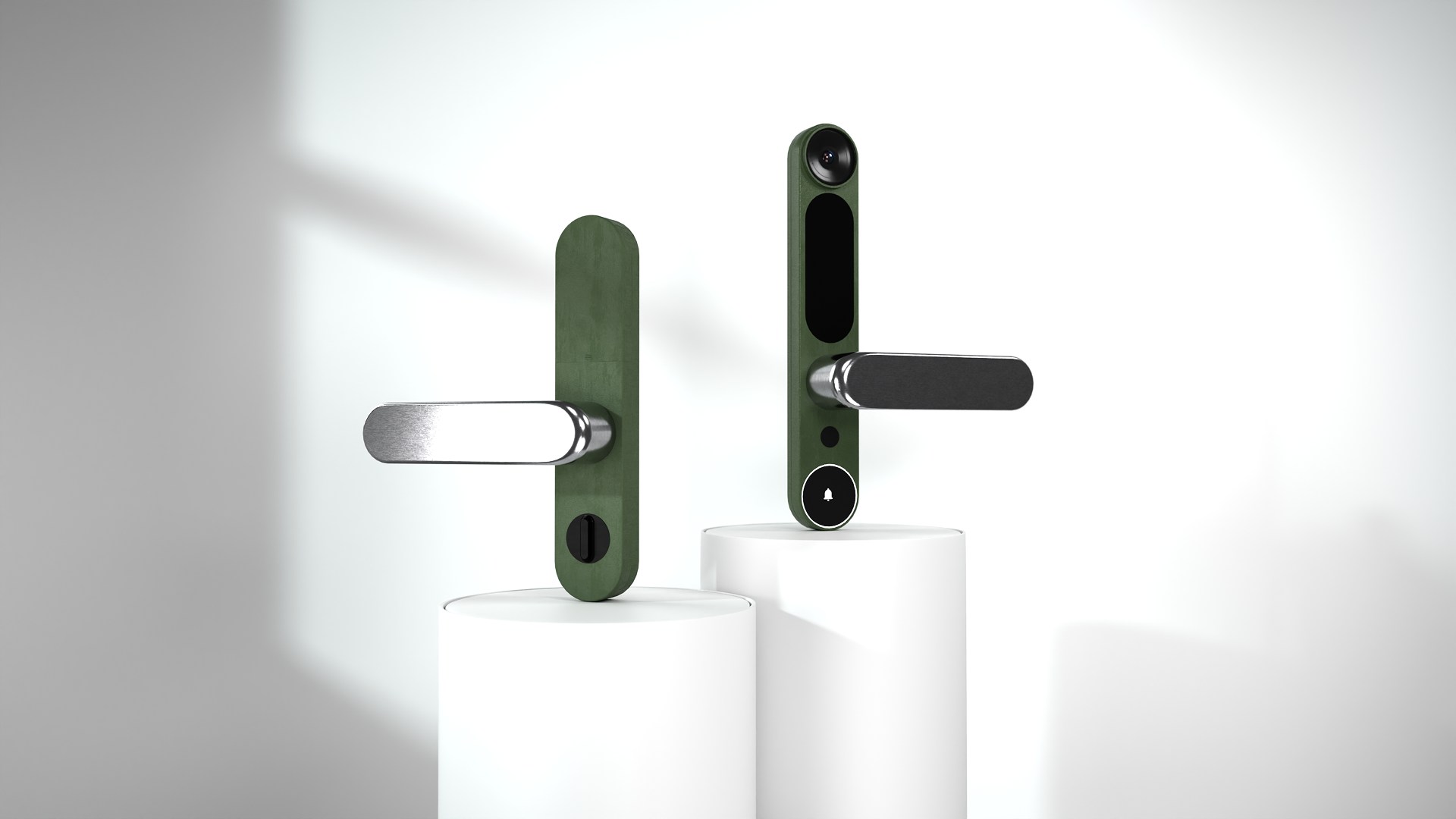
The design brings the camera, access controls, and grip into coordinated front and rear housings.

Front and rear Bastion smart door hardware displayed together on white plinths

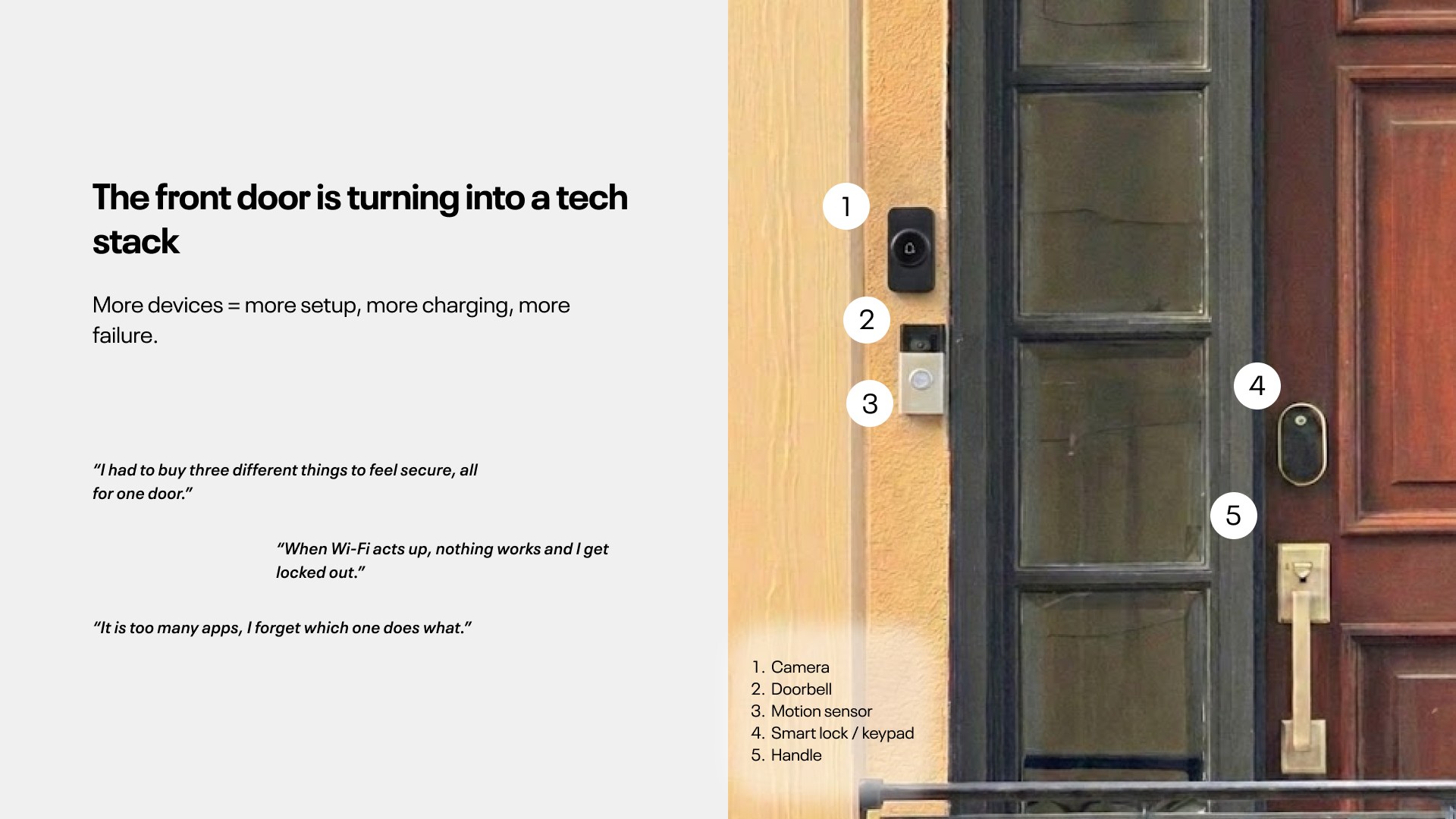
The fragmented front door

The framing board brings the separate devices into view before the integrated design proposal.

Problem-framing board showing a front door crowded by separate lock, camera, bell, and sensor products

Bringing the technology back to a handle.

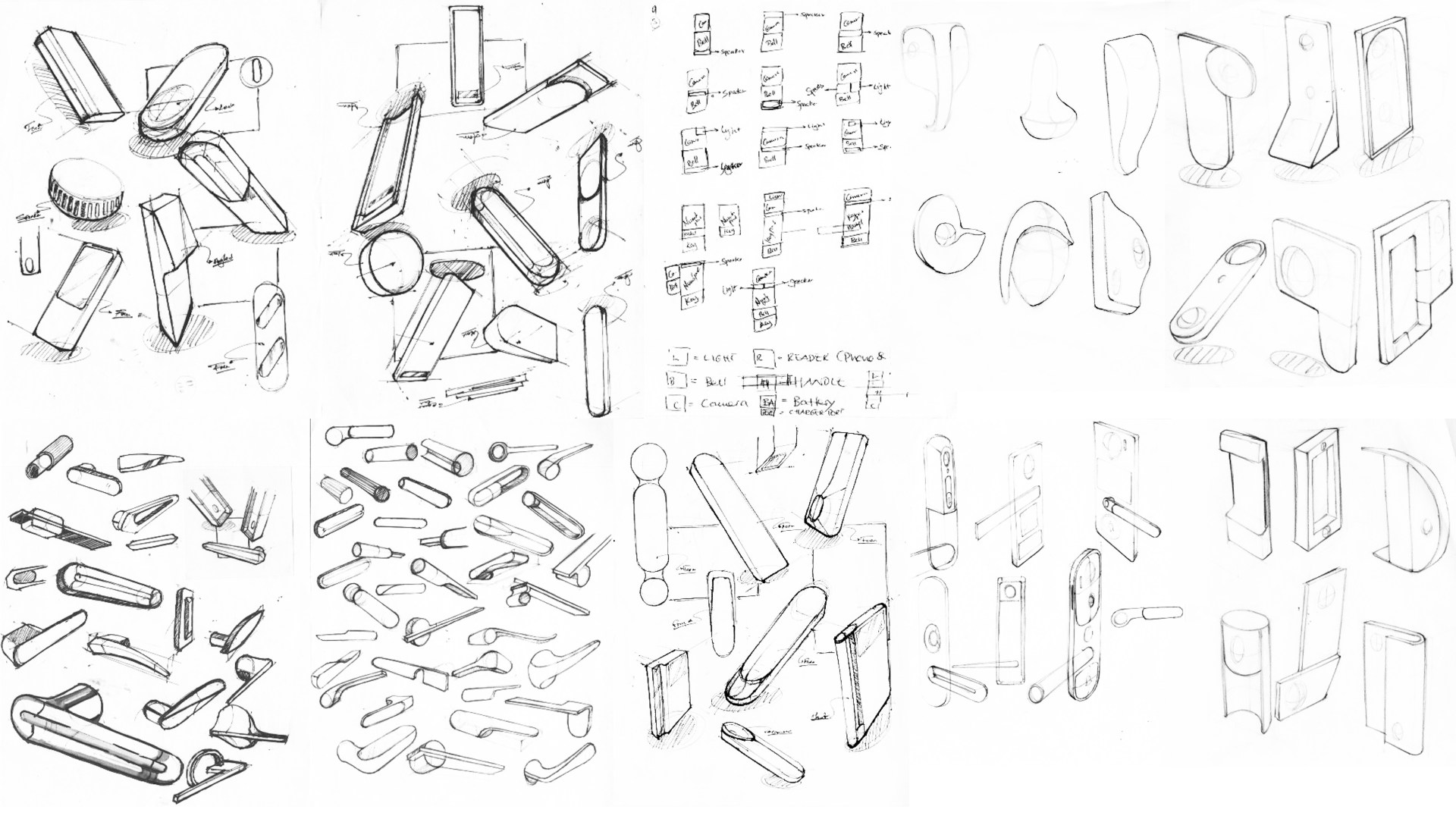
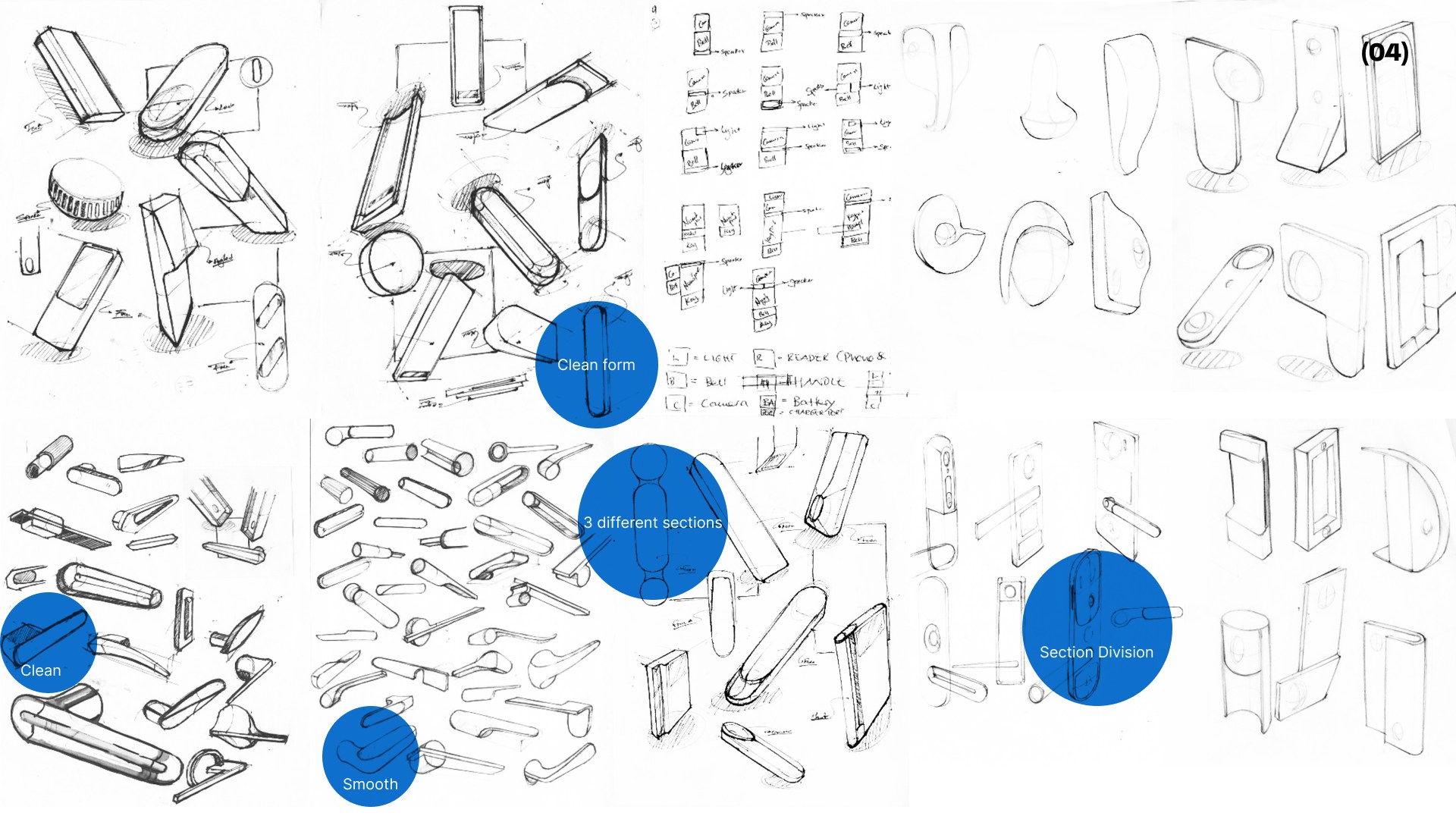
The sketch exploration combines the sensing area, access controls, and grip into one recognizable object. The annotated sheet identifies directions within the broader exploration.

Exploring the body and grip

Bastion sketch sheet exploring vertical bodies, grips, and sensor placement

Reviewing the annotated directions

Broad Bastion handle sketch sheet with selected concepts and annotations

The hand sets the scale.

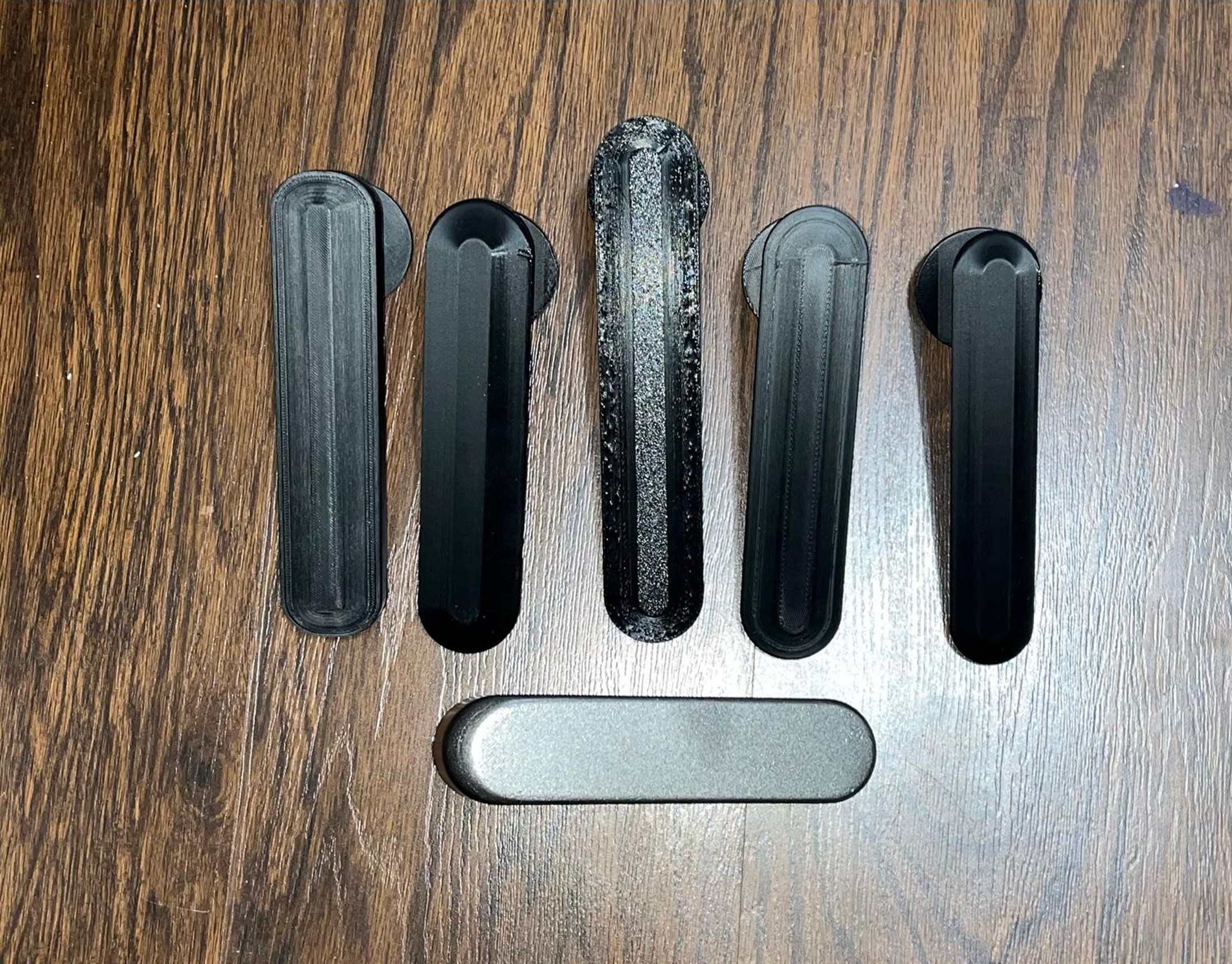
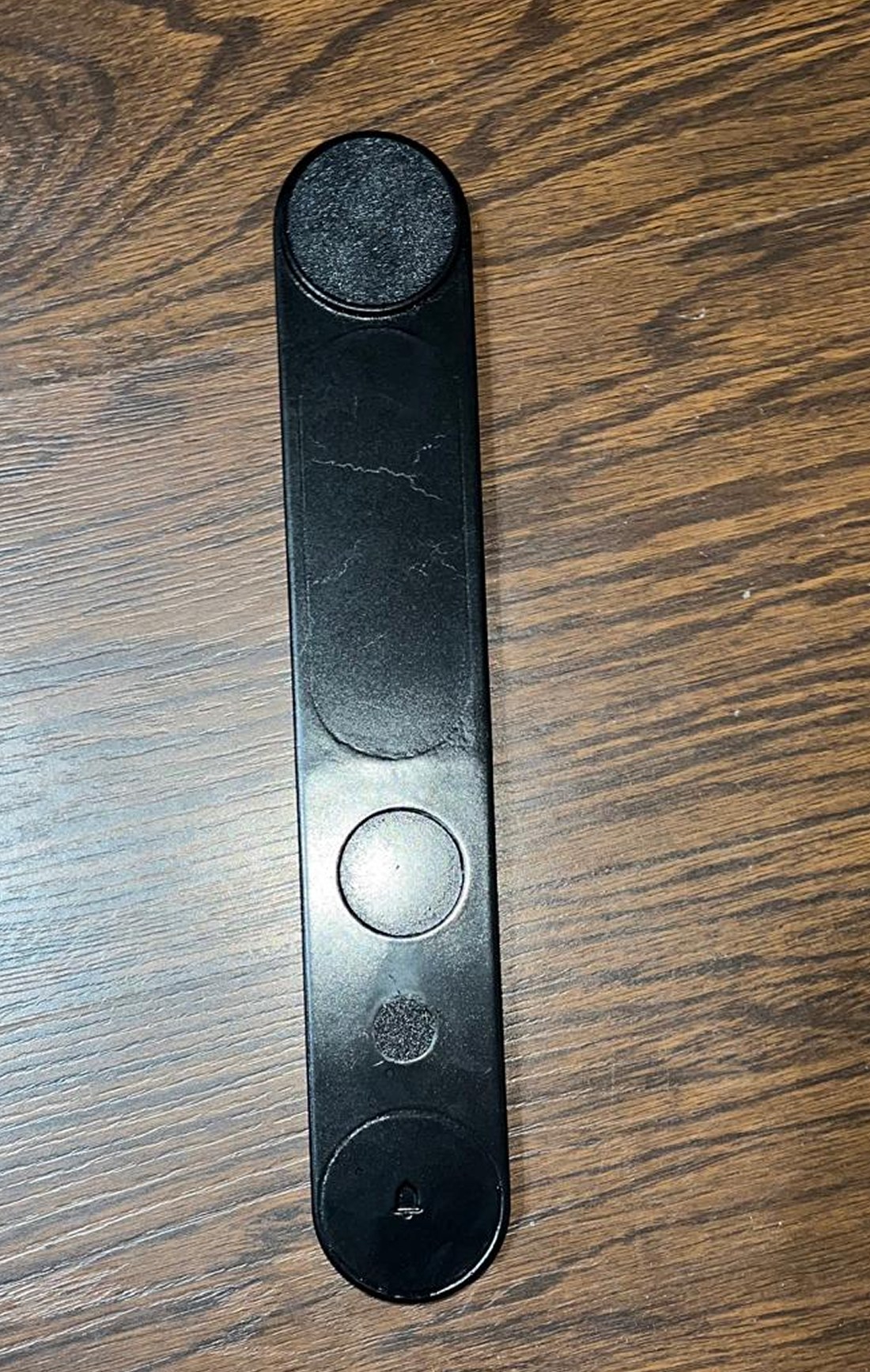
The prototype family explores the housing and grip. Mounted and hand-held studies then bring clearance, reach, and the turning action into the design process.

Form family · housing and grip

Full-scale parts make the proportions and relationship between body and handle tangible.

Row of full-scale black Bastion handle prototypes used to compare grip profiles
Black Bastion front-housing prototype showing the camera and access-control zones
Full-scale Bastion prototype mounted vertically for reach testing

In the hand · clearance and rotation

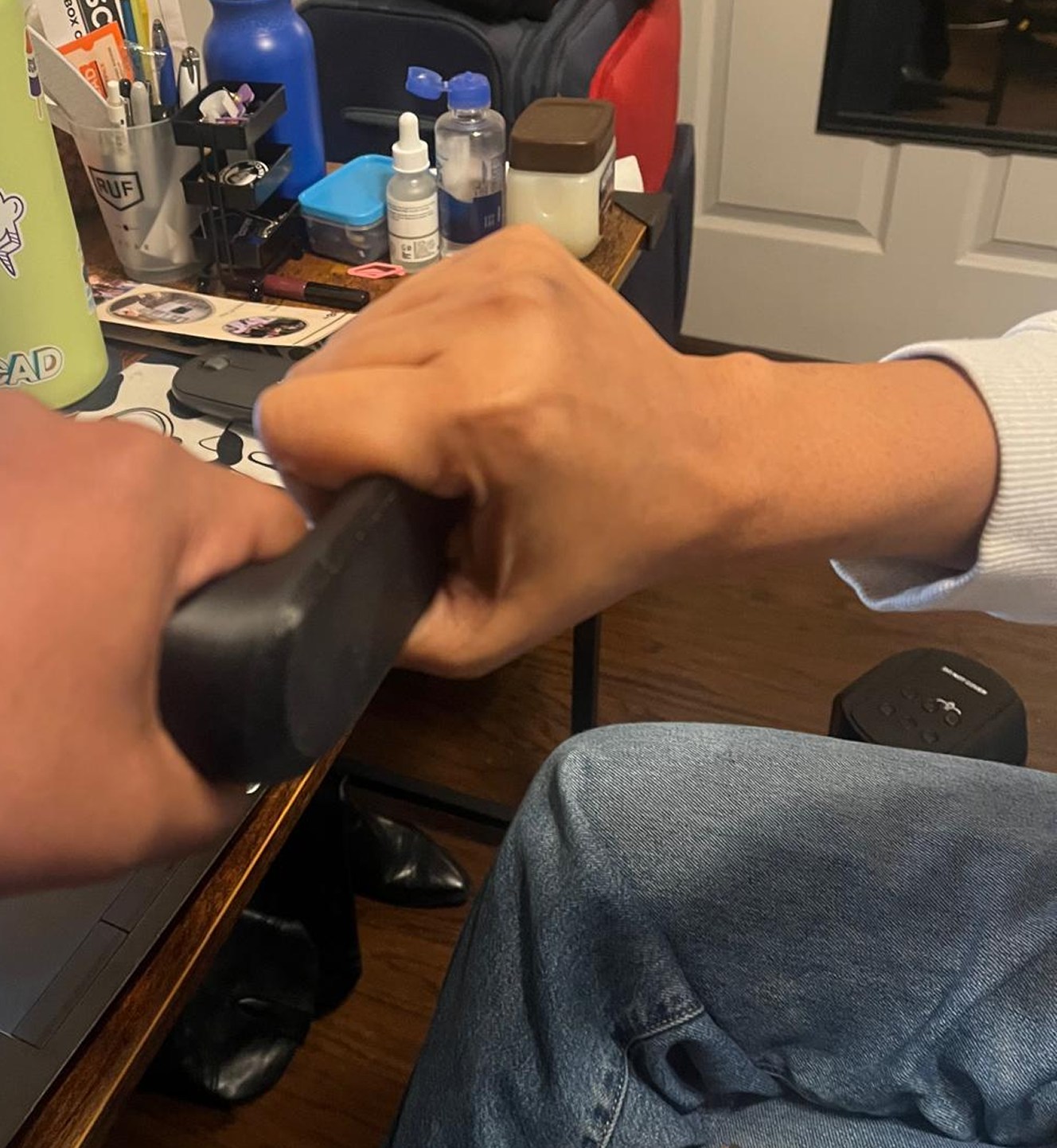
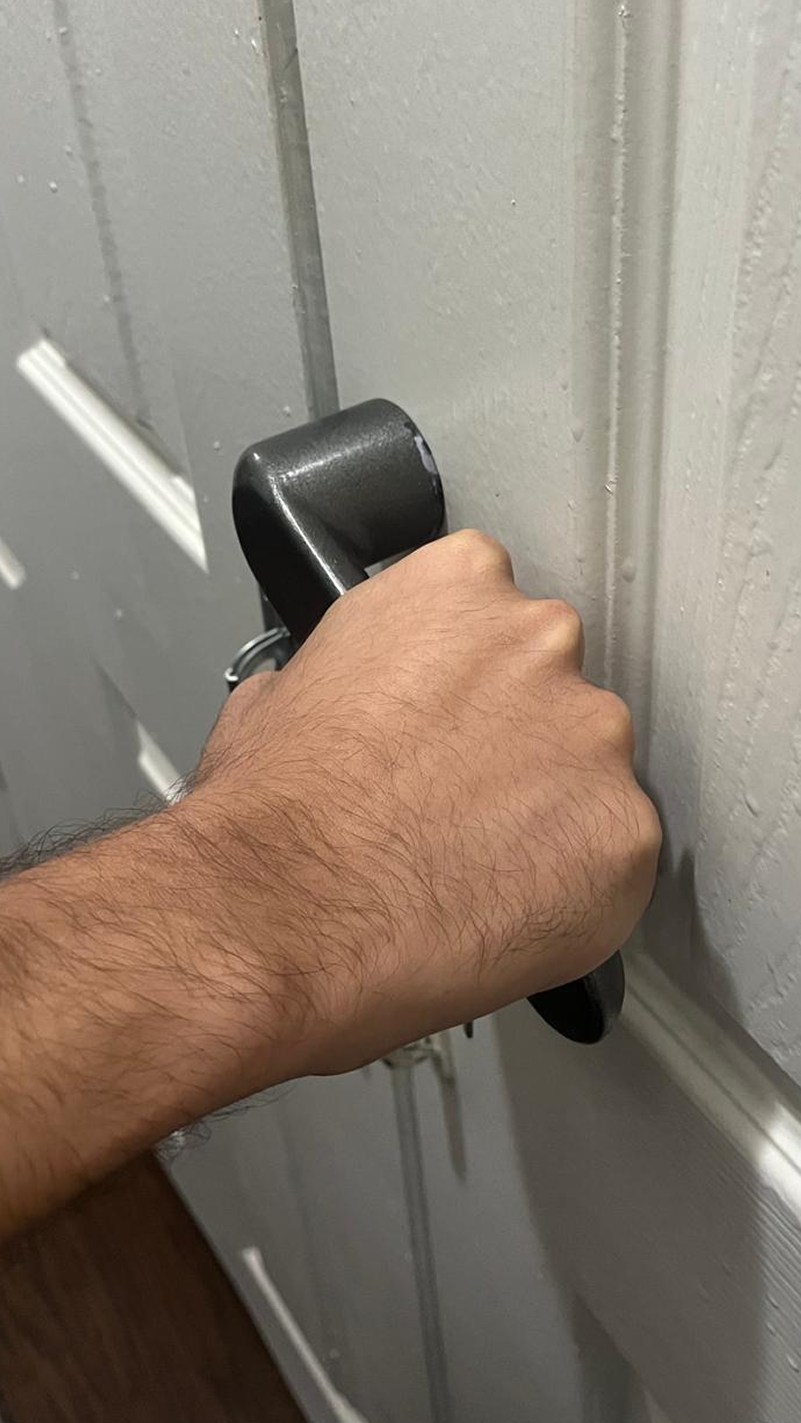
These photographs show grip and mounted-use studies. They document exploration rather than a quantified ergonomic result.

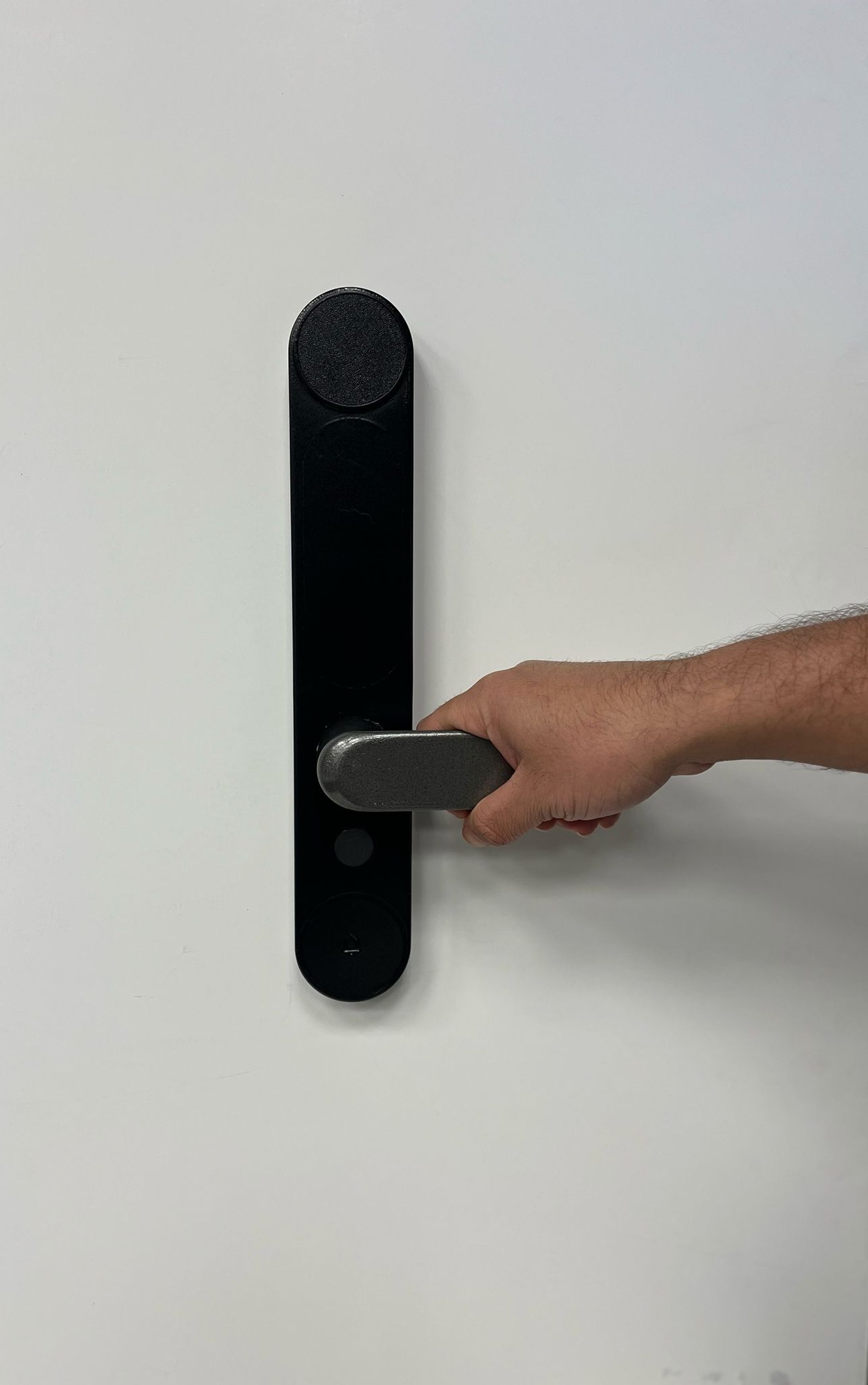
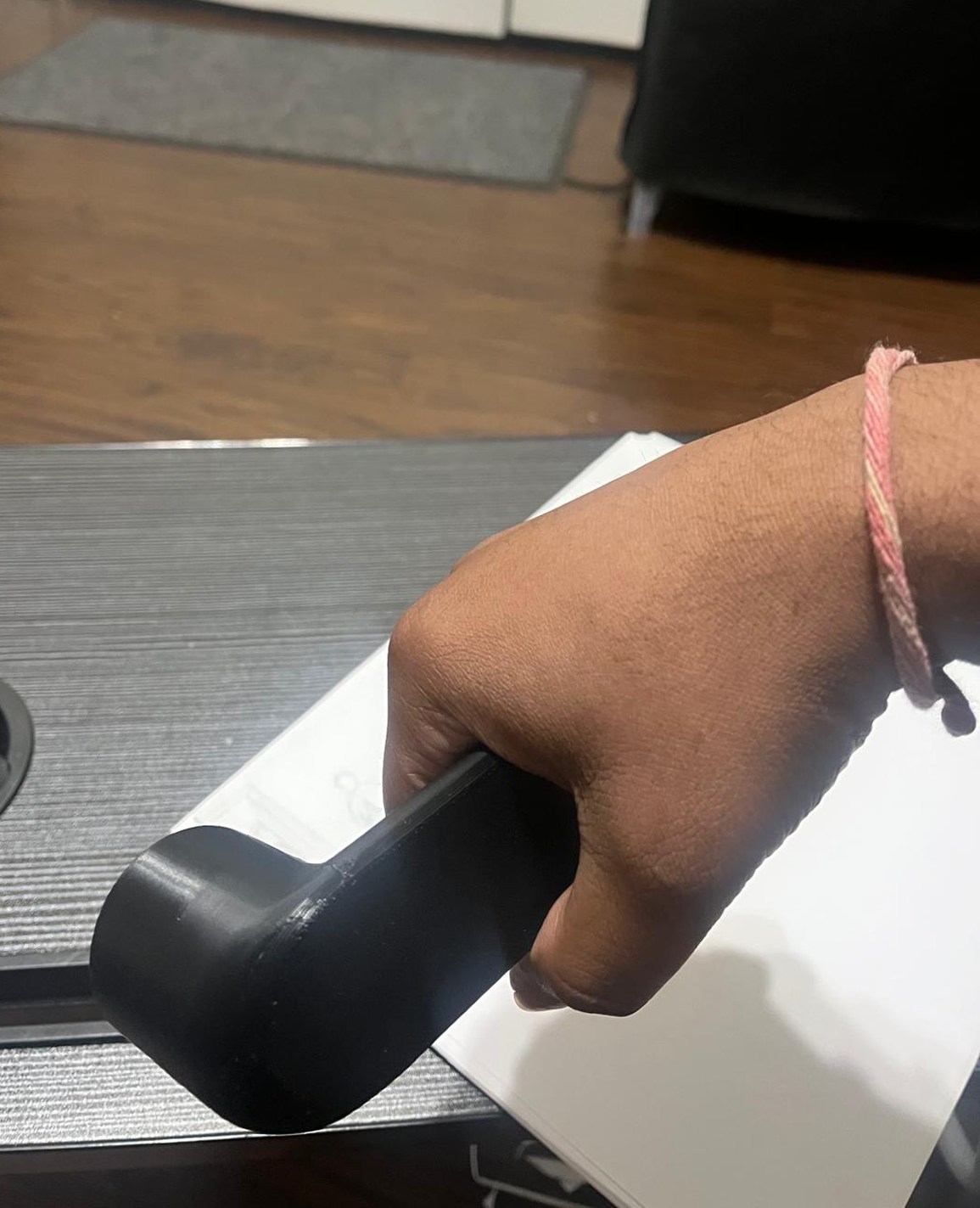
Participant gripping a Bastion handle prototype to check reach and hand clearance
Close view of a participant rotating the Bastion lever prototype
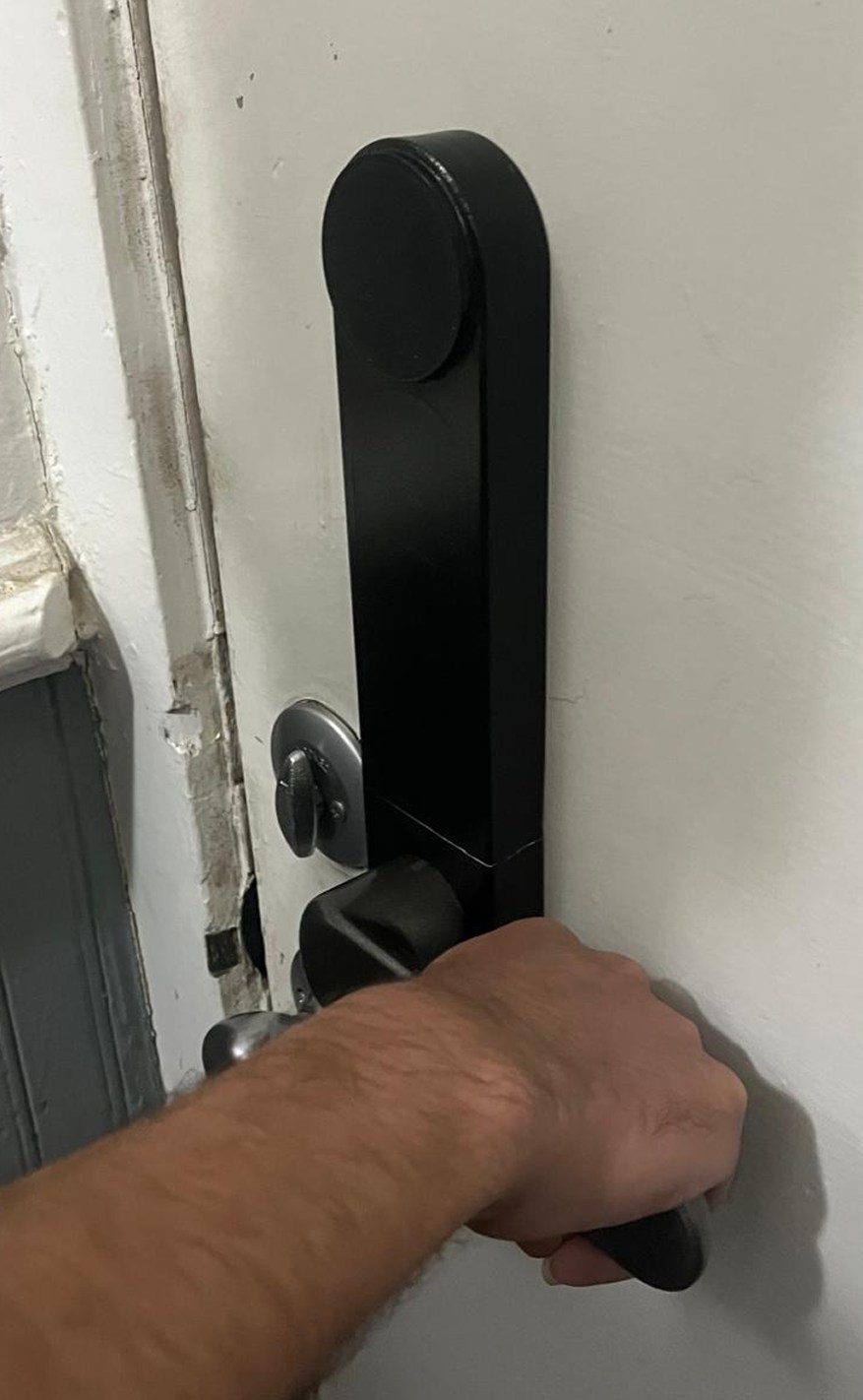
Participant testing the Bastion handle on a door
Close view of a participant evaluating the Bastion handle grip

Grip profileCompare the handle shapes in the prototype family.

ClearanceThe hand studies show the space between the grip and mounting surface.

Mounted useThe door-mounted model brings reach and the turning action together.

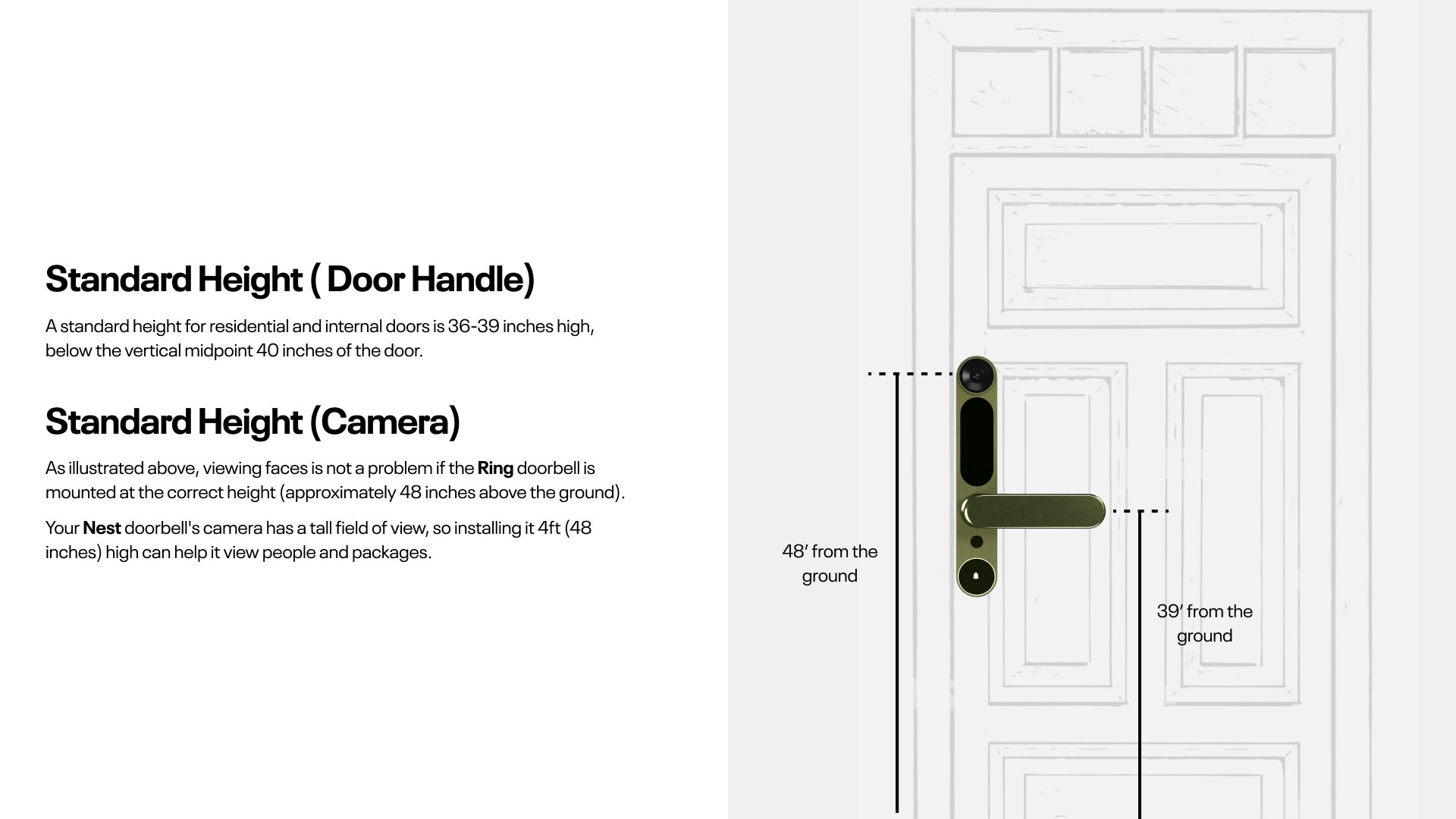
One object, two working heights.

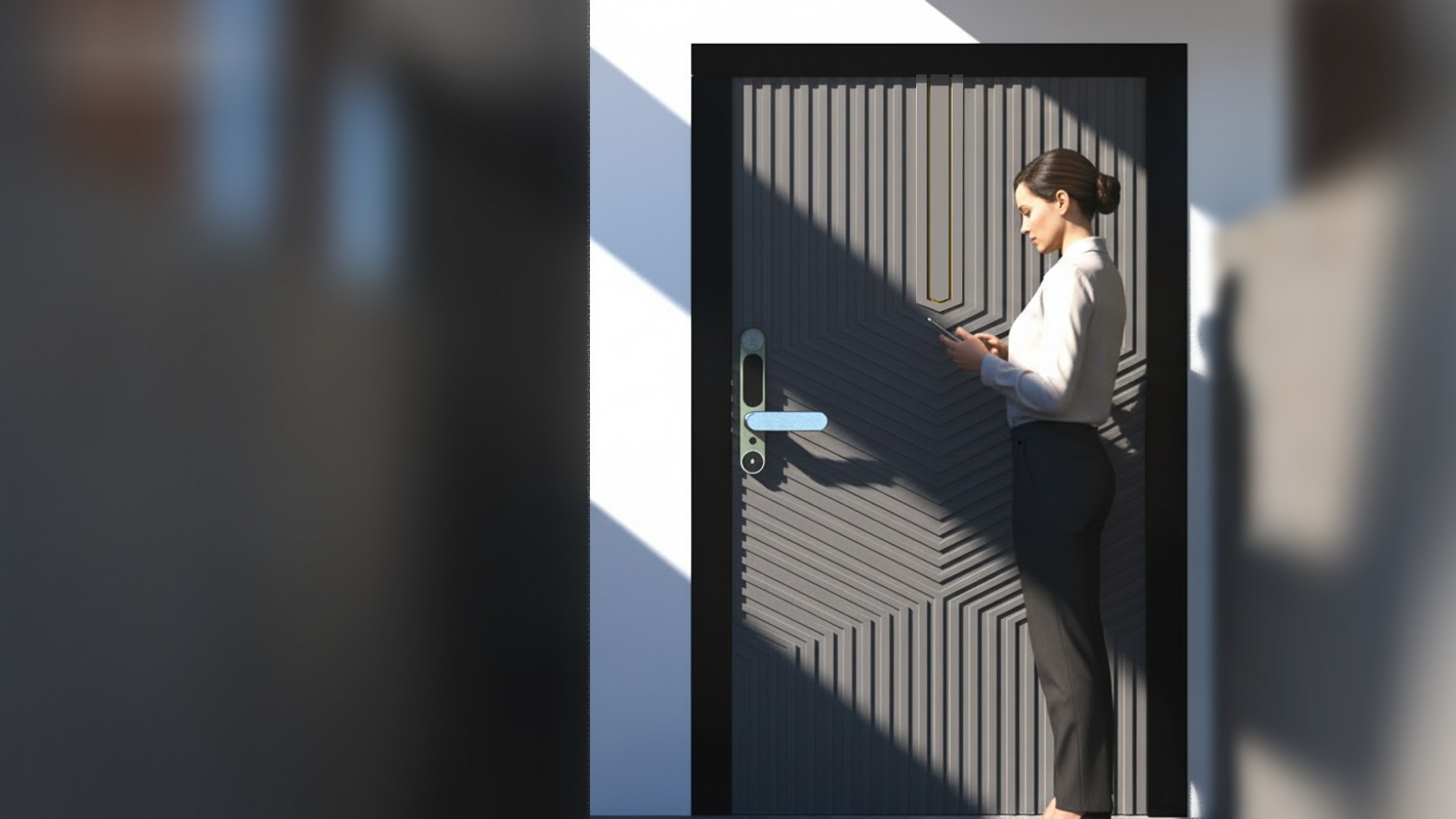
The handle and camera serve different physical needs. The installation study places the grip near 39 inches and the camera near 48 inches, making the relationship visible on a full door.

Door elevation comparing standard handle and camera mounting heights
Bastion installed on a front door while a resident views a visitor through the camera
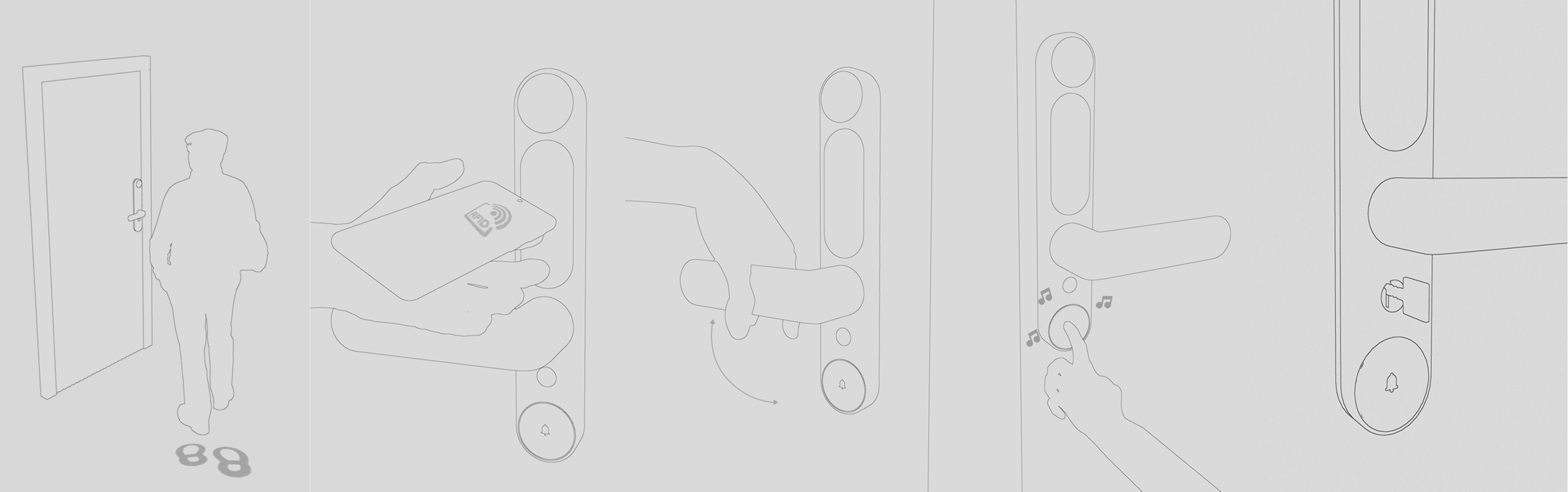
Five-step line drawing of a resident approaching the door, tapping an RFID key, turning the handle, pressing the doorbell, and the resolved handle and doorbell hardware

Access continues on the phone.

The companion concept brings lock control, event history, a digital key, and visitor response together. A physical key remains part of the hardware proposal.

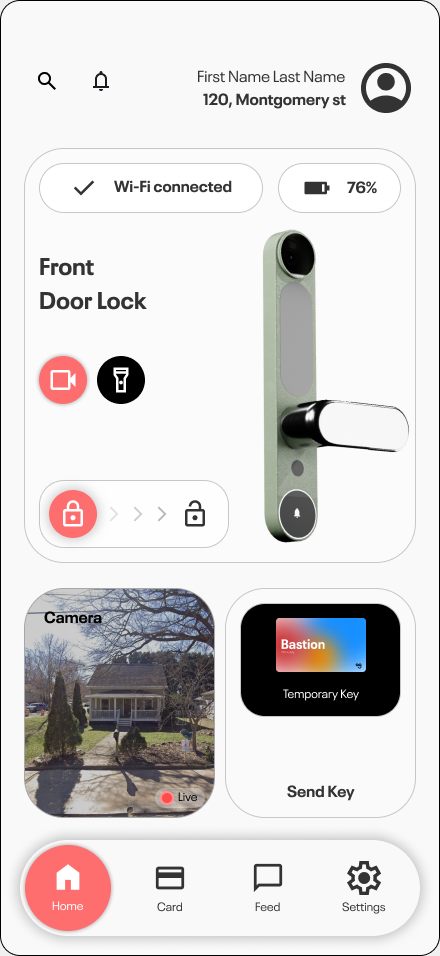
Bastion mobile home screen with a live camera preview, lock and unlock controls, and a temporary key card for the front door
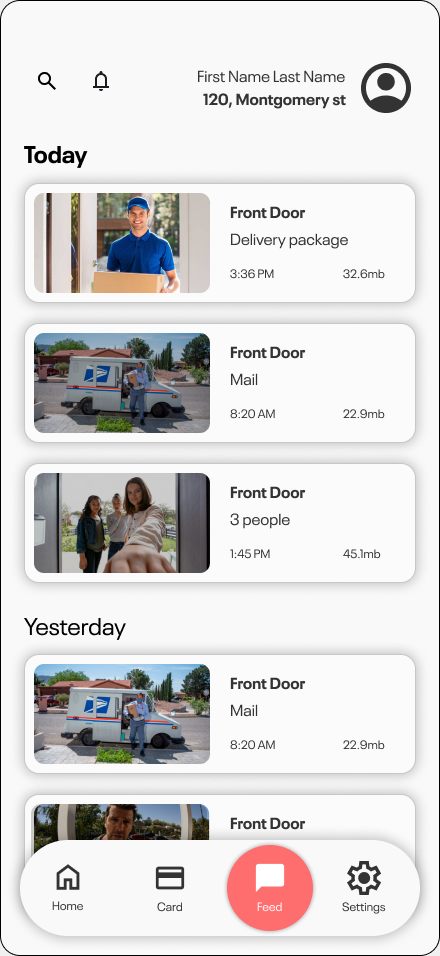
Bastion mobile event feed grouped by day, listing delivery, mail, and visitor clips with timestamps
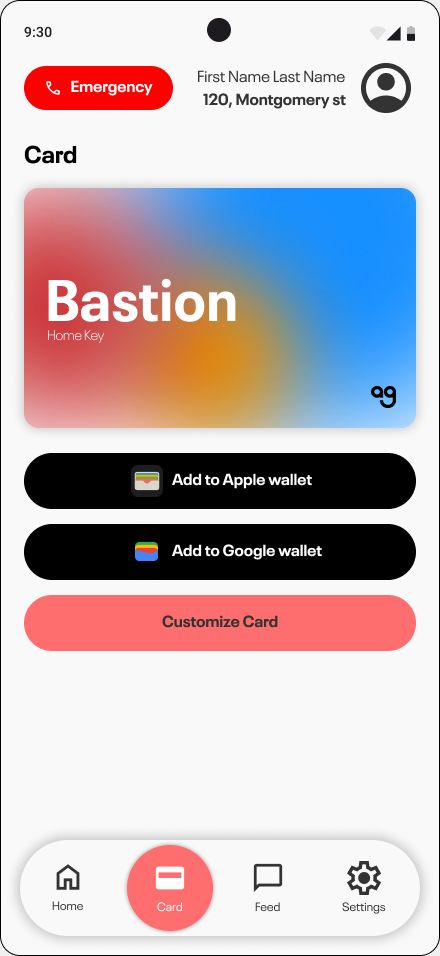
Bastion mobile card screen with a wallet-style home key and options to add it to Apple Wallet or Google Wallet
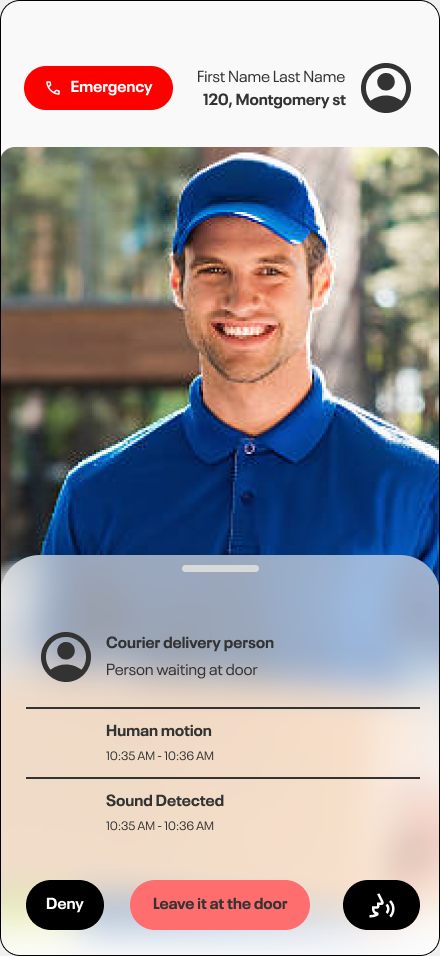
Bastion mobile alert showing a courier at the door with motion and sound detection, and Deny, leave-at-door, and talk actions

Coordinating the outside and inside.

The front and rear housings organize sensing, access, grip, and power. The exploded study makes the proposed mechanical and electronic arrangement inspectable.

Studio render of the resolved Bastion front and rear door hardware

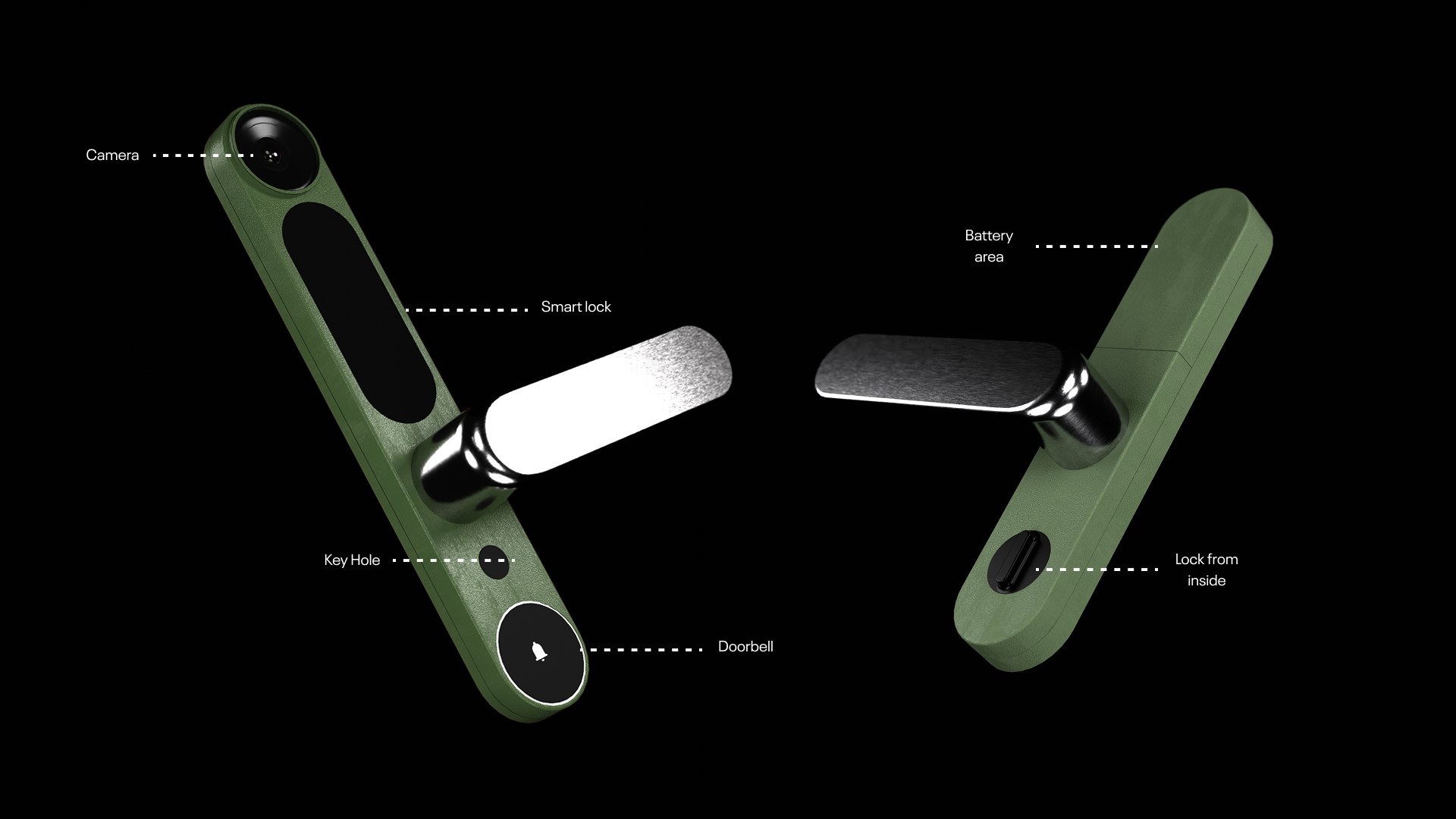
Where each function lives.

The annotated front and rear views locate the camera, sensing, access controls, key, and battery within the housings.

Front and rear Bastion handle renders with camera, sensor, key, and battery callouts

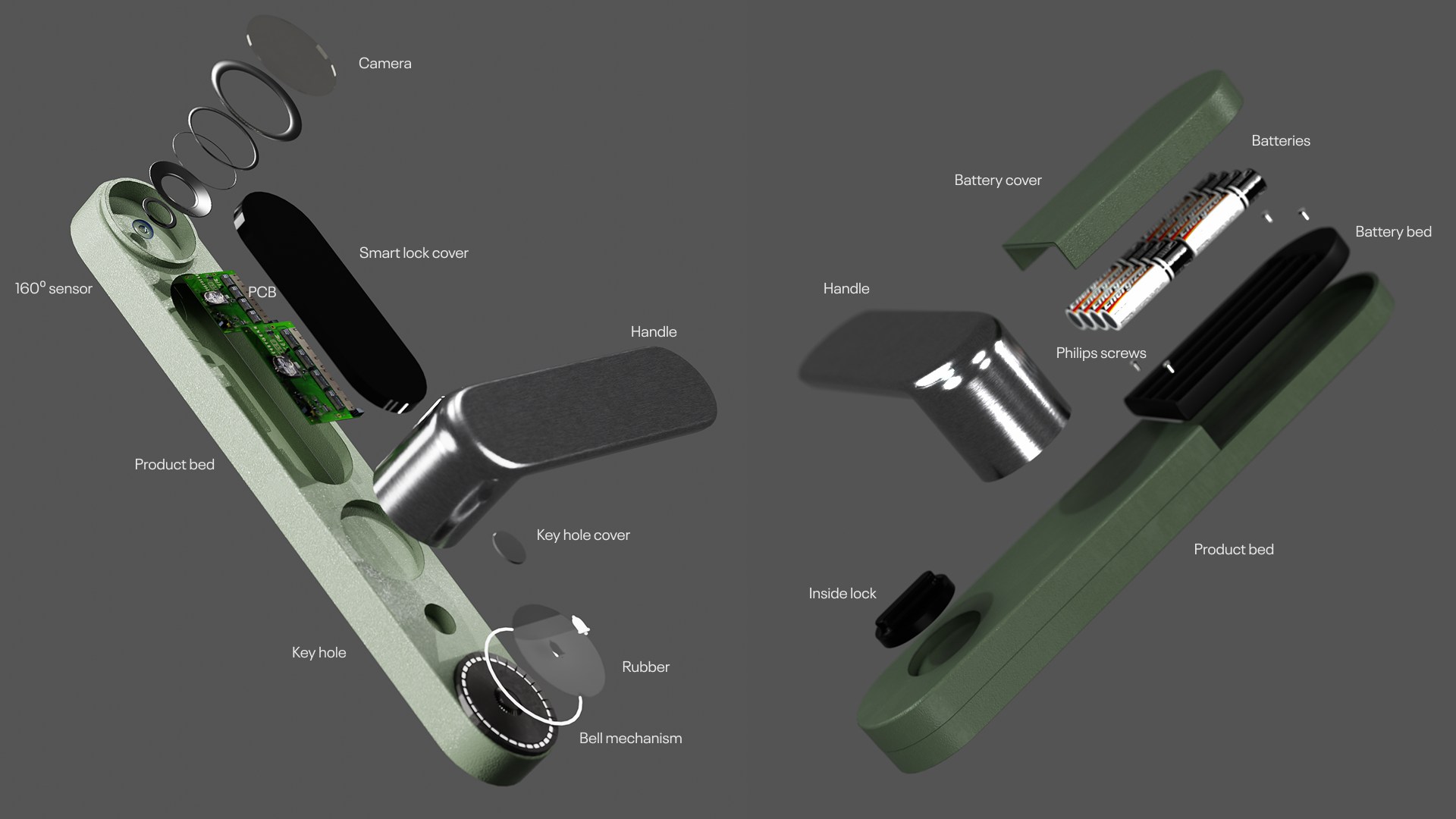
From housings to individual parts.

The exploded view separates the covers, handles, electronics, power components, and fasteners to explain the proposed assembly.

Exploded Bastion front and rear assemblies with labeled electronic and mechanical components

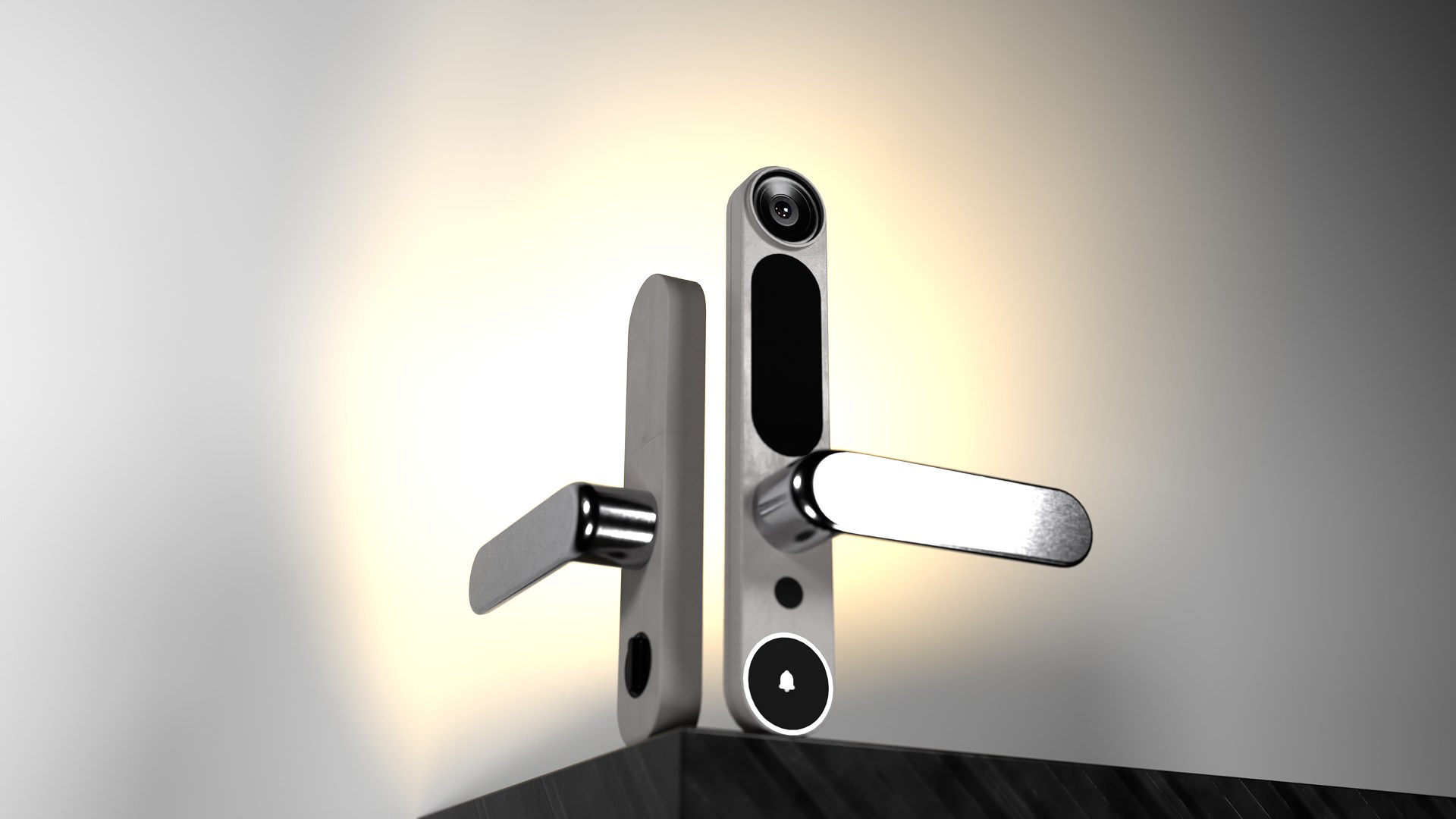
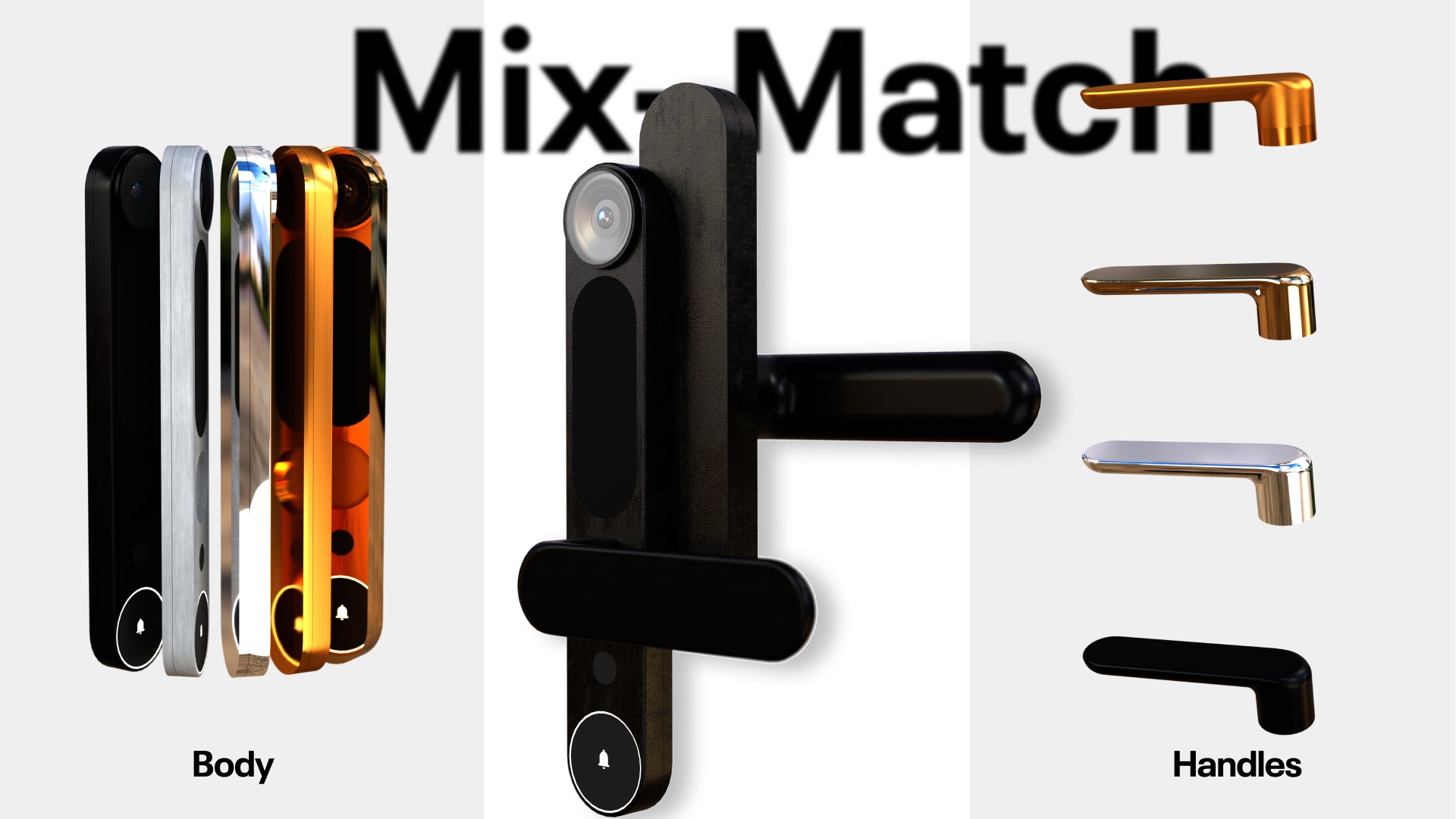
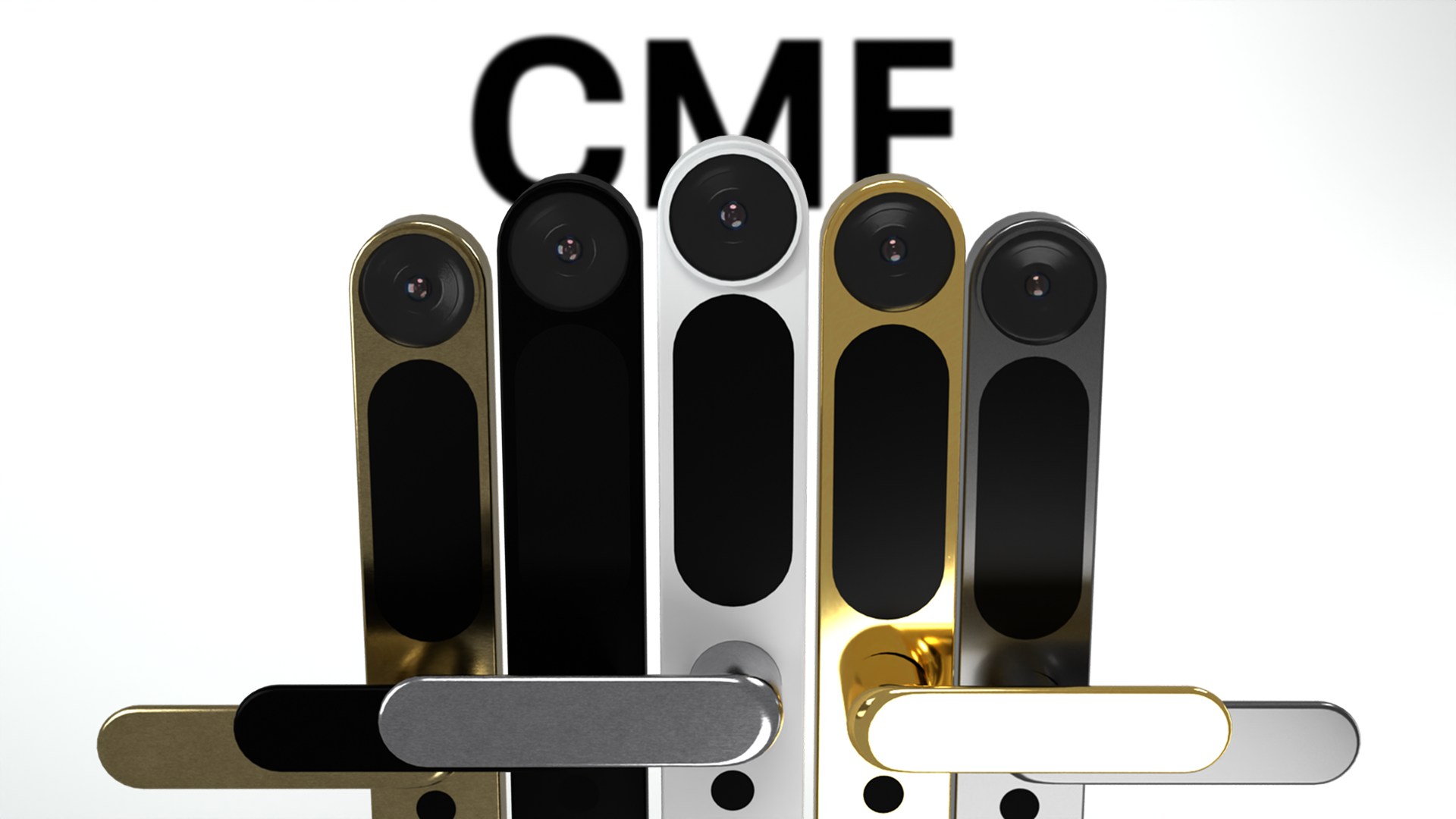
Different finishes. One family of parts.

Body and handle combinations explore how the system could sit alongside different door materials. The final studies show the range and the assembled object.

Resolved Bastion front and rear door-handle system in a studio render

Body and handle finish combinations.

The same family of parts is shown across the proposed color and material options.

Bastion body and handle finish combinations in black, bronze, white, and metallic tones
Bastion color, material, and finish family shown across front and side views

Made to fit a real door.

Material and component choices describe the proposed construction of the concept.

Exploded Bastion assembly showing the camera, sensor, batteries, key cylinder, handles, and fasteners

What this project carries forward.

Bastion turns separate smart-home accessories into one understandable threshold. Further work would validate installation across more door standards and test shared household access.

Next project: Aurio

Forkast

How can one allergy decision survive the trip from diner to kitchen?

A two-sided restaurant system that keeps evidence, questions, and safety decisions connected across four service roles.

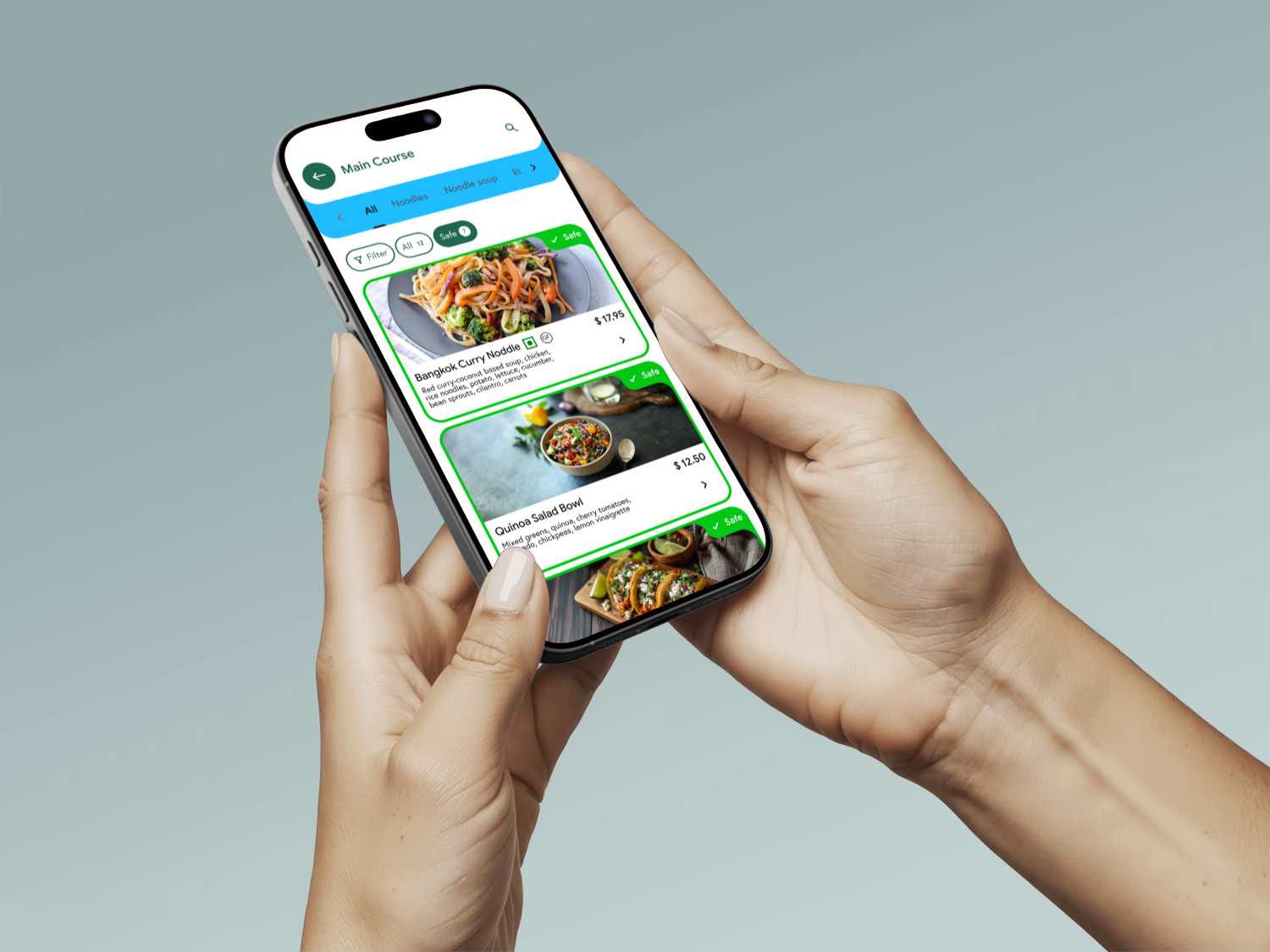
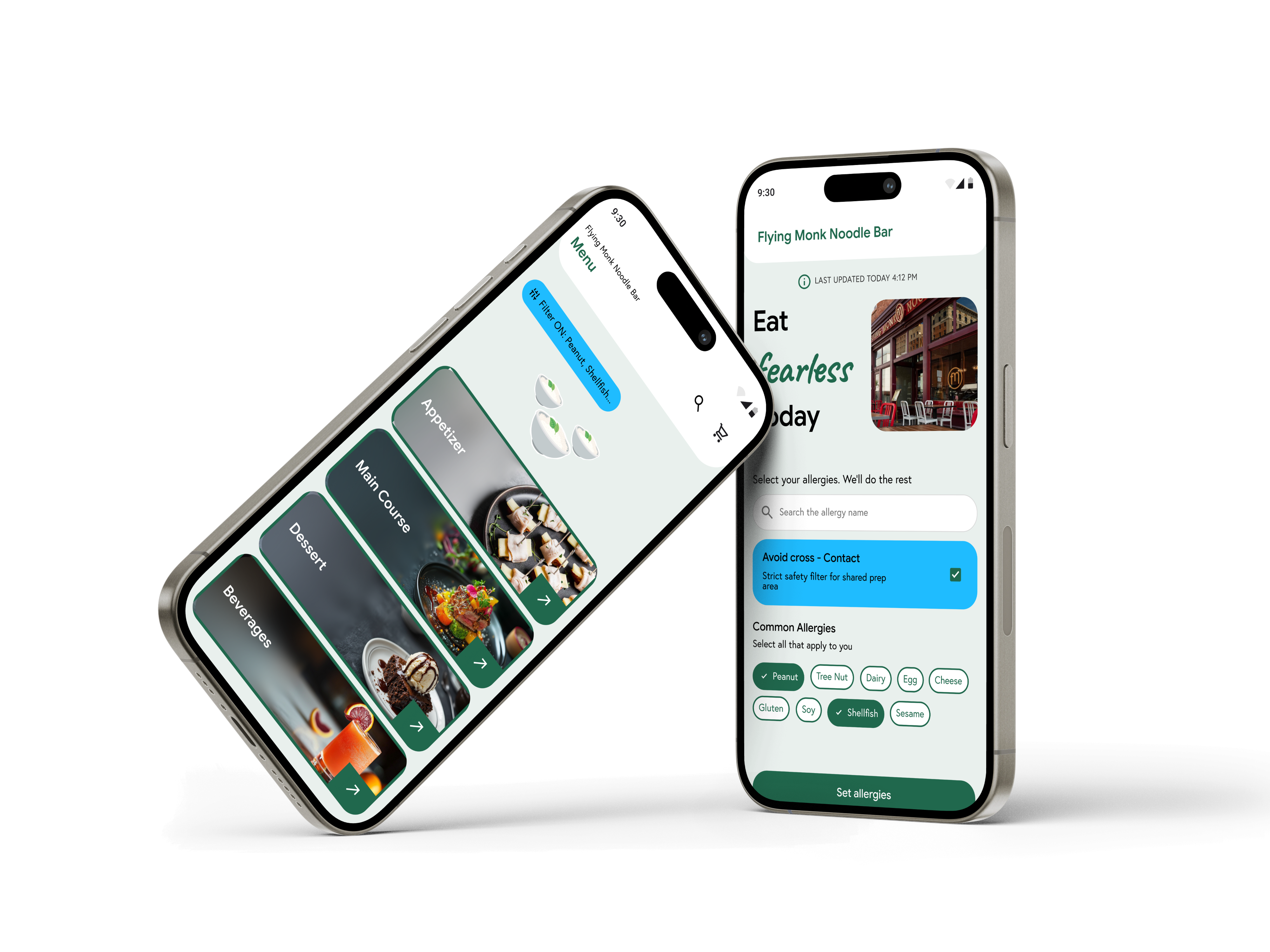
A diner using Forkast’s personalized restaurant menu on a phone
Team
Independent project
Role
UX research + UX/UI design
Duration
Six weeks
Year
2025
  • UX Research
  • Information Architecture
  • User Flows
  • UI Design
  • Prototyping
Goal

Diners can’t trust a menu claim without asking, waiters and kitchens lose that question in the handoff, and every dish gets forced into an unsafe yes-or-no, even when the kitchen truly can’t verify it.

Method

Forkast replaces that guesswork with one shared safety record, connecting the customer-facing decision to the restaurant workflow required to verify and execute it.

Key data: findings from 11 customers

Under 2 min

Time to find a suitable dish

All 11 participants succeeded in under 2 minutes.

~50% less

Decision time vs. a traditional menu

The same group took twice as long on a traditional menu.

10 of 11: found full dish details unprompted.1 of 11 needed guidance to find the rest of the dish info.

Problem → solution overview

Three research conclusions shaped the service system and its interface states.

Unclear menu claims

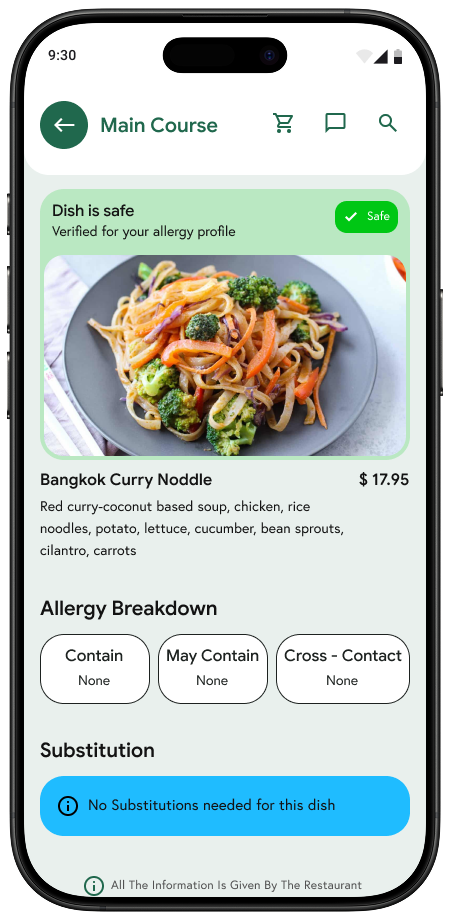
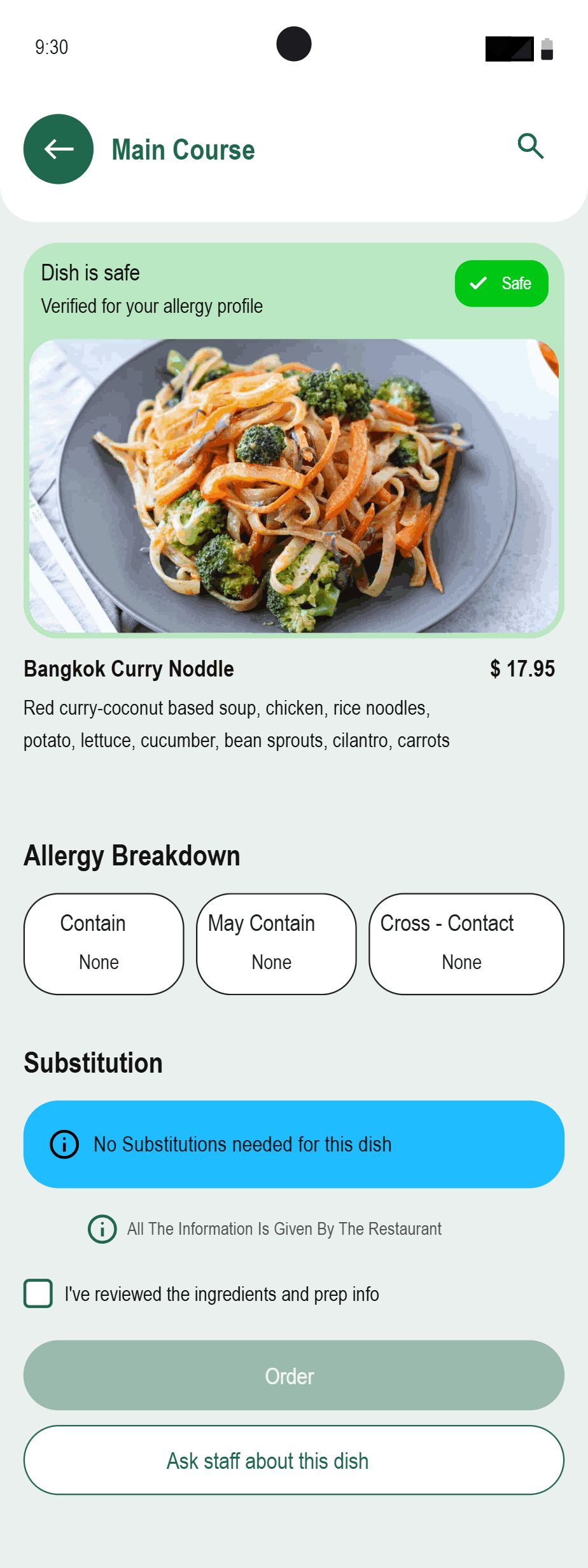
Forkast dish evidence screen showing why a dish is marked safe

Show the evidence behind each safety state instead of asking diners to trust a label.

Broken staff handoffs

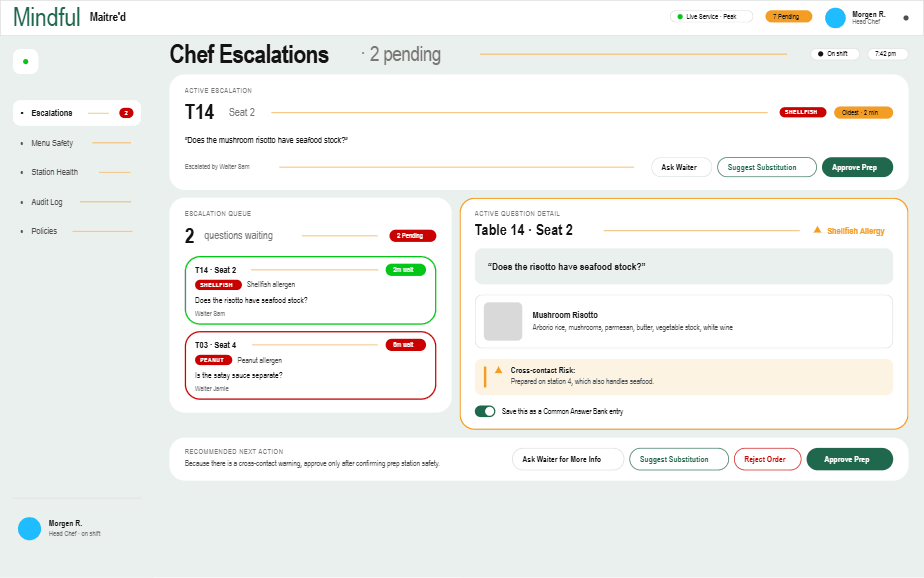
Forkast chef escalation queue carrying the diner’s question

Carry one question and answer record from the diner to the waiter, chef, and line cook.

Unsafe certainty

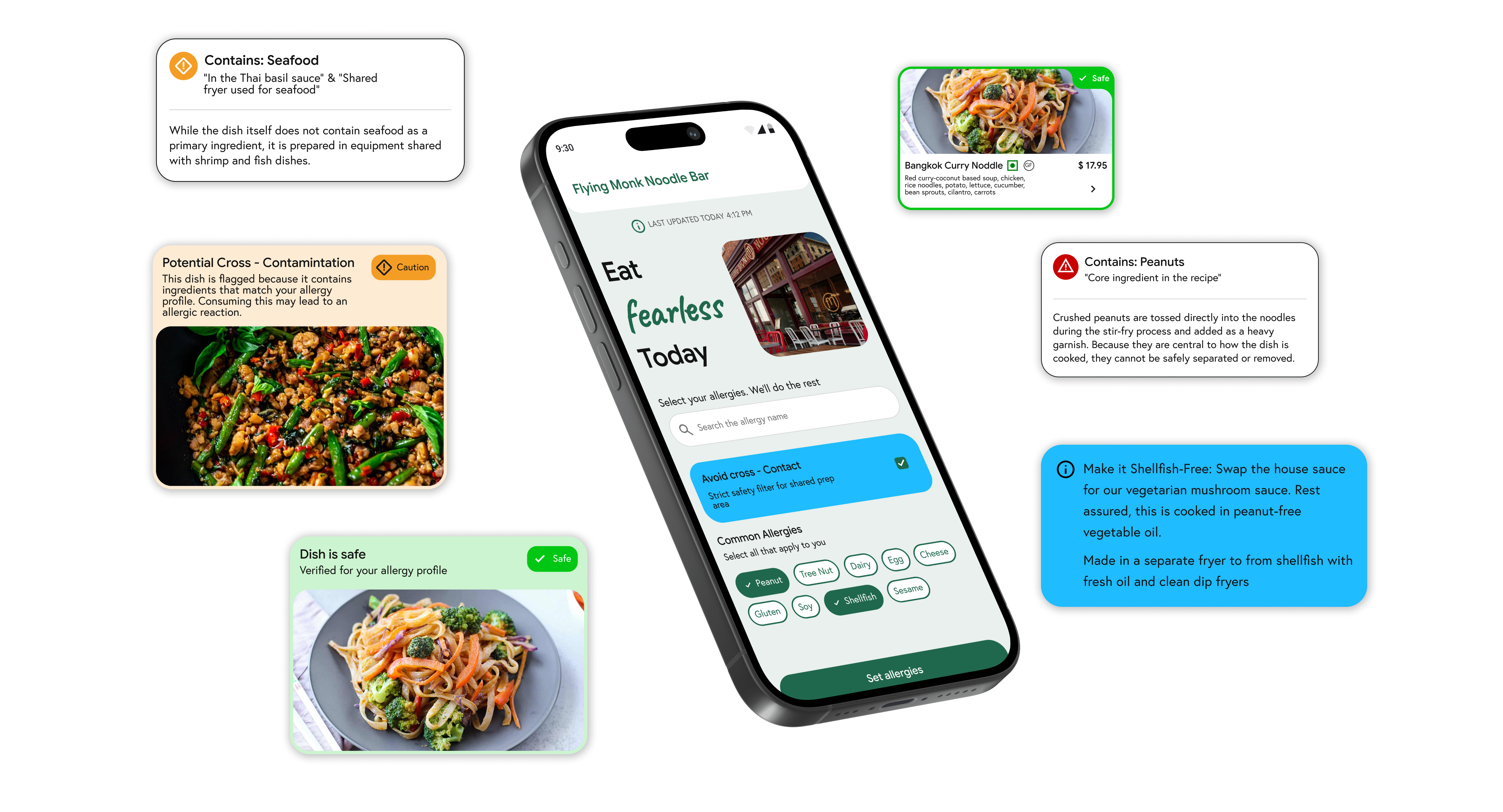
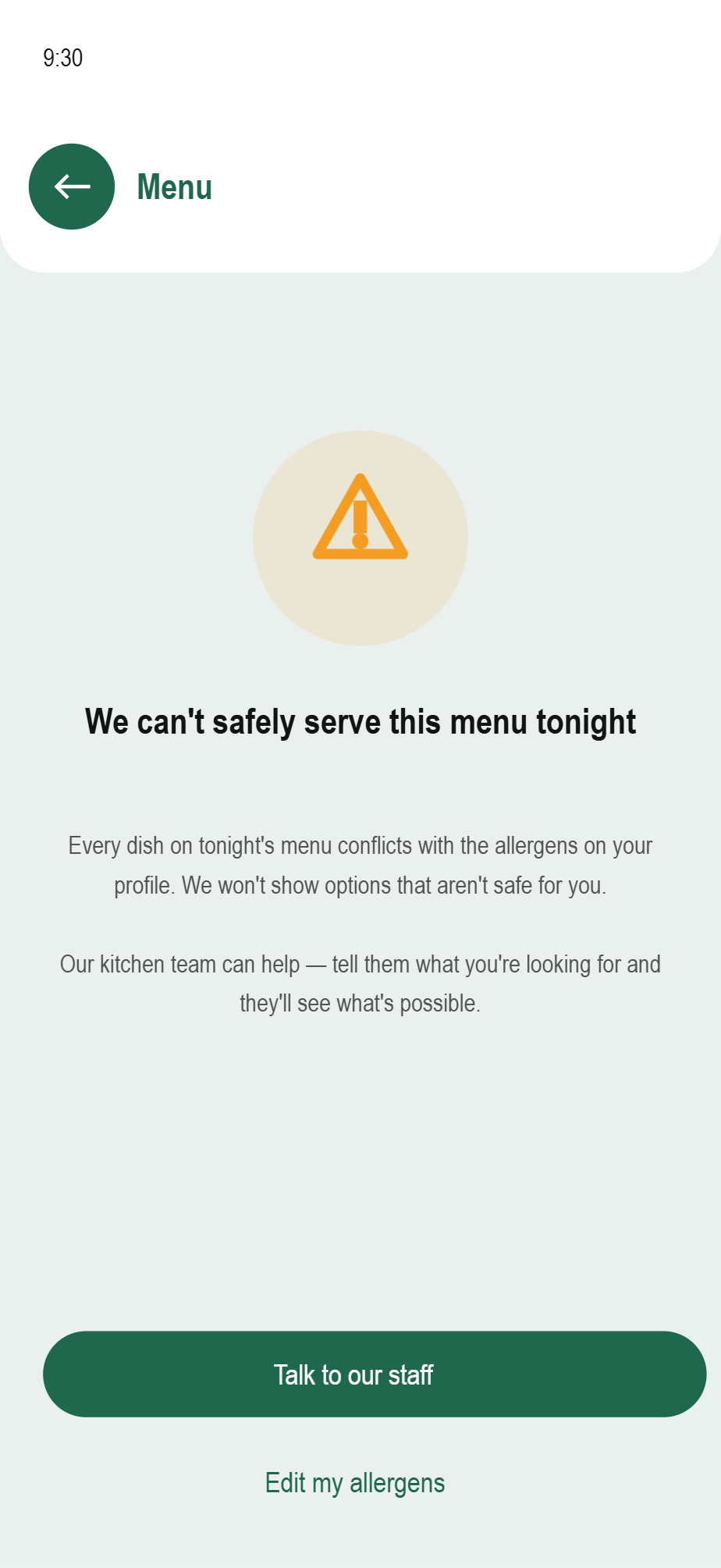
Forkast Safe, Caution, and Avoid states shown together with substitution guidance

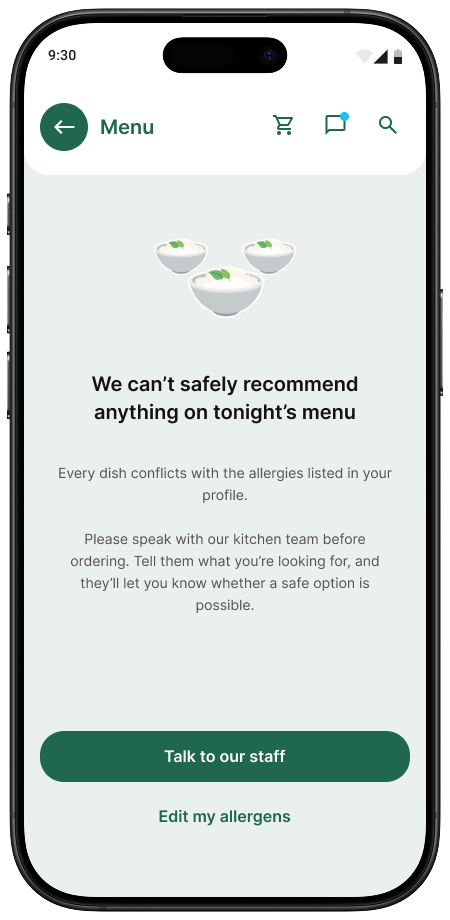
Use Safe, Caution, and Avoid states, including an honest stop when the kitchen cannot verify a dish.

The final prototype.

One shared safety record, surfaced differently for the diner, the waiter, and the chef.

Forkast customer safety system composition showing Safe, Caution, Avoid, and substitution states
Customer safety system · final Figma composition

Contributions

The work combined service research, system definition, interaction design, and interface resolution.

Learnings

Three lessons changed how the final system was framed and designed.

Research and synthesis

Framed restaurant allergy safety as a connected service problem and translated the evidence into design criteria.

01

Safety is a service-system problem.

A diner-facing filter cannot create confidence if the restaurant workflow cannot verify and execute the same decision.

System and flows

Defined the customer, waiter, chef, and line-cook relationships, including escalation and stop states.

02

Uncertainty needs a designed state.

Showing Caution, Avoid, and no-safe-option states is more responsible than forcing every dish into a confident yes or no.

UX/UI and prototyping

Designed the role-specific interfaces, reusable states, wireframes, and interactive product direction.

03

One record can support different roles.

Customers, waiters, chefs, and line cooks need different levels of detail, but they should never work from different versions of the truth.

View more projects

Continue to another UX/UI case study or return to the complete project index.

Forkast

A two-sided allergy verification system.

The original 30-page case study, rebuilt for the web in the same order, using project evidence, diagrams, interfaces, and shorter explanations.

Forkast shown as one connected mobile product, from personalized menu to allergen setup
Role
Independent UX/UI designer
Research
Six-week mixed-method study
System
Customer + restaurant
Year
2025

The scale of the problem.

Restaurant allergy decisions affect millions, yet confidence and communication remain low.

33MAmericans live with food allergies
31%of adult allergic reactions happen in restaurants
70%have experienced a reaction in a restaurant
<15%feel they can always communicate safely with staff

Research sources documented in the case study: FARE, JAMA Network Open, and FAACT.

Eating out is a cost-benefit calculation.

Today, allergic diners choose between time-consuming verification and the risk of skipping it.

0130–60 min

Pre-visit research

0215 min

Allergy conversation

0394%

Staff lack adequate allergy knowledge

0450%+

Diners leave after an unsafe meal

Customers cannot verify safety fast enough to explore a menu.

Waiters become human translators during service.

Paper tickets go stale as ingredients and prep change.

A layered research roadmap.

Six methods built on one another; observation, not another interview, produced the biggest shift.

  1. 01
    Secondary research

    Find the scale and known failure points

  2. 02
    Customer interviews

    Understand the cost of checking

  3. 03
    Shadow observation

    Compare reported and actual behavior

  4. 04
    Competitive analysis

    Map customer and restaurant gaps

  5. 05
    Restaurant interviews

    Pressure-test the service model

  6. 06
    Synthesis

    Turn five clusters into criteria

What users said and what they actually did.

Interview confidence collapsed in an unplanned, hungry walk-in. That behavioral gap became the central design problem.

“Sometimes it is just not worth the hassle.”Customer interview · planned visits
“Sometimes I still feel anxious even after taking my medication.”Customer interview · daily allergy
What she said“I use my own knowledge and ask if I am unsure.”
What happenedPlanned visit: researched and controlled. Hungry walk-in: skipped checking and ate anyway.

The design problem is the hungry case, when verification feels harder than the risk feels immediate.

Where existing apps break down.

Customer tools do not reach kitchens; restaurant tools do not reach diners. None preserve a shared live record.

ToolCustomerRestaurantReal-time sync
Spokin✓××
AllergyEats✓××
EveryBite SmartMenu✓Partial×
Picknic✓××
Toast / Square POS×✓×
Forkast✓✓✓

An evening out with an allergy.

The customer journey shows the verification burden, the hunger-driven shortcut, and the uncertainty that survives the meal.

Customers reviewing a menu with a waiter at a restaurant table

How the restaurant actually handles allergies.

The waiter owns the conversation while the kitchen works through paper tickets, memory, and limited peak-service capacity.

Front of houseWaiter / manager
Reservation
Often no special instructions
Walk-in
Ask, verify, cross-contact at table
Cost
15 minutes per allergy conversation
Customer question→Verbal handoff→Kitchen answer
Back of houseKitchen / line
Volume
20–35 tickets during peak service
Format
Paper ticket and red bold allergen type
Failure
Chef changes create stale recipe knowledge
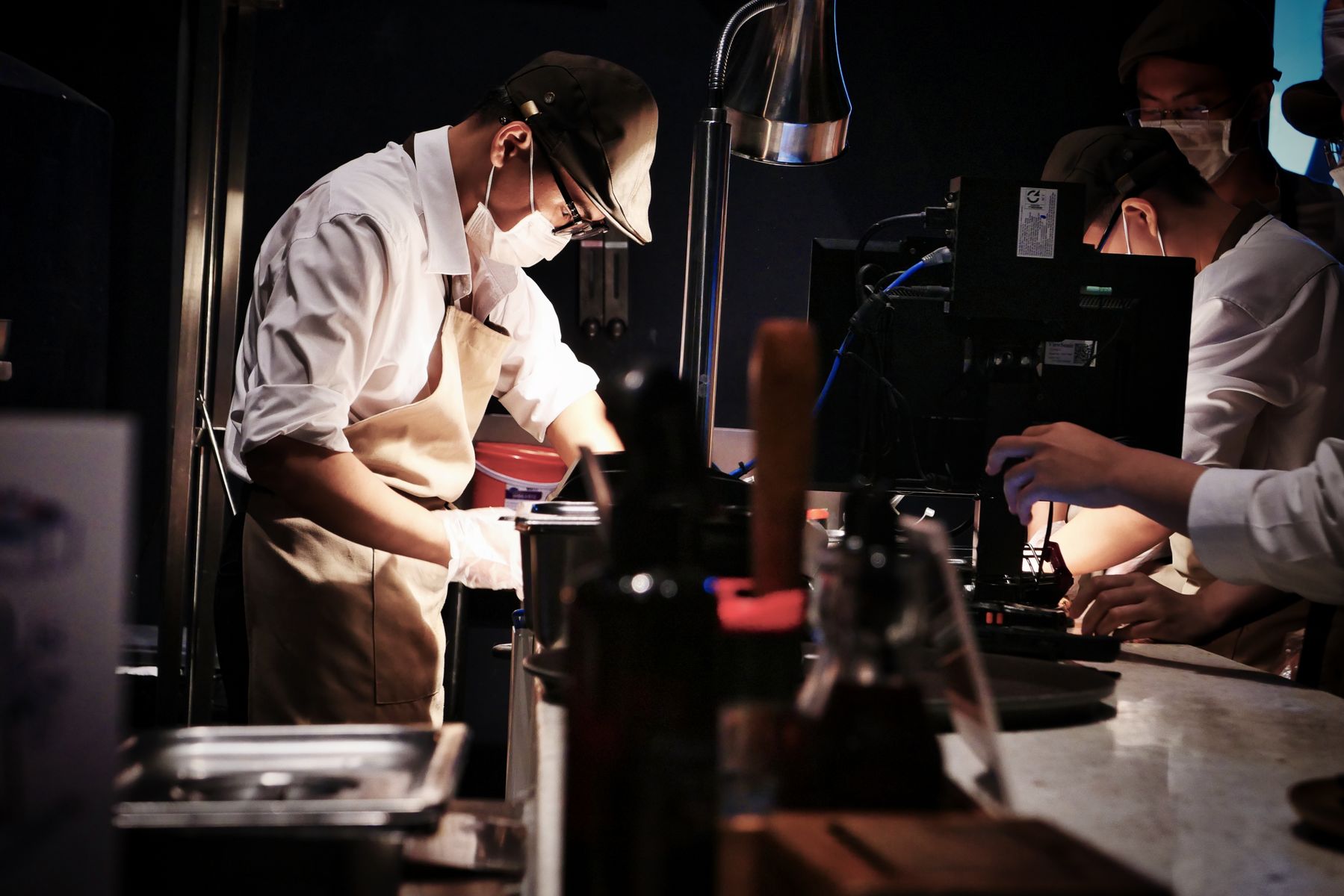
Professional chefs coordinating during restaurant service

Five insight clusters from research.

The evidence converged around verification cost, trust, time, stale information, and restaurant capacity.

01Verification cost

30–60 minutes of research before eating

02Trust gap

Confidence changes with the person answering

03Time tax

Checking is slow enough to change behavior

04Information staleness

Paper tickets and memory cannot stay current

05Structural capacity

Small kitchens cannot absorb every escalation

Who the system is designed for.

Two customer patterns and two restaurant roles expose both sides of the same safety decision.

SM
SarahIndependent diner · Customer

Fast, trustworthy answers without pre-visit research

VK
VanessaCautious diner · Customer

Clear Safe / Caution / Avoid evidence

MT
MarcusShift manager · Restaurant

Resolve questions without leaving the floor

MR
MorganSmall-kitchen chef · Restaurant

Scannable allergen flags and honest capacity limits

What the design must achieve.

Five criteria became the test for every later interface and service decision.

  1. 01Respect existing roles

    Route through staff, not around them

  2. 02Reduce verification cost

    Make checking faster than skipping

  3. 03Match kitchen reality

    Use scannable signals during service

  4. 04Surface the right failure

    Show when a safe answer is not possible

  5. 05Acknowledge limits

    Never imply universal capacity

An allergy order through the restaurant.

The waiter’s confidence and the chef’s capacity rise and fall at different moments during the same order.

The real opportunity.

Those criteria and that journey point at one gap: what the customer already knows never reaches what the restaurant can verify and safely execute.

Customer’s phone

What the diner knows is safe before walking in.

Today×No connectionForkast↔One shared data layer
Restaurant reality

What the waiter, manager, line cook and chef know and can do.

Three approaches considered. Two rejected.

Closing that gap could be built three different ways. Two of them still left the gap standing.

ARejectedCustomer-only allergy app

Helpful discovery, but no restaurant integration or shared truth.

BRejectedRestaurant compliance tool

Tracks allergens but leaves the customer outside the system.

CSelectedTwo-sided system

Connects customer verification to live restaurant operations.

What research changed about the design.

Choosing the two-sided system was the easy part. What it actually needed only became clear once real restaurant behavior pushed back on the first version.

01Question routing
Before

Direct diner-to-chef route

→After

Waiter and manager first; chef only when needed

02Answer bank
Before

Every question escalated

→After

Approved answers become reusable service knowledge

03Capacity profile
Before

One restaurant mode

→After

Full-service, limited-substitution, or rejection-mode

Three decisions, three rejected alternatives.

Three of those shifts came with a real cost, each chosen deliberately over an easier alternative.

01Chef routing
Chosen

Route to waiter first; escalate only when needed

Rejected

Direct diner-to-chef chat

02Allergen severity
Chosen

Keep severity as restaurant-owned evidence

Rejected

Customer-entered severity colors

03Honest rejection
Chosen

Allow kitchens to say a dish cannot be made safe

Rejected

Force every request into a substitution

What those decisions became.

Four role-specific products read and update one allergy-and-dish record in real time.

CustomerMobile
Customer interface in the Forkast system

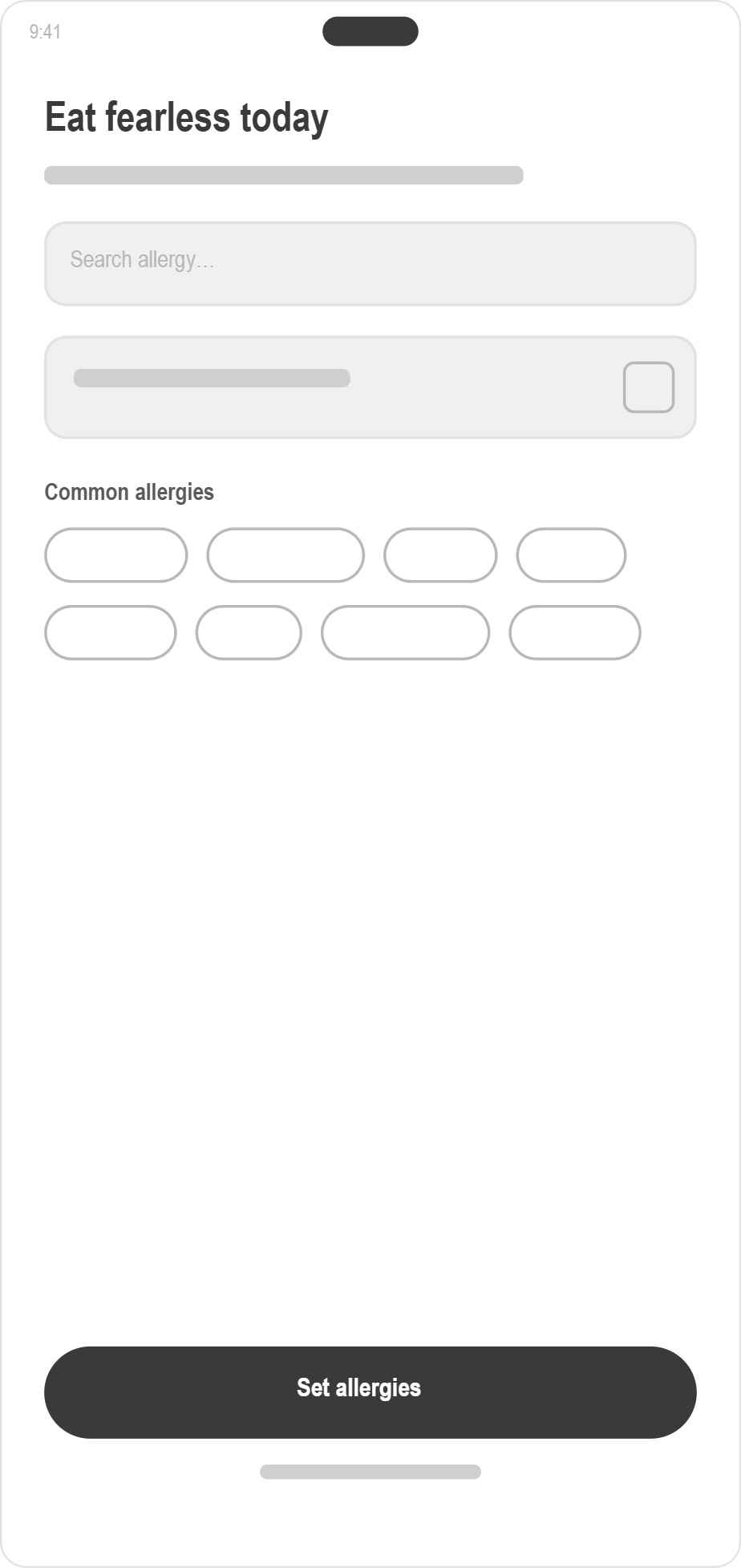
Scans QR, saves allergens, sees evidence

WaiterFloor tablet
Waiter interface in the Forkast system

Sees guest context and routes questions

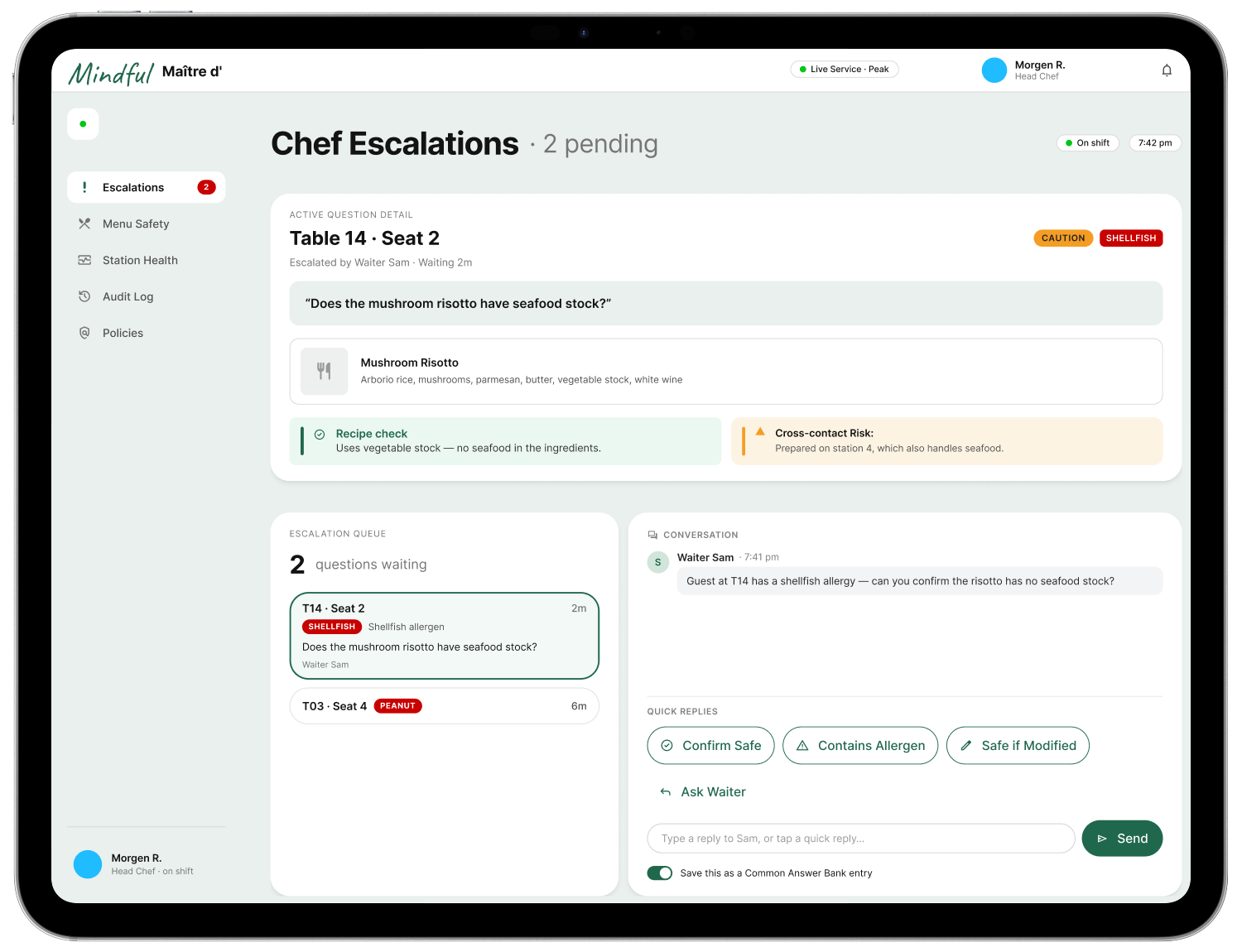
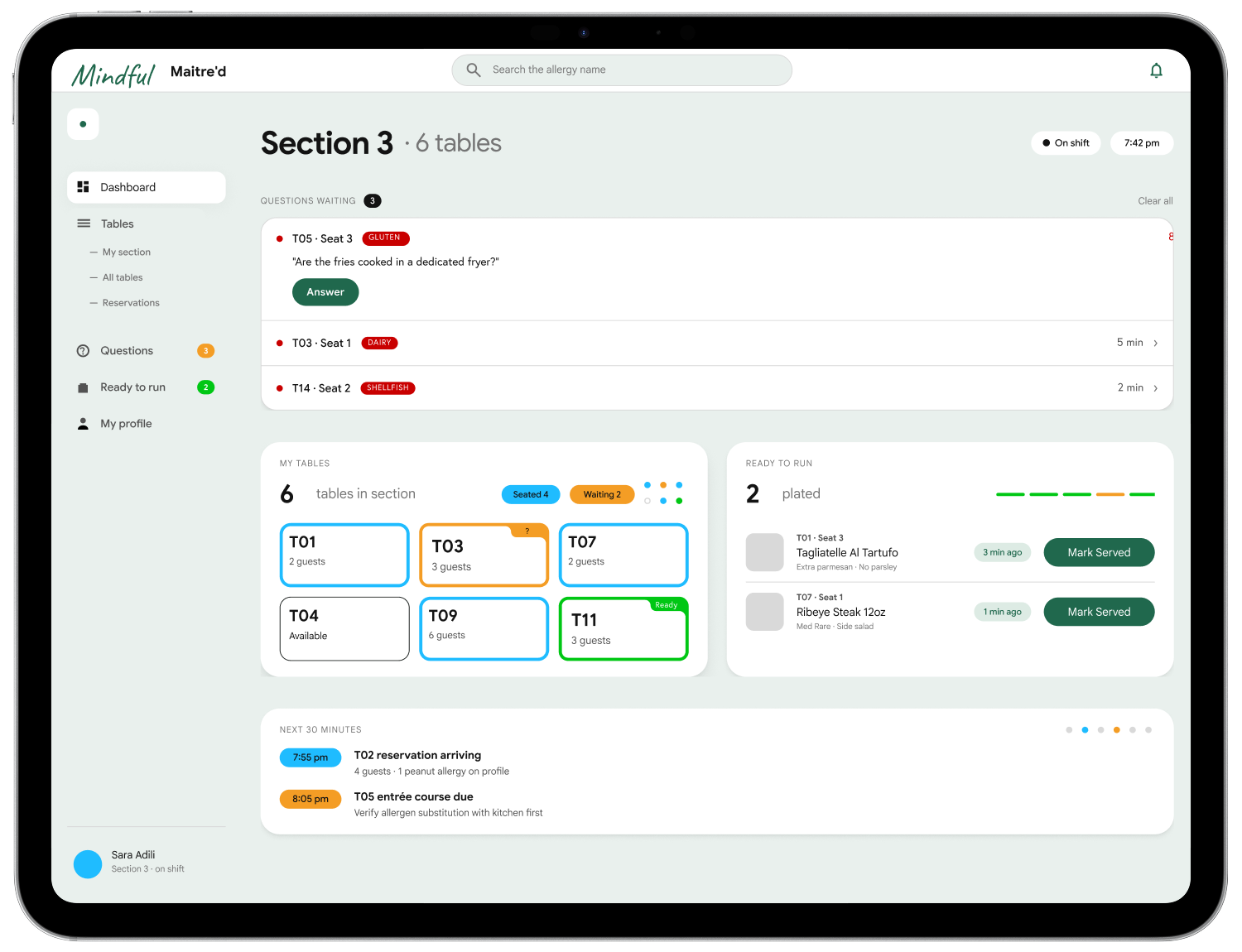
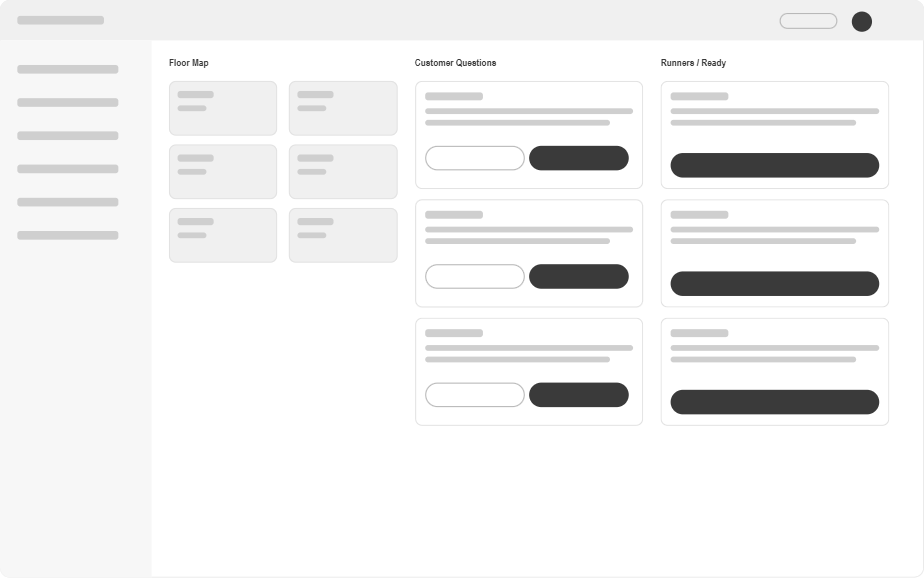
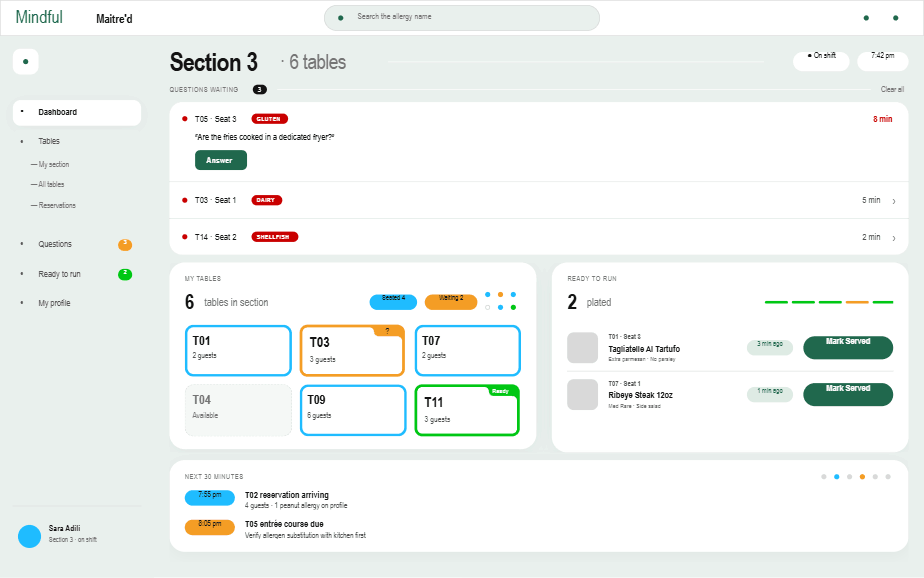
ChefEscalation tablet
Chef interface in the Forkast system

Resolves only the cases staff cannot answer

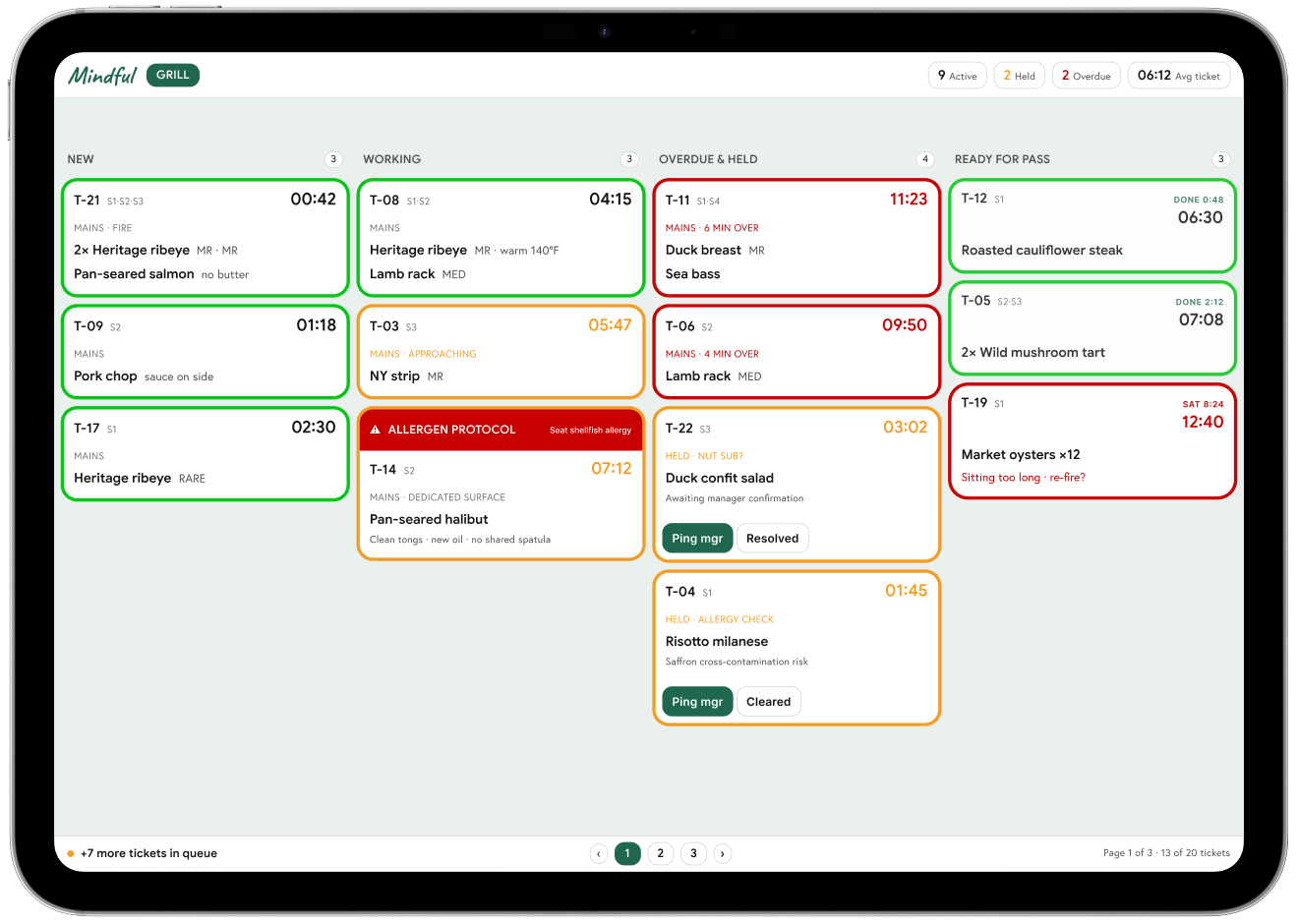
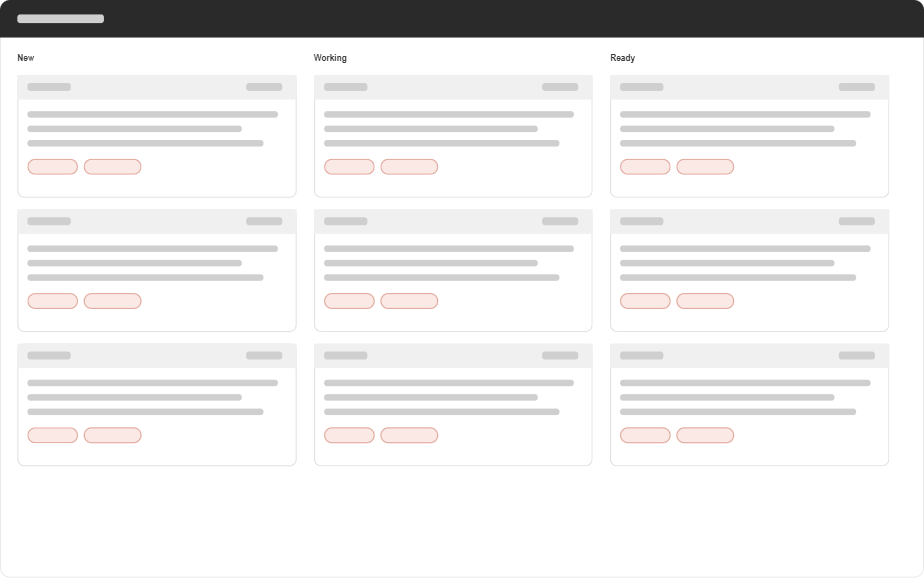
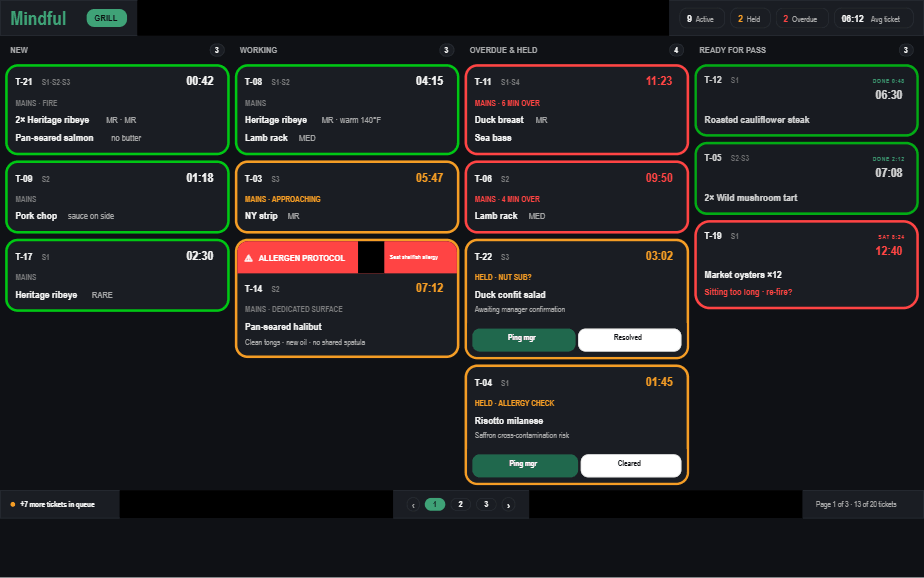
Line cookKitchen display
Line cook interface in the Forkast system

Receives an allergy flag on every prep ticket

Four views. One shared safety record.

Three states, four roles, one shared truth.

Safe, Caution, and Avoid remain consistent while each role receives the level of detail needed to act.

Safe

  • No profile conflict
  • Evidence checked
  • Order unlocked

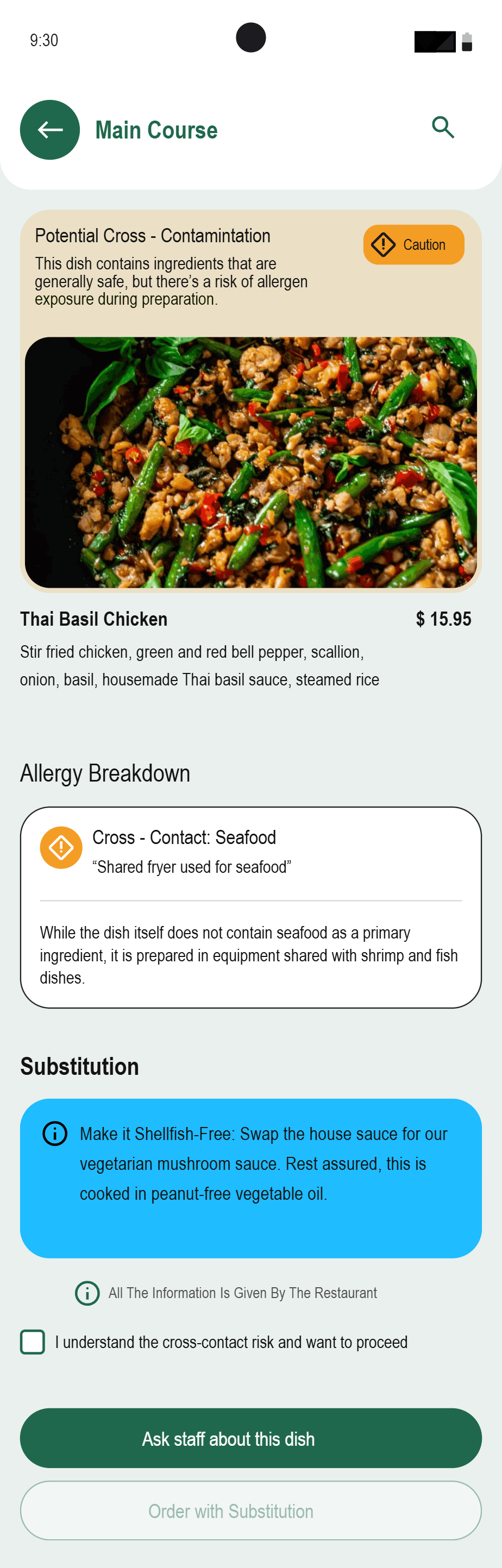
Caution

  • Possible cross-contact
  • Substitution available
  • Review required

Avoid

  • Known allergen
  • Unsafe preparation
  • Order blocked
Forkast safe dish state with supporting evidence
Safe · evidence checked
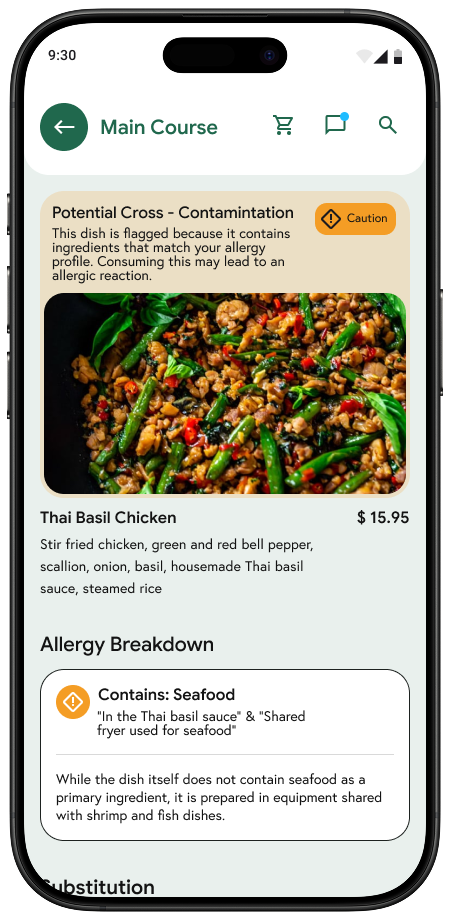
Forkast caution dish state with substitution information
Caution · review and substitute
Forkast no-safe-dishes state
No safe option · honest stop state
Forkast Safe, Caution, and Avoid states shown together with substitution guidance
One safety record · four operational views

From sketches to system.

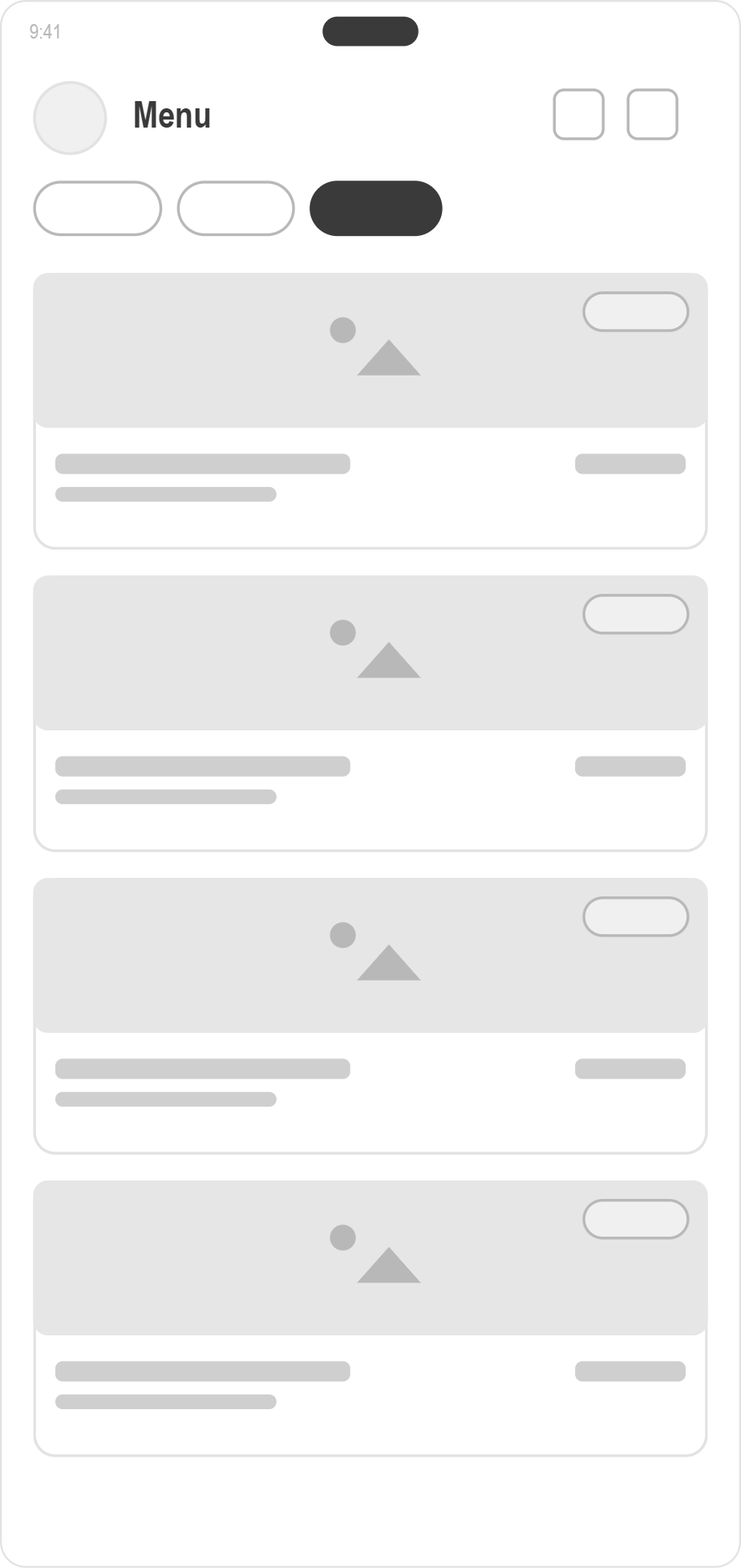
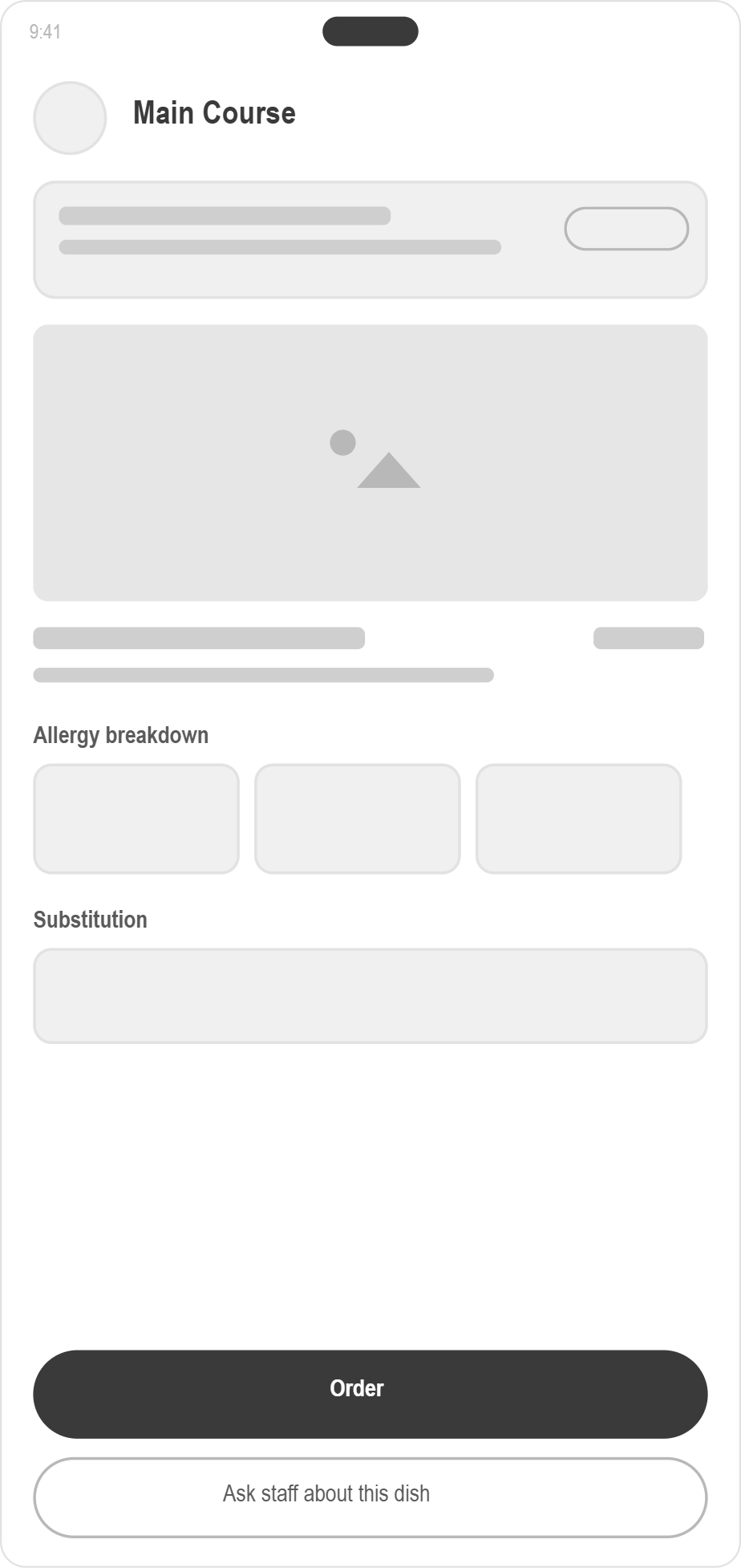
Low-fidelity flows established allergen setup, menu evidence, staff questions, and kitchen escalation before visual styling.

Low-fidelity Forkast customer menu
Customer menu
Low-fidelity Forkast dish detail
Dish evidence
Low-fidelity Forkast waiter dashboard
Waiter floor
Low-fidelity Forkast chef dashboard
Chef escalation

Design-system foundations.

Semantic safety colors, one component library, and role-aware density let the same decision travel across mobile, tablet, and kitchen displays.

SafeDish status

Evidence checked against the diner’s allergy profile.

CautionReview required

Cross-contact or substitution details need attention.

AvoidOrdering locked

The kitchen cannot verify a safe version of the dish.

AskShared question

One question record moves through the service team.

Reusable status and control catalog
Safe
Caution
Avoid
Action

One semantic palette across customer, waiter, chef, and line views.

Three user flows show how the system works.

The customer path, chef decision path, and customer → waiter → chef escalation preserve context from question to answer.

Flow 1 · Customer finds and orders a safe dish

  1. 1Set allergy profile
  2. 2Open restaurant menu
  3. 3Filter by verdict
  4. 4Review dish evidence
  5. 5Confirm safe order

Caution routes to substitution or a question. Avoid keeps ordering locked.

Flow 2 · Chef resolves an allergy risk

  1. 1Open escalation queue
  2. 2Inspect recipe and station
  3. 3Check cross-contact points
  4. 4Approve, substitute, or reject
  5. 5Publish decision to service

The decision also updates the kitchen ticket and reusable answer bank.

Flow 3 · Customer question → waiter → chef → customer

Swipe →

Customer

1Ask about shared preparation
3See pending status
8Receive evidence-backed answer

Waiter

2Capture table, dish, and question
4Escalate the full question
7Relay answer without paraphrasing

Chef

5Inspect recipe and station
6Set verdict and explanation
Forkast customer allergen setup screen
Customer · profile
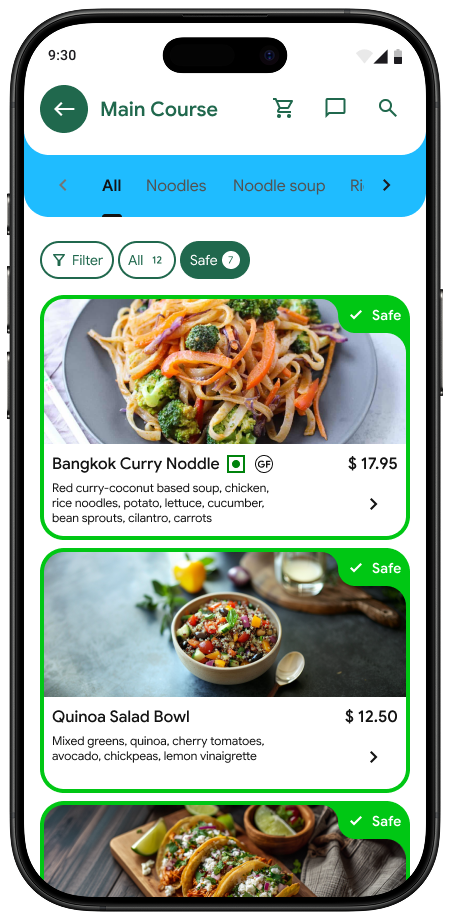
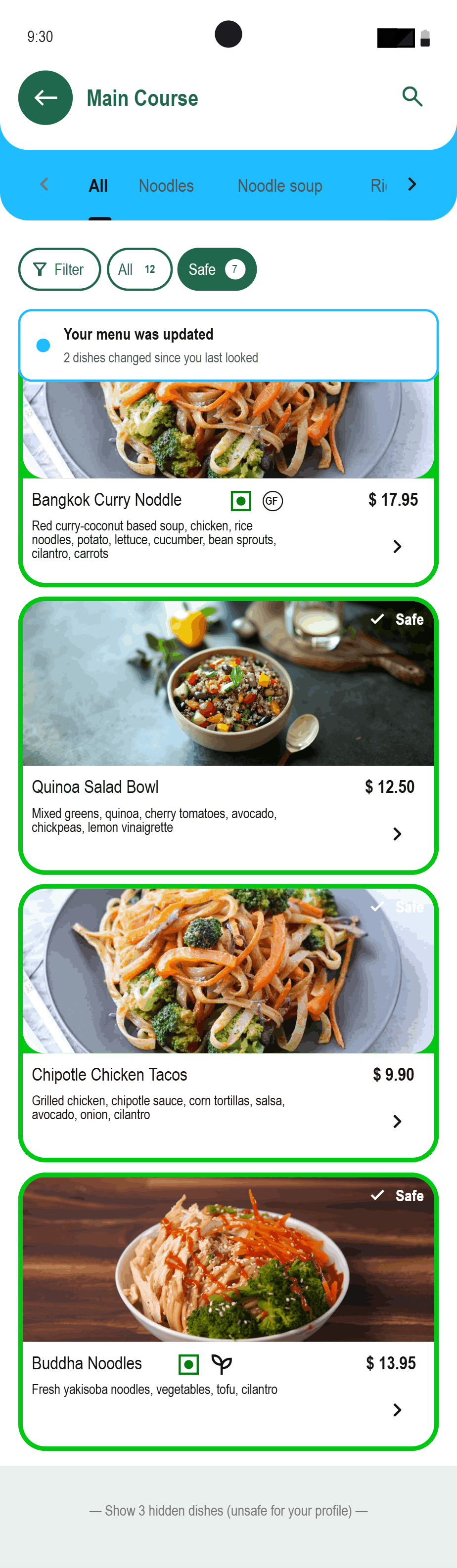
Forkast personalized customer menu
Customer · filtered menu
Forkast waiter service dashboard
Waiter · service handoff
Forkast chef escalation dashboard
Chef · decision queue

The customer experience.

Scan, set allergens, browse a filtered menu, inspect evidence, and order, or ask the kitchen.

Forkast customer flow screen 1
Profile
Forkast customer flow screen 2
Menu
Forkast customer flow screen 3
Safe
Forkast customer flow screen 4
Caution
Forkast customer flow screen 5
Ask / reroute

The restaurant experience.

The floor, chef, and line views reveal different operational detail while reading from the same shared record.

Forkast waiter floor dashboard
Waiter floor · questions and tables
Forkast chef escalation dashboard
Chef · edge-case decisions
Forkast kitchen line display
Line · allergen flags on every ticket

What testing exposed.

Usability testing changed hierarchy, routing, state distinction, and the chef’s decision controls.

ObservedDesign responseWhy it matters

Allergen labels felt detached from the dish

Move the allergen indicator onto the dish card

Faster confirmation

“Ask the kitchen” felt like an end state

Turn it into a persistent pending action

Clear next step

Question ownership was unclear

Show a visible waiter → chef route

Shared accountability

Caution and Avoid looked too similar

Separate amber substitution from red rejection

Safer scanning

Chef actions were hard to find

Prioritize approve, substitute, reject

Faster resolution

What the case study doesn’t usually show.

None of those three decisions survived contact with a real kitchen cleanly. Here’s what actually forced them.

01

The trade-offs

Every trade-off above trades speed for trust. Waiter-first routing, restaurant-owned severity, and an honest “no safe answer” all cost something up front: a slower handoff, more onboarding friction, a request the app sometimes can’t fulfill. None of them look efficient on their own. Together, they’re what makes the system something a kitchen can actually run on, instead of something that just looks good in a deck.

02

The uncomfortable conversation

A real chef asked why he needed to be involved at all, and I didn’t have a clean answer. Presenting the first version to a real waiter and chef was uncomfortable before a single word of feedback came back. The look on their faces said the design had blown up a kitchen flow that already worked. That discomfort is what forced the redesign: staff communication stays inside the kitchen’s existing flow, with the chef pulled in only when the waiter genuinely can’t answer.

03

The wrong turn

Routing customers straight to the chef looked faster on paper. It broke down in a mock service test. Cutting the waiter out of the loop seemed efficient, but tested with real waiters and kitchen staff, the kitchen got too busy, questions ended up going back through the waiter anyway, and the flow added time instead of saving it. That failure shaped the current design: staff communication stays inside the kitchen’s existing flow instead of replacing it.

04

What I’d do differently today

I’d start with the kitchen, not the diner. The process began with the customer-facing menu and worked backward into restaurant operations, which is part of why the first kitchen-facing direction landed as a disruption. Starting with the system the kitchen already runs on, paper tickets and staff memory, would make the eventual customer experience something the kitchen absorbs instead of reacts to.

How the system is structured.

Customer and restaurant surfaces remain separate at the interface level and connected at the safety-data level.

Shared safety layerDiner profile · dish matrix · answer bank · order state

Diner app

ProfileAllergens · saved profile
MenuSearch · filters · categories
DishVerdict · evidence · substitution
QuestionsTemplates · custom · answer status
OrderReview · confirm

Server dashboard

ServiceTables · covers · alerts
GuestsProfiles · order state
QuestionsOpen · answered · follow-up
HandoffSend to chef · return answer

Kitchen line

TicketsAllergy flag · station
ProtocolSurface · oil · utensils
PreparationAcknowledge · complete

Chef console

EscalationsQueue · urgency · table
EvidenceRecipe · station · cross-contact
DecisionApprove · substitute · reject
KnowledgeAnswer bank · decision log

What success would look like.

These are transparent projections from the case-study model, not shipped metrics or measured outcomes.

Projected2.5–4.5 hrs

Estimated waiter time recovered per shift

ProjectedScenario 2 ↓

Hungry walk-in workaround reduced

Projected30 min → 90 sec

Estimated menu verification time

Projected−15–25%

Estimated reduction in reaction incidents

Directional estimates from the case-study model, not measured product outcomes.

Learnings, reflection, and what comes next.

The project’s strongest lesson is about behavior and restaurant systems, not interface polish.

What I learned

Restaurant design is a systems problem before it is an interface problem.

The most valuable finding came from watching one person do something she had not mentioned in an interview. Behavior changed the system more than another polished screen would have.

  1. 01
    Reservation-side capture

    Attach an allergen profile before arrival so the kitchen can prepare.

  2. 02
    Direct waiter calling

    Let a guest summon the floor team without bypassing service roles.

  3. 03
    Real restaurant pilot

    Validate adoption, saved-answer governance, and peak-service capacity.

The project is the handoff.

Forkast succeeds only when one evidence-backed decision survives the journey from the diner’s phone to the kitchen and returns without losing context.

Forkast

Usability test report.

Two connected studies tested whether diners could make a safer menu decision and whether that decision could survive the handoff into a working kitchen.

Forkast customer safety screens showing Safe, Caution, Avoid, and substitution states
Ownership
Independent, end to end
Customer test
11 participants
Restaurant test
3 participants
Evidence
Confirmed project record
  • Comparative Testing
  • Service Prototyping
  • Usability Testing
  • Design Iteration

Testing had to work on both sides of the table.

A customer-facing filter could look clear and still fail if the restaurant could not receive, verify, and act on the same allergy decision. I tested the two sides separately, then used the point of failure between them to reshape the service flow.

About this reportThis is a concise reconstruction from the confirmed project record. The participant totals and customer results below are real. Formal session notes, recordings, SUS scores, exact scripts, and per-participant timing logs were not retained, so they are not recreated here.

The customer comparison.

Eleven people used Forkast and a traditional menu to find a suitable dish and inspect the information behind that decision.

Under 2 min

All 11 participants found a suitable dish with Forkast.

About 2x longer

The same participants took about twice as long with a traditional menu.

10 of 11

Found the full dish details without guidance.

Forkast personalized menu showing dishes marked safe for the diner's allergy profile
Find a suitable dish
Forkast safe dish detail showing the evidence behind its safety state
Inspect the evidence behind the decision

Two tests, one handoff.

The customer comparison measured clarity at the menu. The restaurant-side walkthrough tested whether the same decision fit the people and pressure behind the menu.

Customer-side comparison

11 customer participants worked through the decision in Forkast and in a traditional menu condition. The surviving results show what the study evaluated, not the wording of the original task script.

  • Whether people could find a suitable dish.
  • How decision time compared with a traditional menu.
  • Whether people discovered full dish details without prompting.

Restaurant-side first iteration

A waiter, chef, and junior chef tested the kitchen workflow in a simulated service flow. The retained account documents the behavior that was evaluated, not an exact facilitator script.

  • Whether direct-to-chef routing fit existing service roles.
  • How allergy questions moved under service pressure.
  • Where responsibility returned when the first flow broke.

The first kitchen flow broke under pressure.

The uncomfortable conversation at the end of the first test exposed a system problem: sending every diner question directly to the chef interrupted the kitchen and eventually pushed the question back through the waiter anyway.

First iteration

DinerChefWaiter

Direct access looked faster on screen, but it bypassed the person already responsible for the table and added pressure to the kitchen.

Design response

DinerWaiterChef when needed

The waiter handles known answers first. Only unresolved safety questions reach the chef, and the answer returns through a visible shared record.

Forkast waiter dashboard showing guest questions and table context
The revised service flow keeps question ownership visible before escalation

What testing changed.

Each observed problem was translated into a specific interface or workflow response. These findings are retained in the original project record.

ObservedDesign responseWhy it matters

Allergen labels felt detached from the dish

Move the allergen indicator onto the dish card

Faster confirmation

“Ask the kitchen” felt like an end state

Turn it into a persistent pending action

Clear next step

Question ownership was unclear

Show a visible waiter → chef route

Shared accountability

Caution and Avoid looked too similar

Separate amber substitution from red rejection

Safer scanning

Chef actions were hard to find

Prioritize approve, substitute, reject

Faster resolution

What the evidence can support.

A useful case study is precise about both its findings and its limits.

Confirmed and included

  • 11 customer participants and three restaurant-side participants.
  • The three customer comparison results shown above.
  • The five observed usability issues and their design responses.
  • The failed direct-to-chef route and the waiter-first redesign.

Not available, so not claimed

  • Participant demographics or individual profiles.
  • Verbatim participant quotations or session recordings.
  • Per-participant task times, error counts, or assistance levels.
  • A System Usability Scale score or statistical significance.

What I would validate next.

A future round would turn the surviving evidence into a repeatable study and test the redesigned handoff in a real restaurant environment.

  1. Write one task protocol.Use the same menu-finding, detail-checking, and question-routing prompts with every participant.
  2. Record behavior consistently.Capture completion, assistance, errors, time, and short post-task confidence ratings.
  3. Retest the handoff.Compare the waiter-first escalation model with the rejected direct-to-chef route during realistic service pressure.
  4. Run a live pilot.Validate answer ownership, kitchen capacity, and whether the shared safety record stays current across a shift.

Testing changed the system, not just the screens.

The strongest result was the point where the first concept failed. Listening to the people inside the restaurant changed who owns the question, when the chef gets involved, and how one safety decision travels from table to kitchen.

Cura

How do you remind someone without making them feel judged?

A medication support system that replaces rigid, exact-time alarms with flexible time windows, recoverable dose states, and caregiver visibility that only appears when it actually matters.

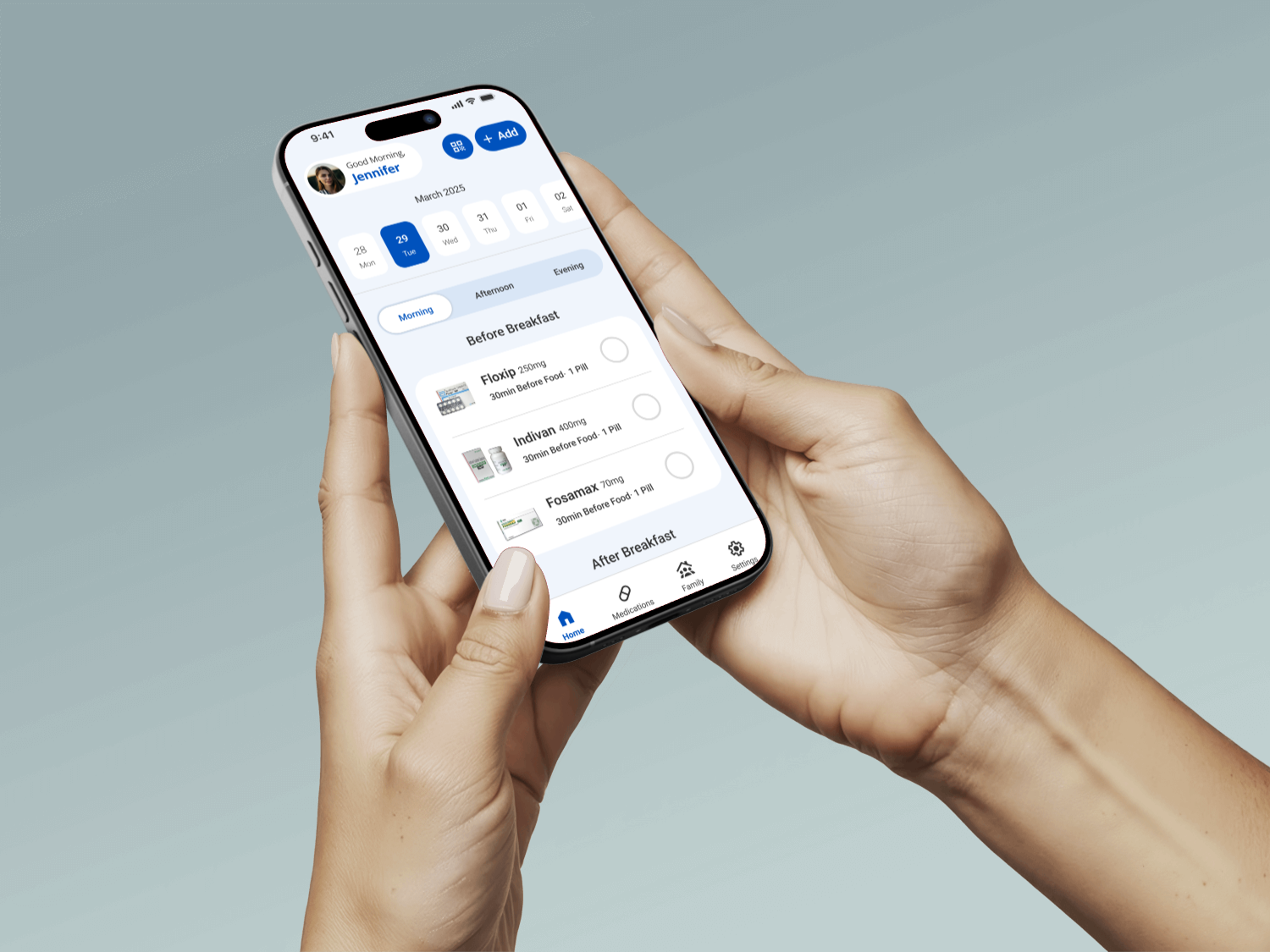
Hands holding a phone displaying the Cura daily medication schedule
Team
Independent case study
Role
UX/UI designer and researcher
Testing
2 rounds · 4 participants each
Scope
Research through prototype
  • Research Synthesis
  • Information Architecture
  • User Flows
  • Dose-State Logic
  • Prototyping
  • Usability Testing
Goal

Exact-time alarms assume medication fits a fixed schedule. In practice, doses get taken around meals, sleep, and work, and a single missed alarm can feel like a moral failure instead of a recoverable moment.

Method

Cura replaces that fixed schedule with one shared dose-state model (upcoming, due, late, taken, or missed) so timing bends to the routine instead of the other way around.
Key data: research and testing findings

4 of 4

Completed the fixed interaction

After the hidden swipe gesture was replaced with a visible tap toggle, every participant in the next testing round completed it correctly.

72.2%

Used no reminder app at all

13 of 18 survey respondents managed medication without any dedicated reminder tool before this project.

2 rounds: moderated usability testing.Four participants each, covering setup, the daily schedule, and dose recovery.

Problem → solution overview

Three research conclusions shaped the state model and interface.

Exact-time alarms fought real routines

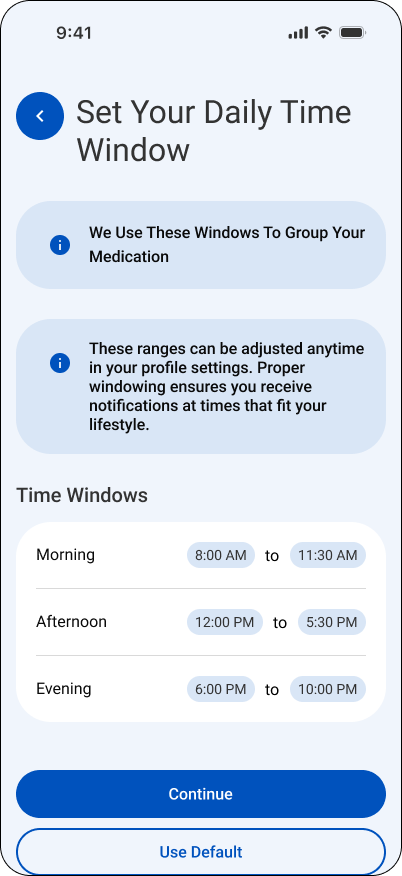
Cura setup screen for defining flexible morning, afternoon, and evening time windows

Replace fixed alarm times with flexible time windows tied to when doses actually happen: around meals, sleep, and work.

Late and missed felt like the same failure

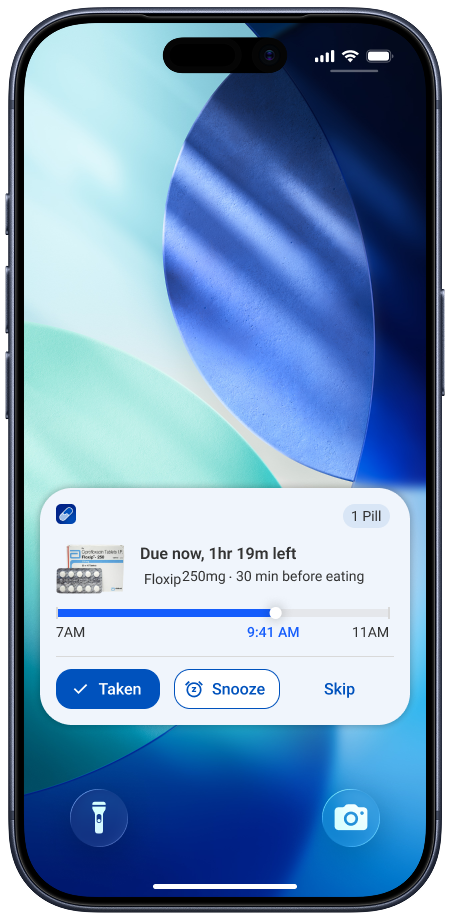
Expanded late-dose Cura notification with recovery actions

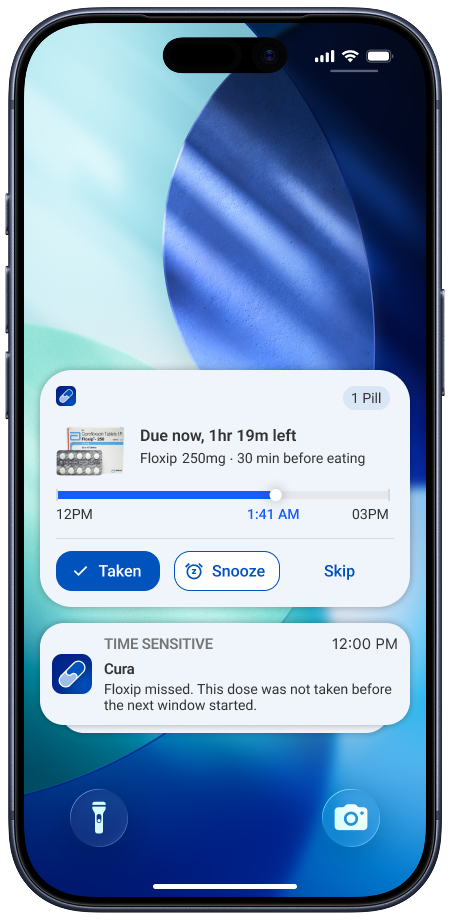
Split the state model into upcoming, due, late, taken, and missed, so a recoverable moment does not trigger the same alarm as a missed one.

Caregiver visibility felt like surveillance

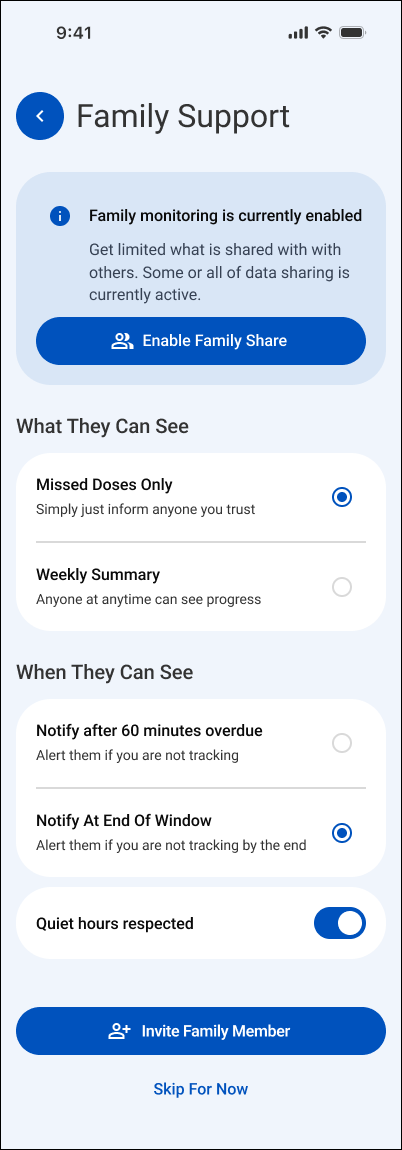
Cura family-support setup screen explaining optional caregiver visibility

Show caregivers only meaningful exceptions instead of constant monitoring, with consent built into setup.

The final prototype.

One shared dose state, surfaced differently for the person taking medication and the caregiver supporting them.

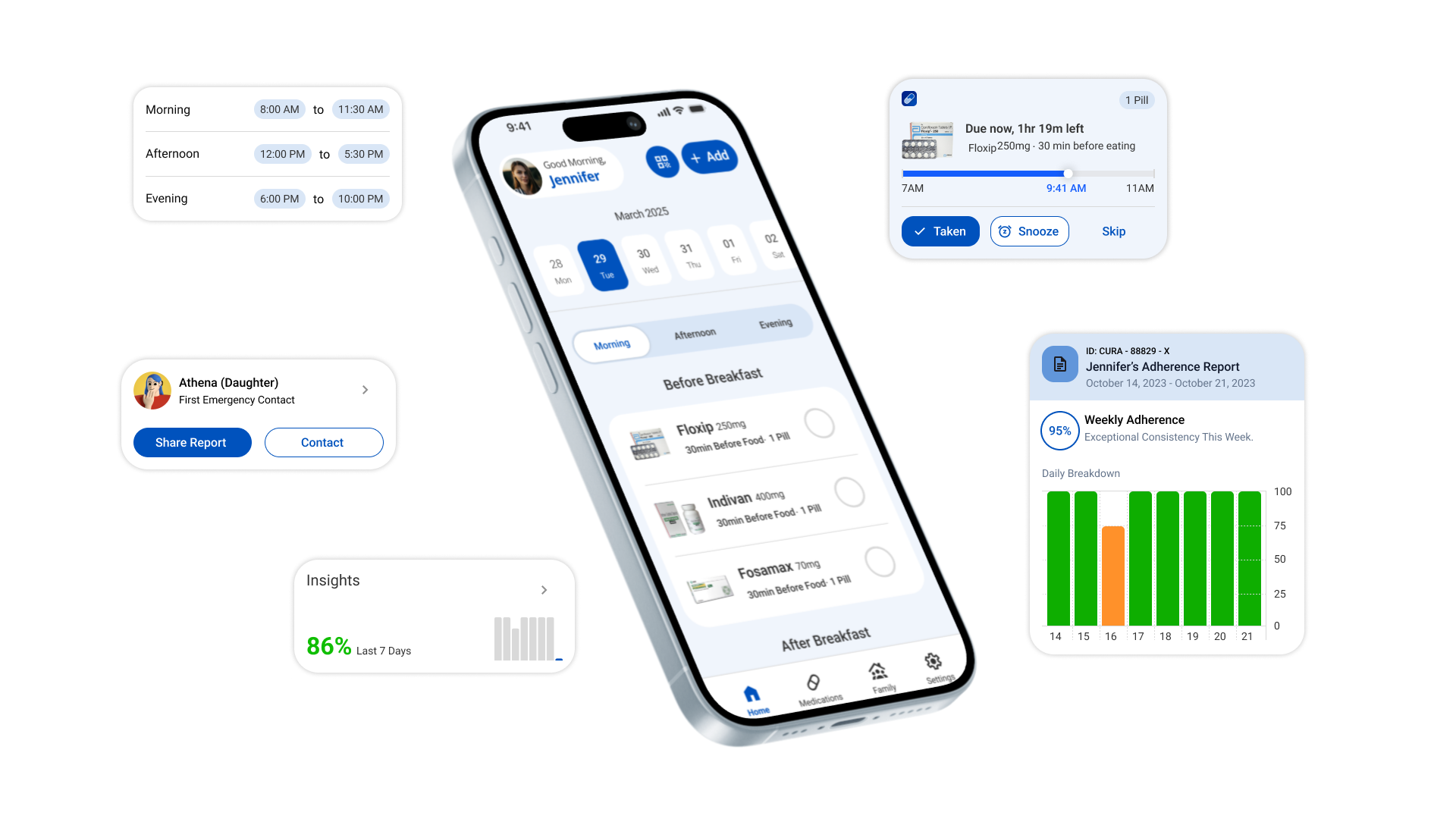
Cura system overview combining the daily schedule, reminders, adherence history, and caregiver information
Daily schedule, reminders, and caregiver view · final composition

Contributions

The work combined behavioral research, state-model definition, interaction design, and usability testing.

Learnings

Three lessons changed how the final system was framed and designed.

Research and synthesis

Ran a survey and interviews, then synthesized adherence behavior into the flexible time-window concept.

01

A hidden gesture is not a control.

Swipe-to-complete felt natural to design, but no participant discovered it without being told. Every meaningful action needs a visible, discoverable control.

System and states

Defined the upcoming, due, late, taken, and missed dose states shared across every screen.

02

Timing should model behavior, not the clock.

Exact-time alarms fight how people actually take medication, which happens around meals, sleep, and work, not at a fixed minute.

UX/UI and testing

Designed the wireframes and visual interface, then ran two rounds of moderated usability testing.

03

Recoverable and missed are not the same state.

Separating late from missed removes guilt from a moment that is still fixable, and only escalates to a caregiver when it truly matters.

View more projects

Continue to another UX/UI case study or return to the complete project index.

Cura

A flexible medication-support system.

The original case study, rebuilt for the web in the same order: research, synthesis, structure, testing, and the final design.

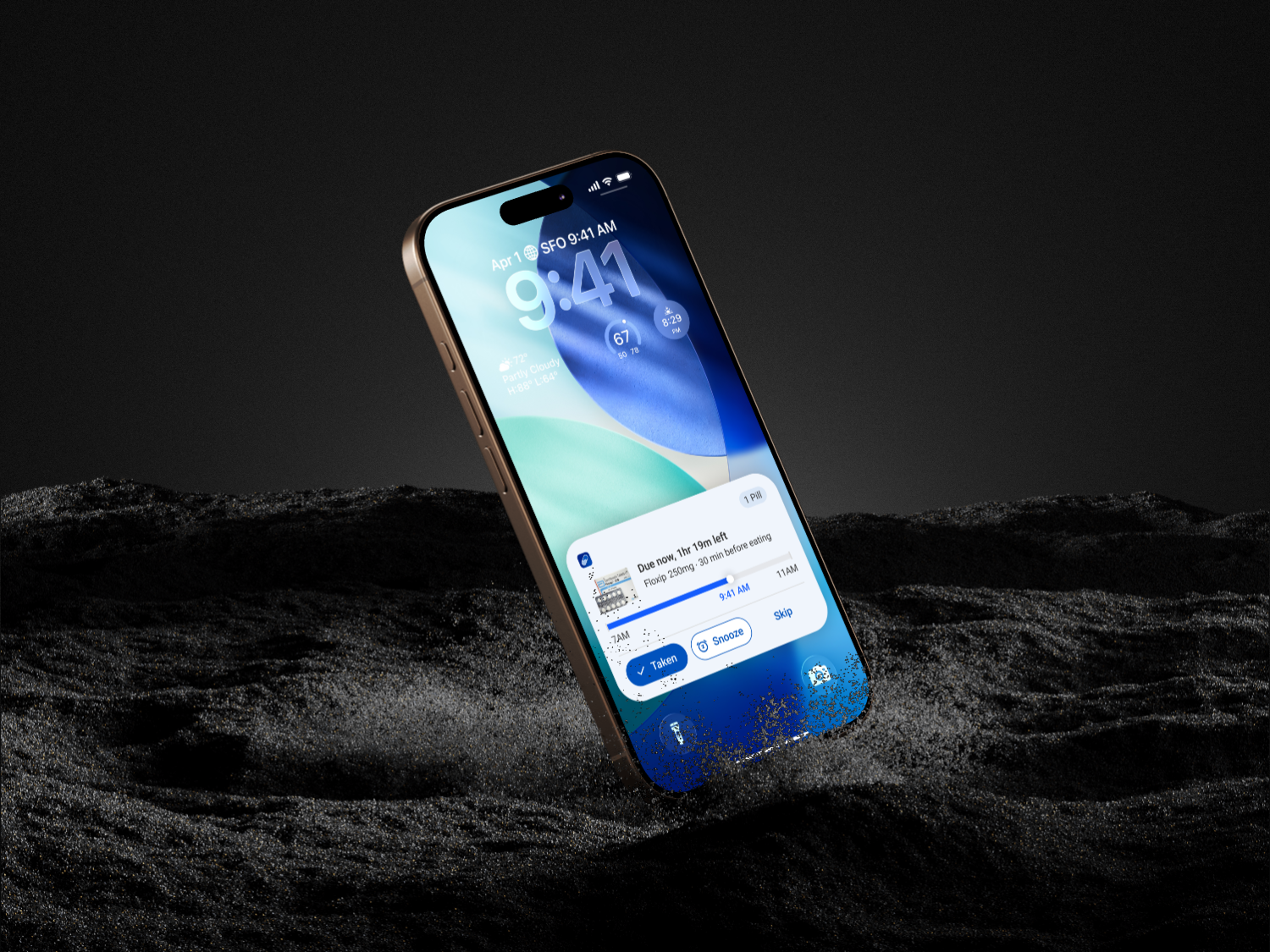
Cura reminder shown on a phone in a dark environmental render
Role
Independent UX/UI designer and researcher
Research
18 survey responses · 5 interviews
Testing
2 moderated rounds
System
Patient + caregiver

Research had to explain routine breaks, not just forgetfulness.

Four research lenses moved from broad context into direct conversation, synthesis, and two rounds of prototype testing.

The plan followed behavior from context to validation.

The work moved from broad context into direct conversations, synthesis, structure, and two rounds of prototype testing.

18

Survey responses

Medication habits, reminder use, and routine changes

5

Interviews

Failure moments, coping behavior, and caregiver friction

2

Testing rounds

Four participants in each moderated round

4

Research lenses

Literature, survey, interviews, and market review

The central insight reframed adherence as a routine problem.

One line captures why reminders fail: routines break, not memory.

Cura medication experience shown in context on a phone

Main insight from research

Medication adherence breaks when routines change, not simply because people forget.

Raw survey and interview evidence stayed visible.

Eighteen survey responses and five interviews were grouped into seven behavioral themes before any design decision.

The raw evidence stayed visible behind the synthesis.

Survey patterns and interview fragments were kept separate before they were grouped into seven themes.

A new medication breaks an established habit

Routine disruption

Travel changes the expected schedule

Routine disruption

Doctor-led timing changes are easy to forget

Routine disruption

Several medications are difficult to juggle

Mental load

Older adults can lose track of what is current

Mental load

Repeated decisions add effort

Mental load

Too many alerts become background noise

Reminder fatigue

Exact-time alarms do not match daily life

Reminder fatigue

Dismissed reminders offer no recovery path

Reminder fatigue

Small delays can create unnecessary worry

Caregiver friction

Constant visibility can feel intrusive

Caregiver friction

Support needs clear boundaries

Caregiver friction

People need to know whether a dose was logged

Trust and visibility

History should explain what happened

Trust and visibility

State changes must be visible

Trust and visibility

Late-dose uncertainty causes anxiety

Recovery after delay

A missed action needs a clear next step

Recovery after delay

The interface should avoid guilt

Recovery after delay

Too many fields appear at once

Setup friction

Medical language increases effort

Setup friction

Adding a changed prescription should be quick

Setup friction
18 + 5survey responses and interviewsgrouped into seven behavioral themes
88.9%

16 of 18 participants reported taking regular medication.

72.2%

13 of 18 did not use a reminder application.

16.7%

3 of 18 used only a pill organizer.

The concept narrowed to one person and one bounded supporter.

Research ruled out constant caregiver monitoring in favor of a shared dose state with consent-based visibility.

The concept was remodeled around bounded support.

Research narrowed the system to one person maintaining a routine and one supporter who is involved only when the situation meaningfully changes.

Person using the Cura medication schedule
Primary user

Independent routine

Flexible time windows and clear recovery keep control with the person taking medication.

Shared dose stateUpcoming · Due · Late · Taken · Missed
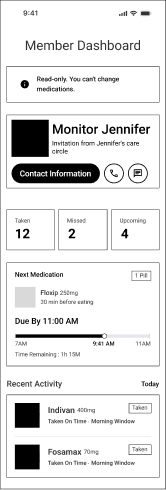
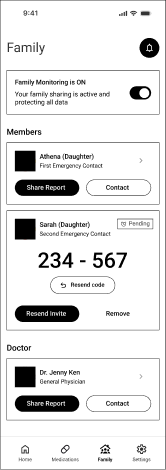
Cura family-support setup screen
Support layer

Meaningful exceptions

Explicit consent and delayed escalation reduce monitoring pressure and notification fatigue.

A problem statement anchored every later decision.

Every wireframe and interface choice traces back to this single question.

Post-research problem statement

How might we help people maintain medication routines through everyday change, recover confidently after a delay, and involve caregivers only when support is genuinely needed?

One persona carried the design forward.

Ananya is a composite drawn from recurring patterns across participants, not one individual.

One primary persona held the design decisions together.

Ananya is a composite archetype drawn from recurring research patterns, not a representation of one named participant.

Ananya R.

Independent routine manager · 34

About

Ananya manages recurring medication around a busy, changing day. Her established routine usually works, but a new prescription or unexpected schedule change makes it easy to lose track.

Needs
  • A clear view of what is due now
  • Fast updates when medication changes
  • A recovery path after a late reminder
Wants
  • To stay independent
  • To avoid feeling judged by the interface
  • To reassure family without constant monitoring
Pain points
  • Exact-time alarms conflict with real routines
  • New tablets interrupt established habits
  • Existing tools make changes feel complicated
Says

“Adding a new tablet throws my whole morning off.”

Does

Uses phone alarms and relies on an established daily sequence.

Hears

Instructions from a doctor and occasional check-ins from family.

Thinks

Did I already take this, and is it too late now?

Sees

Several medicines, changing instructions, and alerts competing for attention.

RoutineTrustRecovery

A routine break has an emotional cost.

The journey traces confidence from a calm morning dose through a missed alarm and back to recovery.

A routine break revealed the emotional cost of uncertainty.

The representative scenario maps where confidence falls after a dismissed alarm and rises only when the system offers a clear recovery path.

  1. Calm

    Wake up

  2. Confident

    Morning dose

  3. Confused

    Routine break

  4. Frustrated

    Missed alarm

  5. Anxious

    Late dose?

  6. Unsure

    Recovery

  7. Embarrassed

    Caregiver alert

  8. Relieved

    Evening dose

The visual language stays calm on purpose.

One action blue, generous white space, and plain language keep medication status the focus, not the styling.

The visual language is calm, direct, and reassuring.

Cura uses one strong blue for action, pale blue for orientation, generous white space, and plain language so medication status remains the focus.

Action blue#0759c7

Soft blue#dce9f8

Canvas#f3f7fd

Ink#25292e

Space GroteskAa

Clear hierarchy, open forms, and readable interface labels.

01

Routine first

02

One clear action

03

Visible status

04

Support without pressure

Two flows carry the entire experience.

Setting up a medication and completing a dose are the only two journeys that matter every day.

Two flows carry the core experience.

One sets up a medication without exposing the entire task at once. The other moves a dose from reminder to a shared, resolved status.

Add medication

  1. 1

    Choose input method

  2. 2

    Enter medication details

  3. 3

    Set routine and reminders

  4. 4

    Review and save

Complete a dose

  1. 1

    See what is due

  2. 2

    Open reminder

  3. 3

    Taken, snooze, or skip

  4. 4

    Confirm shared status

Four familiar destinations organize the app.

Daily action, medication management, family support, and settings stay separated instead of collapsing into one screen.

The information architecture follows four familiar destinations.

Daily action stays in Home, medication management has its own space, family support remains bounded, and notification behavior stays in Settings.

Cura

Home

  • Today
  • Time windows
  • Dose status

Medications

  • Medication list
  • Add medication
  • Schedule

Family

  • Consent
  • Members
  • Meaningful alerts

Settings

  • Notifications
  • Quiet hours
  • Profile

Low-fidelity screens established the structure first.

Navigation, scheduling, dose actions, and family visibility were tested before visual polish began.

The full wireframe set connected setup, action, and support.

Low-fidelity screens established navigation, scheduling, dose actions, and family visibility before visual polish.

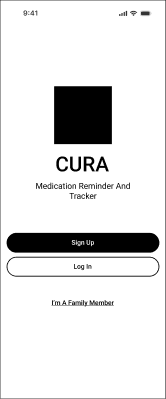
Cura wireframe for onboarding
Onboarding
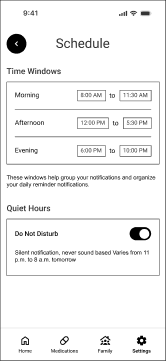
Cura wireframe for time-window settings
Time-window settings
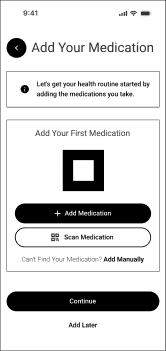
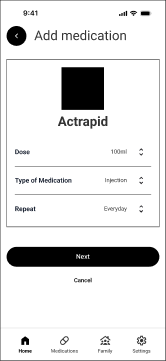
Cura wireframe for add entry
Add entry
Cura wireframe for medication form
Medication form
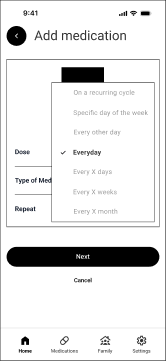
Cura wireframe for repeat logic
Repeat logic
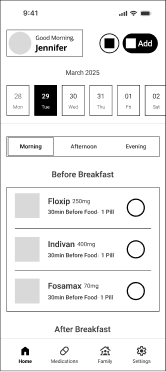
Cura wireframe for daily schedule
Daily schedule
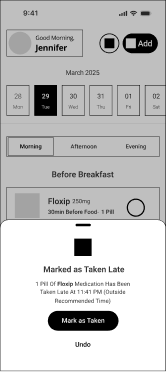
Cura wireframe for dose confirmation
Dose confirmation
Cura wireframe for caregiver concept
Caregiver concept
Cura wireframe for family view
Family view

Five states keep every screen consistent.

Upcoming, due, late, taken, and missed read the same way in the daily view, reminders, history, and caregiver view.

Five states keep every screen consistent.

Click a state to see the real screen behind it. The daily schedule, reminders, history, and caregiver view all read from the same dose status.

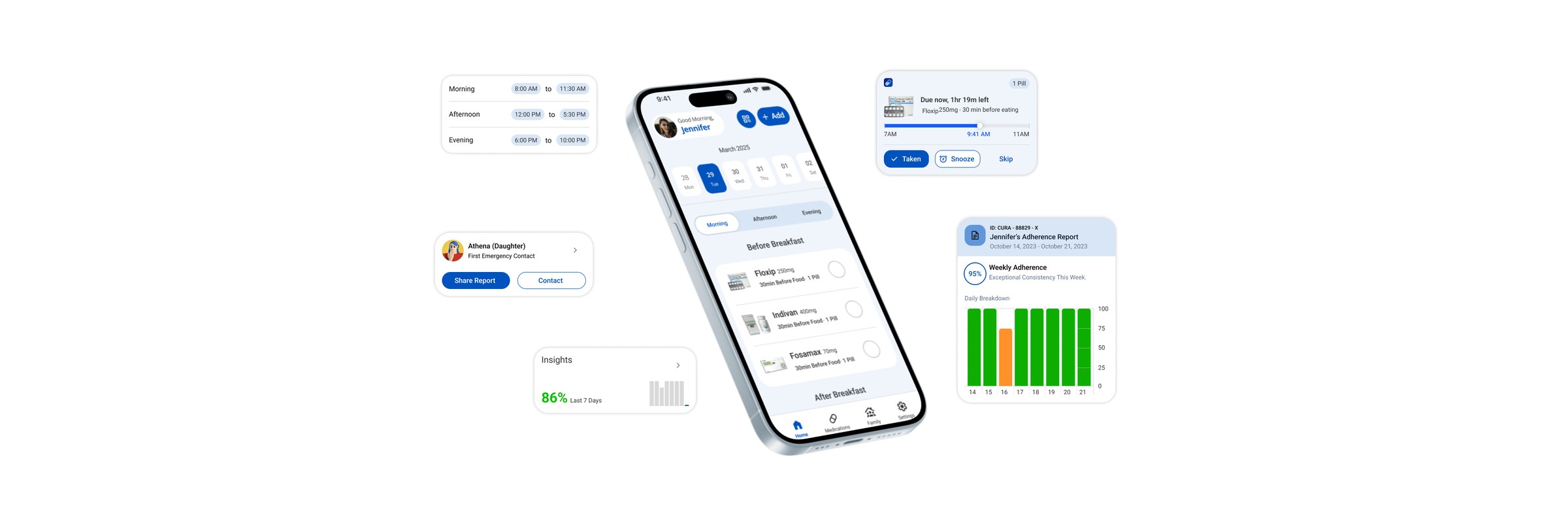
Cura daily schedule showing morning medications not yet due
Nothing interrupts yet, the dose only shows up in the daily schedule.

One approach was tested and rejected before this one.

Reminder timing was modeled two ways during early research.

Considered

Exact clock-time alarms

Precise, but it assumes medication fits a fixed schedule. Testing and interviews showed real routines move around meals, sleep, and work, not the clock.

Shipped

Flexible time windows

A dose belongs to a practical period of the day, so the reminder bends to the routine instead of demanding the routine bend to it.

What testing exposed.

Two rounds of moderated testing changed the calendar signal, the primary gesture, the tab treatment, and the entry point.

The daily schedule became easier to read and act on.

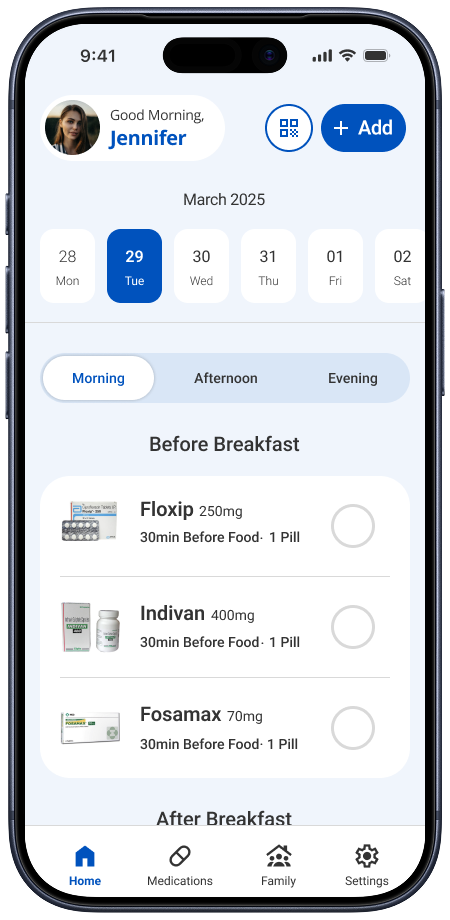
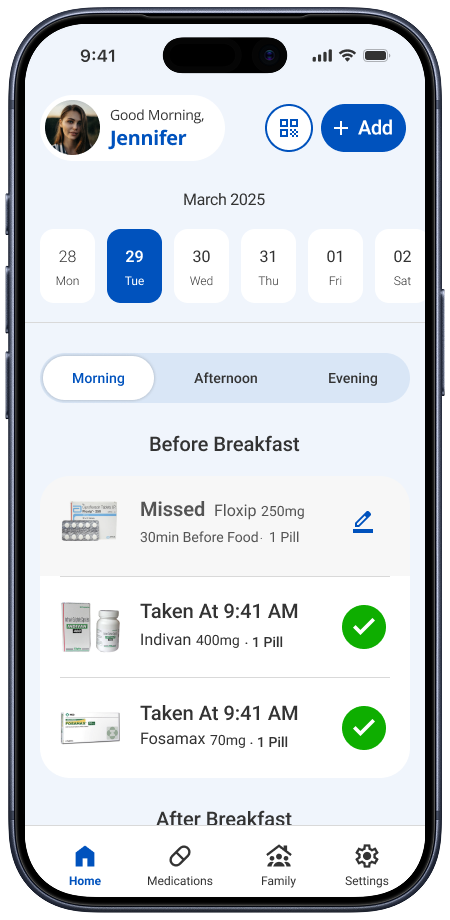
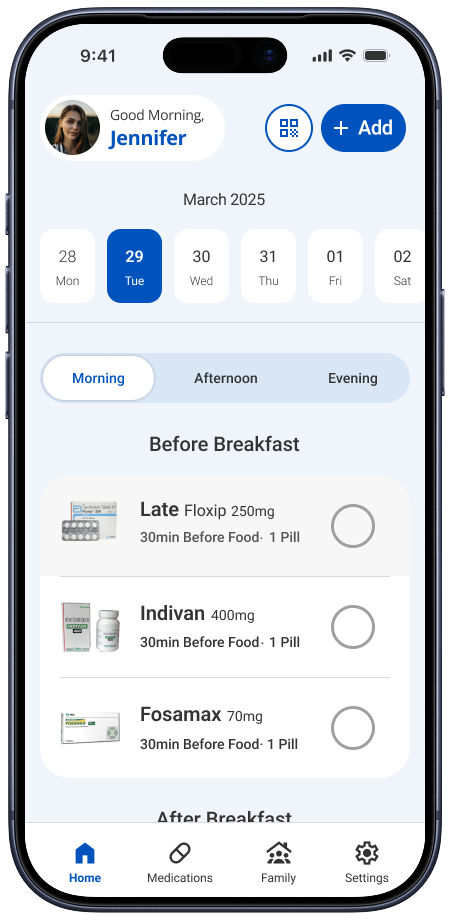
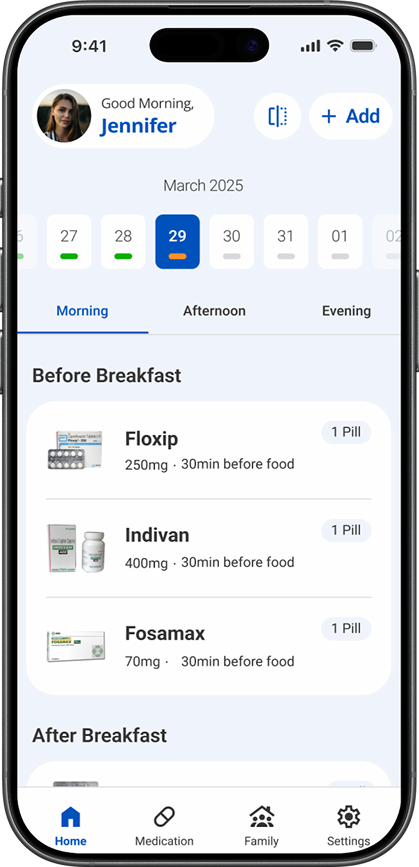
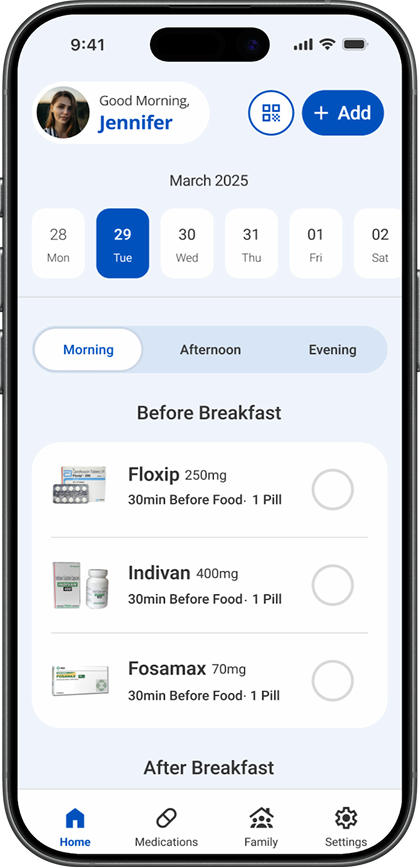
Progress bars were removed, the hidden swipe interaction became a visible tap control, and the time-window tabs gained stronger presence.

BeforeCura daily schedule before usability-testing changes
AfterCura daily schedule after usability-testing changes

Medication entry changed from one long form to two focused forms.

The task was divided so users no longer had to process all medication and scheduling fields at the same time.

Original Cura medication form with all fields combined
Before · one continuous form
  1. 01Medication details

    Complete the first focused part of setup.

  2. 02Routine details

    Continue to the remaining schedule information.

ObservedChangedResult
Calendar progress bars were not understood without explanation.Removed the bars and moved completion feedback beside each medication.The final screen no longer asks people to decode an unexplained calendar signal.
Nobody discovered swipe-to-complete without instruction.Replaced the hidden swipe gesture with a visible tap control.All four participants in the next round completed the interaction correctly.
Morning, afternoon, and evening tabs were mistaken for filters.Increased their size and contrast while preserving time windows.The final control gives each time window stronger navigational emphasis.
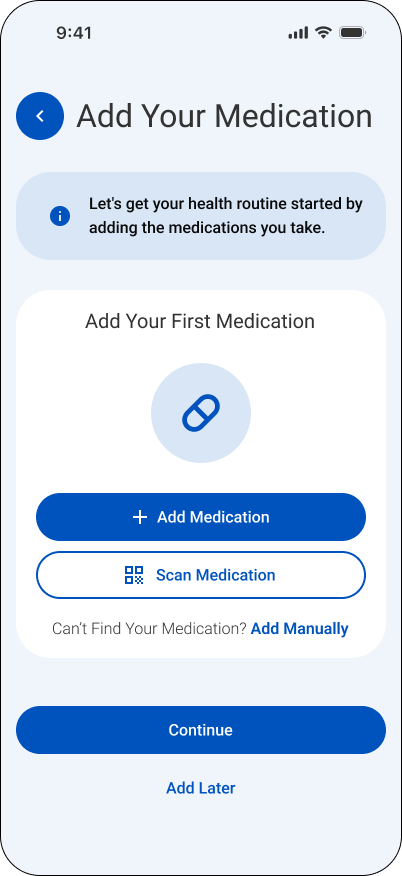
Separate Add and Scan actions created hesitation.Kept one Add entry point and placed Scan inside the flow.The entry point now asks for one decision before showing input methods.

What the case study doesn’t usually show.

The trade-offs made, the conversation that questioned the whole premise, the direction that failed in testing, and what a restart would change.

01

The trade-offs

Choosing flexible time windows over exact clock-time alarms meant giving up precision: a window is a looser promise than a single minute, and that ambiguity had to be designed around rather than hidden. Limiting caregiver visibility to meaningful exceptions instead of full monitoring meant giving up constant caregiver oversight, in exchange for not turning every dose into a surveillance moment for the person taking it.

02

The uncomfortable conversation

The hardest question wasn’t from a testing session: it was being asked directly why this needed to be its own app at all, instead of two features added to Apple Health or an existing medication tool. There wasn’t a defensive answer, because there wasn’t supposed to be a new app: building it standalone was the fastest way to find out whether flexible time windows and a shared dose state were actually worth having, or whether it was a feature I’d talked myself into caring about more than real users would.

03

The wrong turn

An early version of the daily screen used small colored progress bars under each calendar date and a swipe gesture to mark a dose as taken. Both failed in testing: the progress bars looked fine but nobody checked them without being told what they meant, and no participant swiped without being told to. The swipe was replaced with a one-tap toggle, which every participant then completed correctly.

04

What I’d do differently today

I’d pair the app with a physical product instead of shipping software alone: medication storage is its own real problem, separate from the reminder stress this project addressed, and a physical object would let the two solve different halves of the same routine instead of asking software to carry both. I’d also go back and solve an edge case testing never covered: the notification model works cleanly for one medication, proven in testing, but stacking two or more doses due at once is a case the current design doesn’t yet handle.

Learnings, reflection, and what comes next.

The project's strongest lesson is about behavior and trust, not visual polish.

01

A hidden gesture is not a control.

Swipe-to-complete felt natural to design, but no participant discovered it without being told. Every meaningful action needs a visible, discoverable control.

02

Timing should model behavior, not the clock.

Exact-time alarms fight how people actually take medication, which happens around meals, sleep, and work, not at a fixed minute.

03

Recoverable and missed are not the same state.

Separating late from missed removes guilt from a moment that is still fixable, and only escalates to a caregiver when it truly matters.

The system is the reminder.

Cura succeeds only when a dose's status (upcoming, due, late, taken, or missed) stays trustworthy across the phone and the caregiver view alike.
Cura

Usability test report.

Two moderated rounds with eight different participants tested whether medication setup, daily dose actions, and late-dose recovery were clear without instruction.

Cura daily schedule before usability-testing changes
Ownership
Independent, end to end
Participants
8 total
Study design
2 rounds · 4 different people each
Evidence
Confirmed project record
  • Moderated Testing
  • Prototype Testing
  • Interaction Design
  • Design Iteration

The first round revealed what the interface was hiding.

The daily schedule depended on people interpreting progress bars, discovering a swipe gesture, and recognizing time-window tabs without explanation. I changed those interactions, then tested the revised prototype with four different people.

About this reportThis page uses the findings currently recorded in the Cura project. It does not add participant demographics, verbatim quotations, SUS scores, exact scripts, or per-task timing because those details are not present in the portfolio record.

Two rounds, two different groups.

Each moderated remote session covered the same core experience: medication setup, the daily schedule, marking a due dose as taken, and recovering from a late dose.

Round one exposed the friction

Four participants used the original interactive prototype. The interface relied on several signals that made sense only after they were explained.

  • Calendar progress bars were not understood.
  • Nobody discovered swipe-to-complete without instruction.
  • Time-window tabs looked like filters.
  • Separate Add and Scan actions created hesitation.

Round two tested the response

Four different participants used the revised prototype. The goal was to see whether visible controls and a clearer hierarchy removed the earlier dependence on explanation.

  • Swipe became a visible tap control.
  • Completion feedback moved beside each medication.
  • Time-window tabs gained size and contrast.
  • Add became one entry point, with Scan inside.

One interaction produced the clearest before-and-after result.

The hidden swipe failed discovery in round one. After it became a visible tap control, every participant in the different second-round group completed it correctly.

0 of 4

Discovered swipe-to-complete without instruction in round one.

4 of 4

Completed the visible tap interaction correctly in round two.

8 people

Participated across two rounds, with a different group in each round.

Cura daily schedule before testing changes, using progress bars and a hidden swipe interaction
Round one · hidden gesture and unclear calendar signal
Revised Cura daily schedule with a visible tap control and clearer time-window tabs
Round two · visible action and stronger hierarchy

What testing changed.

Every retained observation is paired with the design response it caused and the result the current project record can support.

ObservedChangedResult
Calendar progress bars were not understood without explanation.Removed the bars and moved completion feedback beside each medication.The final screen no longer asks people to decode an unexplained calendar signal.
Nobody discovered swipe-to-complete without instruction.Replaced the hidden swipe gesture with a visible tap control.All four participants in the next round completed the interaction correctly.
Morning, afternoon, and evening tabs were mistaken for filters.Increased their size and contrast while preserving time windows.The final control gives each time window stronger navigational emphasis.
Separate Add and Scan actions created hesitation.Kept one Add entry point and placed Scan inside the flow.The entry point now asks for one decision before showing input methods.

What the evidence can support.

The report is specific about what was observed and equally clear about what the current record does not contain.

Confirmed and included

  • Two moderated remote rounds with four different people in each round.
  • Eight participants total, managing or expecting to manage recurring medication.
  • The setup, daily schedule, dose-completion, and late-recovery scenarios.
  • The four observed usability issues and their design responses.
  • The 0-of-4 to 4-of-4 result for the primary completion interaction.

Not added to the record

  • Participant names, detailed demographics, or individual profiles.
  • Verbatim participant quotations or session transcripts.
  • Per-participant task times, error counts, or assistance logs.
  • A System Usability Scale score or statistical significance.
  • Claims that the other three changes achieved a measured completion rate.

What I would validate next.

A future round would preserve the same core scenarios while recording the behavior consistently and testing Cura in the routines where medication decisions actually happen.

  1. Use one task protocol.Give every participant the same setup, due-dose, and late-recovery scenarios.
  2. Capture assistance and errors.Record when someone pauses, chooses the wrong control, or needs an explanation.
  3. Test the full state model.Confirm that upcoming, due, late, taken, and missed remain distinct across the day.
  4. Run a longer pilot.Study whether the interface still feels clear when routines change over several days.

Testing made the action visible.

The strongest result was not a preference score. It was a behavior change: nobody found the hidden gesture in the first round, and every participant in the different second-round group completed the visible replacement correctly.